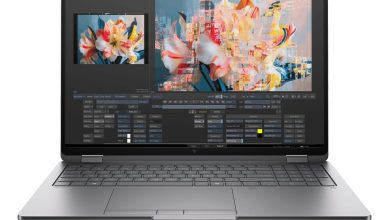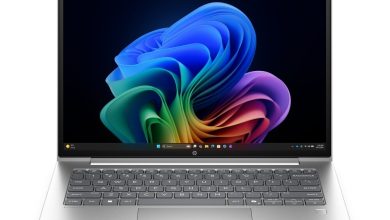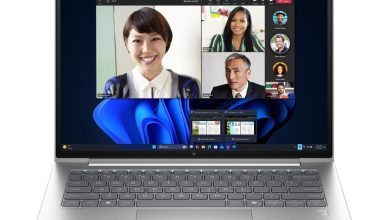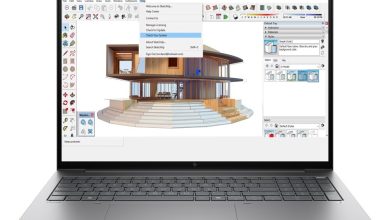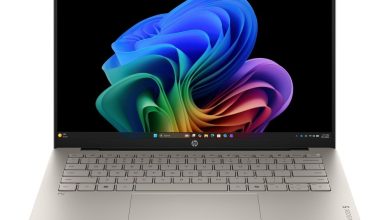
Download the latest official HP ZBook 8 G1ak 14 DF3P2PA drivers for Windows 11 (64-bit). This 14-inch HP ZBook 8 G1ak mobile workstation runs on the AMD platform with 4G/5G cellular options — all links below point directly to HP’s official download server (ftp.hp.com), free and no sign-up needed.
BIOS and Firmware
- HP BIOS and System Firmware (X84) — 01.06.01 Rev.A (Sep 2, 2026, 32.2 MB) — Download
- HP PC Hardware Diagnostics UEFI — 10.8.7.0 Rev.A (Jul 8, 2026, 40.6 MB) — Download
- HP PC Hardware Diagnostics Windows — 3.1.1.0 Rev.A (May 20, 2026, 618.9 MB) — Download
Chipset Drivers
- AMD Chipset Driver — 8.05.26.1201 Rev.A (Aug 3, 2026, 1.8 MB) — Download
- AMD Sensor Fusion Hub Driver — 1.1.0.37 Rev.A (Jul 10, 2026, 0.9 MB) — Download
- AMD AMS Mailbox Driver — 5.1.0.1480 Rev.A (Jul 31, 2026, 13.6 MB) — Download
- Parade PS8835/ PS8836 Retimer Peripheral Driver — 1.0.18.0 Rev.A (Nov 28, 2025, 0.8 MB) — Download
- AMD Neural Processing Unit (NPU) Driver — 32.00.0203.314 Rev.S (Jan 9, 2026, 33.0 MB) — Download
Graphics Drivers
- AMD Video Drivers and Control Panel — 32.0.22050.4002 Rev.B (Aug 6, 2026, 753.3 MB) — Download
- DisplayLink Graphic Driver — 11.7.5493.0 Rev.A (Jul 9, 2025, 8.8 MB) — Download
Install the DisplayLink driver only if you use a DisplayLink-based dock.
Audio Driver
- Realtek High-Definition (HD) Audio Driver — 25.10023.51.39 Rev.DC (Aug 13, 2026, 82.0 MB) — Download
Keyboard, Mouse and Input Device Drivers
- HP Hotkey Support – UWP — 8.10.52.464 Rev.A (Apr 14, 2026, 134.0 MB) — Download
- HP Universal WBF Fingerprint Driver — 1.0.0.13 Rev.A (Apr 28, 2026, 2.5 MB) — Download
- Goodix MOC Touch Fingerprint Driver — 5.4.61.170 Rev.A (Mar 26, 2026, 3.0 MB) — Download
- HP Universal Camera Driver — 25.20412.50893.0 Rev.A (Jul 15, 2026, 19.9 MB) — Download
Install only the fingerprint driver matching your sensor.
Wi-Fi, Bluetooth, WWAN and Ethernet Drivers
- MediaTek Wireless LAN Driver — 3.5.0.120 Rev.A (Jun 24, 2026, 29.2 MB) — Download
- MediaTek Bluetooth Driver — 2.22.0.93 Rev.E (Jul 14, 2026, 7.2 MB) — Download
- Qualcomm WLAN Driver — 3.1.0.1571 Rev.A (Dec 8, 2025, 4.9 MB) — Download
- Qualcomm Bluetooth Adapter Driver — 3.1.0.1571 Rev.A (Dec 17, 2025, 1.0 MB) — Download
- NXP NFC NPC300 Proximity Driver — 12.0.6.0 Rev.W (Jul 10, 2026, 0.9 MB) — Download
- Realtek Ethernet Controller Drivers — 1166.28.1224.2025 Rev.A (Jul 13, 2026, 1.1 MB) — Download
- HP 5G Sub-6 CAT19 Drivers — 1.0.0.41 Rev.A (Aug 15, 2026, 203.7 MB) — Download
- HP 4G Cat 19 Drivers — 1.1.0.39 Rev.A (Jul 1, 2026, 153.2 MB) — Download
- Qualcomm 9205 LTE-M (Cat-M1 fSVC) Driver — 25.0.4.19 Rev.A (Dec 10, 2025, 2.0 MB) — Download
Install only the Wi-Fi/Bluetooth pair matching your wireless card; install the WWAN driver only if your unit has the cellular module.
Storage Driver
- Alcor Micro Smart Card Reader Driver — 1.10.7.1001 Rev.A (Jan 2, 2026, 0.8 MB) — Download
Dock Drivers and Firmware
- All Docks – Ethernet Driver (Realtek) — 11.22.0113.2026 Rev.R (Jul 8, 2026, 1.3 MB) — Download
- All Docks – Ethernet Driver (Intel) — 2.1.5.12 Rev.A (Jun 24, 2026, 1.1 MB) — Download
- HP USB-C Dock G5 – Firmware — 1.0.26.0 Rev.A (Nov 20, 2025, 8.5 MB) — Download
- HP Thunderbolt Dock G4 – Firmware — 1.5.29.0 Rev.A (Nov 20, 2025, 9.0 MB) — Download
- HP Thunderbolt 4 Ultra 180W/280W G6 Dock – HP Firmware Installer — 1.4.42.0 Rev.A (Mar 24, 2026, 15.1 MB) — Download
- HP USB-C/A Universal Dock G2 – Firmware — 1.1.25.0 Rev.A (Nov 20, 2025, 8.3 MB) — Download
- HP Thunderbolt 4 100W G6 – HP Firmware Installer — 1.4.41.0 Rev.A (Mar 24, 2026, 14.7 MB) — Download
- HP USB-C 100W G6 Dock – HP Firmware Installer — 1.2.11.0 Rev.A (Mar 23, 2026, 14.4 MB) — Download
Install only the dock packages matching your dock hardware.
Enabling Drivers
- HP Application Enabling Software Driver — 1.87.4769.0 Rev.A (Jul 8, 2026, 84.5 MB) — Download
- HP Services Scan for Commercial — 4.8.125.0 Rev.A (Nov 27, 2025, 51.4 MB) — Download
Security
- HP Wolf Security Console — 11.1.8.1209 Rev.A (Aug 18, 2026, 65.0 MB) — Download
- HP Wolf Security for Business — 4.4.32.722 Rev.A (Jun 26, 2026, 448.3 MB) — Download
- HP Sure Recover — 10.1.30.280 Rev.A (Apr 30, 2026, 4.2 MB) — Download
- Sure Run — 5.0.5.105 Rev.A (Apr 30, 2026, 2.3 MB) — Download
- Infineon Trusted Platform Module (TPM) Firmware — 15.24 Rev.A (Apr 30, 2025, 3.0 MB) — Download
Tools
- HP Support Assistant — 9.54.3.0 Rev.A (Jul 7, 2026, 177.6 MB) — Download
- HP Connection Optimizer — 2.0.22.0 Rev.A (Apr 17, 2026, 4.2 MB) — Download
- HP Notifications — 1.1.31.56 Rev.A (Dec 6, 2024, 16.8 MB) — Download
- Cloud Recovery Client — cr-2.34.1.1032 Rev.A (Dec 19, 2025, 4.9 MB) — Download
- HP Privacy Settings — 1.4.17.0 Rev.A (Jan 2, 2026, 283.6 MB) — Download
- HP Poly Studio Desktop — 5.1.1.2 Rev.A (Jul 20, 2026, 286.5 MB) — Download
- Poly Lens Desktop — 2.3.1.4673 Rev.A (Oct 31, 2025, 400.8 MB) — Download
- Poly Camera Pro Software — 2.12.3 Rev.A (Sep 9, 2026, 1029.1 MB) — Download
- HP AI Companion Package — 2.6.1003.0 Rev.A (Jun 19, 2026, 1409.7 MB) — Download
- HP App — 57.52623.7882.0 Rev.A (Jun 15, 2026, 835.8 MB) — Download
- HP MAC Address Manager — 1.1.19.1 Rev.A (Oct 19, 2022, 3.0 MB) — Download
- System Default Settings — 1.5.26.1 Rev.0 (Aug 4, 2026, 4.6 MB) — Download
- HP Easy Clean — 2.2.7.53 Rev.A (Mar 1, 2025, 33.7 MB) — Download
How to Install
- Download the
.exefile and double-click it — most HP SoftPaqs extract and launch setup automatically. - Allow the installer through User Account Control if asked.
- Restart your workstation when prompted (required for chipset, graphics and BIOS).
- On a fresh Windows install, follow this order: Chipset → Graphics → Audio → Wi-Fi/Bluetooth → WWAN (if present).
FAQs
Which BIOS version is latest for the DF3P2PA?
01.06.01 Rev.A (September 2026).
MediaTek or Qualcomm Wi-Fi — which one do I install?
Only the pair matching your wireless card (check Device Manager → Network adapters).
4G, 5G or LTE-M — which WWAN driver do I install?
Only the one matching your cellular module; skip all WWAN drivers if your unit has no cellular module.
Do I need the DisplayLink driver?
Only if you use a DisplayLink-based dock — skip it otherwise.