
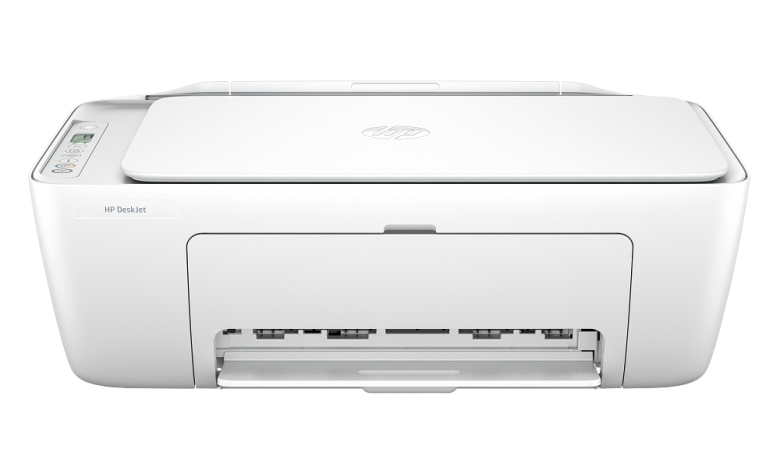
Looking for the HP DeskJet 2800 driver download? You are in the right place. On this page you can find the latest HP DeskJet 2800 All-in-One printer driver and software for Windows 11 and Windows 10 (64-bit and ARM64) — free to download and always available.
The HP DeskJet 2800 series is a compact all-in-one printer that prints, scans and copies — a simple, affordable choice for home use. To use all its features, you need the correct driver installed on your computer. Below you will find every official driver, setup software and firmware update released for this printer series, with version numbers, release dates and file sizes.
HP DeskJet 2800 Driver & Software Downloads
| Software / Driver | Version | Released | File Size | Supported OS | Download |
|---|---|---|---|---|---|
| HP Easy Start Printer Setup Software (Recommended) | 17.6.14 | Sep 25, 2026 | 26.5 MB | Windows 11, 10 (internet required) | Download |
| HP DeskJet 2800 series EasyStart with PSA – Offline Use Only (ARM64) | 17.6.9 | Sep 29, 2026 | 456.2 MB | Windows 11 on ARM (64-bit) | Download |
| HP DeskJet 2800 series EasyStart with PSA – Offline Use Only | 17.6.9* | — | 449.7 MB | Windows 11, 10 (64-bit) | Download |
| HP Universal Scan – Full Feature Software and Driver | 63.8.6459 | Jul 2, 2026 | 436.2 MB | Windows 11, 10 (64-bit) | Download |
| HP Universal Scan – Full Feature Software and Driver (ARM64) | 63.8.6459 | Aug 10, 2026 | 436.9 MB | Windows 11 on ARM (64-bit) | Download |
| HP Universal Scan – Basic Feature Software and Driver | 63.8.6459* | — | 113.9 MB | Windows 11, 10 (64-bit) | Download |
| HP Universal Scan – Basic Feature Software and Driver (ARM64) | 63.8.6459* | — | 118.6 MB | Windows 11 on ARM (64-bit) | Download |
| HP DeskJet 2800/2800e All-in-One Printer series Firmware Update | 2629A | Aug 26, 2026 | 14.7 MB | Windows (printer firmware) | Download |
* Version taken from the file name — HP’s download page does not display a version or release date for this package.
Note: HP lists these downloads under the series name “HP DeskJet 2800 All-in-One Printer series”. The same drivers apply to all printers in this series (including DeskJet 2820e and similar variants).
1. HP Easy Start Printer Setup Software (Recommended)
HP Easy Start is the easiest way to set up your printer. It guides you through connecting the printer and installs the correct driver automatically. Version 17.6.14 (released September 2026) brings an improved setup experience and performance optimizations. An internet connection is required during installation.
- File name: HPEasyStart_17_6_14.exe
- Best for: First-time setup on Windows 11 and 10
- Download: HP Easy Start v17.6.14 for Windows (26.5 MB)
2. HP DeskJet 2800 EasyStart – Offline Use Only
No internet during setup? The offline EasyStart package (version 17.6.9, released September 2026) contains everything needed for installation without downloading anything extra. Choose the ARM64 package if you use Windows on ARM (Snapdragon/ARM PCs), otherwise the standard 64-bit package.
- File names: HPEasyStart-17.6.9-DJ2800_57_2_1683_ARM64_Webpack.exe (456.2 MB, ARM64) / HPEasyStart-17.6.9-DJ2800_57_2_1683_Webpack.exe (449.7 MB, 64-bit)
- Download: Offline EasyStart v17.6.9 for Windows ARM64 (456.2 MB) · Offline EasyStart v17.6.9 for Windows 64-bit (449.7 MB)
3. HP Universal Scan – Full Feature Software and Driver
The Universal Scan full package (version 63.8.6459) installs the complete scan driver with all features for the DeskJet 2800 series. Pick the ARM64 build for Windows on ARM devices.
- File names: Full_Webpack-63.8.6459-SJ0001_Full_Webpack.exe (436.2 MB) / Full_Webpack-63.8.6459_ARM64-SJ0001_Full_Webpack.exe (436.9 MB, ARM64)
- Download: Universal Scan Full v63.8.6459 for Windows 64-bit (436.2 MB) · Universal Scan Full v63.8.6459 for Windows ARM64 (436.9 MB)
4. HP Universal Scan – Basic Feature Software and Driver
Need just the essentials? The Basic package (version 63.8.6459) is a much smaller download (around 114–119 MB) with the core scan driver, without the extra software bundled in the full package.
- File names: Basic_Webpack_x64-63.8.6459-SJ0001_Basicx64_Webpack.exe (113.9 MB) / Basic_Webpack_x64-63.8.6459_ARM64-SJ0001_Basicx64_Webpack.exe (118.6 MB, ARM64)
- Download: Universal Scan Basic v63.8.6459 for Windows 64-bit (113.9 MB) · Universal Scan Basic v63.8.6459 for Windows ARM64 (118.6 MB)
5. HP DeskJet 2800 Firmware Update
Firmware version 2629A (released August 2026) updates the printer’s internal software. Keep your firmware up to date for the best performance and compatibility.
- File name: DJ2800_2629A.exe
- Download: HP DeskJet 2800 Firmware Update 2629A (14.7 MB)
- Important: Run the firmware update with the printer connected and powered on, and do not turn the printer off while the update is in progress.
How to Download and Install the HP DeskJet 2800 Driver
- Download the driver that matches your operating system from the table above (HP Easy Start is recommended for most users; pick the ARM64 package if you have a Windows-on-ARM PC).
- Run the downloaded file (double-click the .exe on Windows).
- Connect your printer via USB cable or Wi-Fi when the setup asks you to.
- Follow the on-screen instructions to finish installation, then print a test page.
Tip: HP also offers the free HP app, which helps you connect the printer, install drivers, scan, and diagnose common issues.
Frequently Asked Questions (FAQ)
Which operating systems does the HP DeskJet 2800 support?
Windows 11 and Windows 10 (64-bit), plus Windows 11 on ARM (64-bit) via the dedicated ARM64 packages listed above.
Should I use HP Easy Start or the Universal Scan packages?
Use HP Easy Start for the simplest guided setup — it installs printing and scanning together. The Universal Scan packages are for users who only need the scan driver, or who want to install it separately.
What is the difference between the Full and Basic scan packages?
The Full package (~436 MB) includes the complete scan software with all features and extras. The Basic package (~114–119 MB) contains just the core scan driver — a smaller download for users who don’t need the extra software.
Is the HP DeskJet 2800 driver free?
Yes, all drivers, software and firmware updates listed here are free to download.
More HP DeskJet Drivers
Looking for drivers for another model? Browse more HP printer drivers on our site, or search for your exact model number.
Source: HP official support page — HP DeskJet 2800 All-in-One Printer series drivers. Driver details verified from HP’s download listings. Always download the latest version available.


