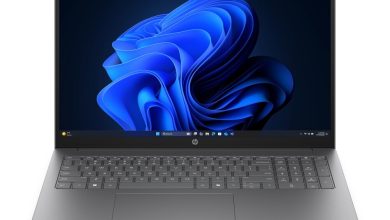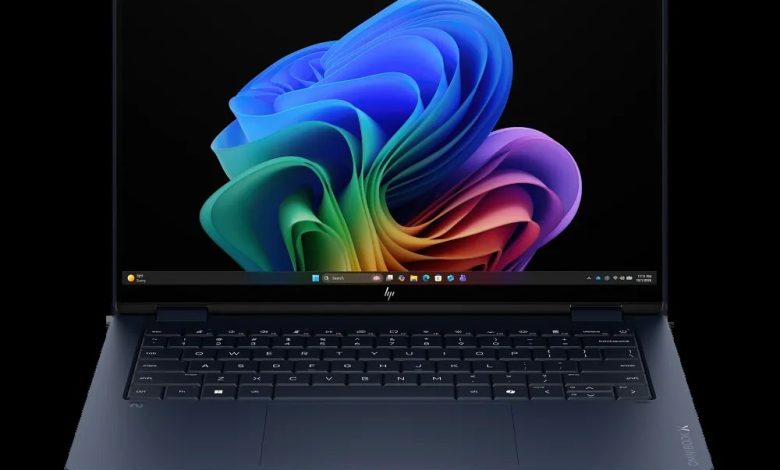
Looking for the HP OmniBook X Flip Laptop Next Gen AI 14t-kb000 driver download? You are in the right place. This page has every official HP OmniBook X Flip Laptop Next Gen AI 14t-kb000 driver for Windows 11 — BIOS, Intel chipset and graphics, Realtek audio, MediaTek and Intel Wi-Fi/Bluetooth, touchpad, SSD firmware and HP utilities — all with direct official HP download links.
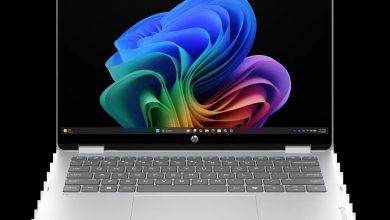
The HP OmniBook X Flip Laptop Next Gen AI 14t-kb000 (configure-to-order SKU C33D6AV_1) is a 14-inch 2-in-1 Next Gen AI convertible powered by Intel processors. HP has no dedicated driver page for this CTO configuration, so the drivers below come from the official 14-kb0000 base-model page. Because HP ships this series with different wireless cards, the correct variant for your hardware is labeled on each Wi-Fi driver below.
BIOS & Firmware
- HP Notebook System BIOS Update (Intel Processors) — F.11 Rev.A, Jul 3, 2026, 19.0 MB — sp173666.exe Download
- SanDisk Solid State Drives (SSD) Firmware Update — Multiple version Rev.A, Nov 13, 2025, 21.0 MB — sp165812.exe Download
- ELAN Touchscreen Firmware Update — F8301T07W00 Rev.A, Apr 28, 2026, 1.4 MB — sp172667.exe Download
BIOS warning: Only install the BIOS update marked for Intel processors. Keep the laptop plugged in and do not turn it off during the update.
Chipset
- Intel Neural Processing Unit (NPU) Driver — 32.0.100.4841 Rev.C, Sep 1, 2026, 84.0 MB — sp174471.exe Download
- Intel Platform Monitoring Technology (PMT) Driver — 7.3.10.3 Rev.A, Jan 26, 2026, 0.8 MB — sp168992.exe Download
- Intel Chipset Installation Utility and Driver — 10.1.20490.8818 Rev.A, Apr 30, 2026, 0.7 MB — sp172548.exe Download
- Intel Integrated Sensor Solution Driver — 5.8.1.7779 Rev.A, Mar 25, 2026, 1.7 MB — sp171614.exe Download
- Intel Human Interface Device (HID) Event Filter Driver — 2.2.2.17 Rev.A — sp168970.exe Download
- Intel Innovation Platform Framework Processor Participant Driver — 2.3.20303.5058 Rev.A, 46.2 MB — sp172551.exe Download
- Intel Management Engine Interface (MEI) Driver — 2601.9.16.0 Rev.A, 1.6 MB — sp172549.exe Download
- Intel Movidius Vision Processing Unit (VPU) Driver — 32.0.100.4512 Rev.A, May 8, 2026, 81.8 MB — sp172572.exe Download
- Intel Serial IO Driver — 30.100.2534.18 Rev.A, Jan 26, 2026, 1.0 MB — sp168989.exe Download
Graphics
- Intel High-Definition (HD) Graphics Driver — 32.0.101.8625 Rev.A, 566.3 MB — sp172550.exe Download
Audio
- Realtek High-Definition (HD) Audio Driver — 10.0.297.1 Rev.A, Jan 30, 2026, 786.5 MB — sp170034.exe Download
- Realtek High-Definition (HD) Audio Driver — 10.0.318.1 Rev.A, May 8, 2026, 775.7 MB — sp172564.exe Download
Audio note: HP lists two Realtek audio builds. Install the newer 10.0.318.1 Rev.A (released May 8, 2026).
Wi-Fi & Bluetooth
- MediaTek Wireless LAN Driver — 3.5.0.110 Rev.E, Dec 22, 2025, 30.2 MB — sp168545.exe Download
- MediaTek Bluetooth Driver — 2.22.0.91 Rev.E, Apr 29, 2026, 7.2 MB — sp172694.exe Download
- Intel WLAN Driver — 24.30.1.1 Rev.A, Apr 23, 2026, 15.6 MB — sp172577.exe Download
- Intel Bluetooth Driver — 17.6 MB — sp172576.exe Download
Wi-Fi warning: This series ships with either a MediaTek or an Intel wireless card. Check Device Manager under Network adapters — install only the MediaTek pair or the Intel pair, never mix them.
Touchpad & Input
- HP Presence Sensing Settings — 1.1.8.9 Rev.B, Feb 9, 2026, 1.6 MB — sp170004.exe Download
- ELAN Precision Touchpad Filter Driver — 43.2.6.1 Rev.A, May 8, 2026 — sp172567.exe Download
- Synaptics Precision Touchpad Filter Driver — 19.5.35.124 Rev.A, Jan 26, 2026, 5.4 MB — sp168979.exe Download
Touchpad note: HP lists both ELAN and Synaptics variants. Install the one matching your touchpad hardware — check Device Manager under Human Interface Devices.
Diagnostics & Software
- HP PC Hardware Diagnostics Windows — 3.2.0.0 Rev.A, Aug 6, 2026, 835.3 MB — sp174215.exe Download
- HP PC Hardware Diagnostics UEFI — 10.8.7.0 Rev.A, Jul 8, 2026, 40.6 MB — sp173795.exe Download
- HP Connection Optimizer — 2.0.21.0 Rev.A, Jun 13, 2025, 4.2 MB — sp160169.exe Download
- HP Support Assistant — 9.55.10.0 Rev.A, Aug 25, 2026, 169.5 MB — sp174448.exe Download
How to Install HP OmniBook X Flip Laptop Next Gen AI 14t-kb000 Drivers
- Download the driver you need from the list above — start with the Chipset Installation Utility, then graphics, then the rest.
- Run the downloaded .exe file (double-click it) and follow the on-screen instructions.
- Restart your laptop when the installer asks you to, so the driver loads properly.
- Verify in Device Manager — no yellow warning icons should remain under Display adapters, Network adapters, or Sound controllers.
Frequently Asked Questions (FAQ)
Where can I download HP OmniBook X Flip Laptop Next Gen AI 14t-kb000 drivers for Windows 11?
You can download all official HP OmniBook X Flip Laptop Next Gen AI 14t-kb000 drivers for Windows 11 from this page — every link above points directly to HP’s official ftp.hp.com server, so the files are genuine and unmodified. Since HP does not publish a separate driver page for the CTO SKU C33D6AV_1, the drivers listed here come from the official 14-kb0000 base-model page.
Which audio driver should I install — there are two Realtek builds?
Install the newer build: Realtek High-Definition (HD) Audio Driver 10.0.318.1 Rev.A (released May 8, 2026). The older 10.0.297.1 Rev.A build is listed only for reference — the newer version includes the latest fixes and should be used on your HP OmniBook X Flip Laptop Next Gen AI 14t-kb000.
Which Wi-Fi driver should I install — MediaTek or Intel?
Check Device Manager under Network adapters to see which wireless card your laptop has. If it says MediaTek, install the MediaTek WLAN + Bluetooth pair; if it says Intel, install the Intel WLAN + Bluetooth pair. Never mix drivers from both vendors, as this can leave Wi-Fi or Bluetooth broken.
Which BIOS version is latest for the 14t-kb000?
The latest BIOS is F.11 Rev.A (sp173666.exe), released Jul 3, 2026. Use the HP Notebook System BIOS Update marked for Intel processors, keep the laptop plugged into AC power, and do not shut it down during the flash.
Source: HP official support page — HP OmniBook X Flip 14-inch 2-in-1 Laptop Next Gen AI PC 14-kb0000 (IDS base-model page, SKU C33D6AV, covering CTO configuration C33D6AV_1). Driver details verified from HP’s download listings. Always download the latest version available.