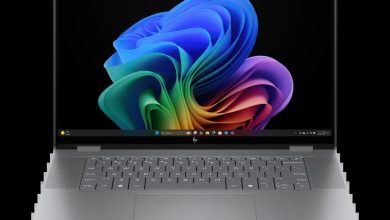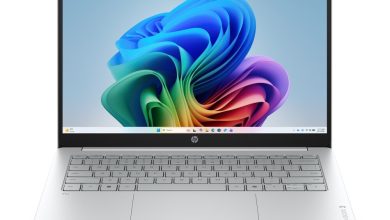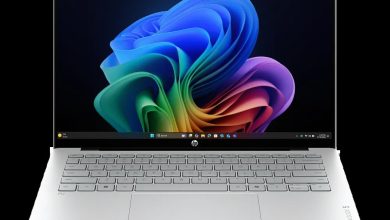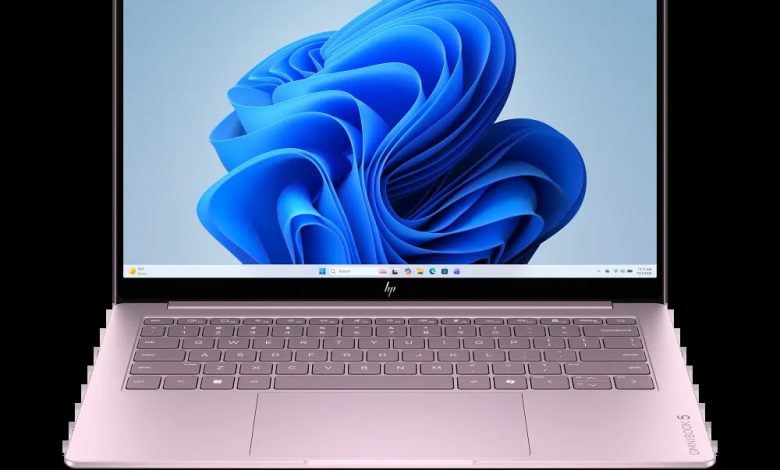
Looking for the official HP OmniBook 5 Laptop AI 14 E72VXUA driver download for Windows 11? This AI-powered 14-inch laptop (SKU E72VXUA) runs on an Intel platform with a dedicated Neural Processing Unit (NPU), and HP's support page lists 14 official drivers covering chipset, graphics, audio, and Wi-Fi & Bluetooth. Every download below comes straight from HP's official servers — no third-party mirrors, no repacked installers.
HP OmniBook 5 Laptop AI 14 (E72VXUA) Chipset Drivers
The chipset pack keeps the Intel platform, power management, and the NPU running correctly. Install these first.
- Intel Platform Power Management (PPM) — 1.0.0.264 Rev.A, 1.0 MB — sp174719.exe Download
- Intel Dynamic Tuning Driver — 9.1.10010.2297 Rev.A, Sep 18, 2026, 47.7 MB — sp174647.exe Download
- Intel Management Engine Interface (MEI) Driver — 2626.9.35 Rev.A, 14.5 MB — sp174716.exe Download
- Intel Chipset Installation Utility and Driver — 10.1.20551.8850 Rev.A, 0.7 MB — sp174640.exe Download
- Intel Serial IO Driver — 30.100.2534.35 Rev.A — sp174654.exe Download
- Intel Platform Monitoring Technology (PMT) Driver — 11.3.12.6 Rev.A, 0.8 MB — sp174650.exe Download
- Intel Innovation Platform Framework Processor Participant Driver — 2.3.20305.6 Rev.A, Sep 23, 2026, 3.5 MB — sp174714.exe Download
- Intel Neural Processing Unit (NPU) Driver — 32.0.100.4778 Rev.A, 84.6 MB — sp174646.exe Download
- Intel Human Interface Device (HID) Event Filter Driver — 2.2.2.18 Rev.A, Sep 18, 2026, 0.8 MB — sp174652.exe Download
Graphics Driver
- Intel High-Definition (HD) Graphics Driver — 32.0.101.8831 Rev.A, 560.4 MB — sp174720.exe Download
Audio Driver
- Realtek High-Definition (HD) Audio Driver — 10.0.436.1 Rev.A, Sep 23, 2026, 607.9 MB — sp174721.exe Download
Wi-Fi & Bluetooth Drivers
Two wireless LAN options are listed — Intel and Realtek variants. Install the one matching your laptop's wireless card; if you're unsure, check Device Manager under Network adapters first.
- Intel Bluetooth Driver — 24.70.0.4 Rev.A, Sep 18, 2026 — sp174645.exe Download
- Realtek RTL8xxx Wireless LAN Drivers — 1.0.0.282 Rev.S, Jul 24, 2026, 16.0 MB — sp173924.exe Download
- Intel Wireless LAN Driver — 24.70.0.3 Rev.A — sp174641.exe Download
How to Install These Drivers
- Download the driver file for your hardware from the list above.
- Double-click the downloaded `.exe` file to launch the HP installer.
- Follow the on-screen prompts and restart your laptop when asked.
- Install the chipset drivers before graphics, audio, and wireless drivers for best results.
FAQs
Where can I find the HP OmniBook 5 Laptop AI 14 E72VXUA driver download for Windows 11?
Right here — every link above points to HP's official download server (ftp.hp.com) for the E72VXUA SKU, so you're getting genuine, unmodified HP drivers.
Which wireless driver should I install — Intel or Realtek?
The E72VXUA listing includes both Intel and Realtek wireless LAN drivers because different units ship with different wireless cards. Open Device Manager, expand Network adapters, and install the driver matching your card's brand.
Do I need the NPU driver?
Yes, if you use Windows AI features such as Copilot+ or on-device AI effects — the Intel Neural Processing Unit (NPU) Driver (sp174646.exe) enables the laptop's dedicated AI hardware.
Are these drivers 64-bit?
Yes. All drivers listed for the HP OmniBook 5 Laptop AI 14 (E72VXUA) are for 64-bit Windows 11.