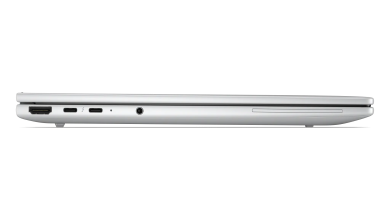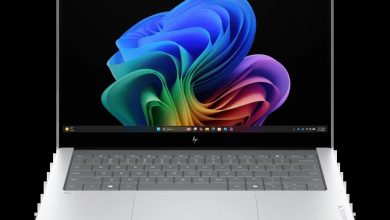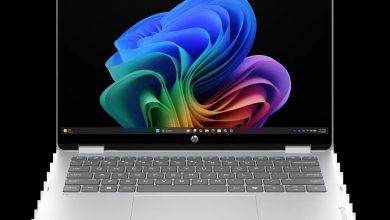
HP EliteBook 8 G1a 14 AX8Q1AV Driver Download (Windows 11)
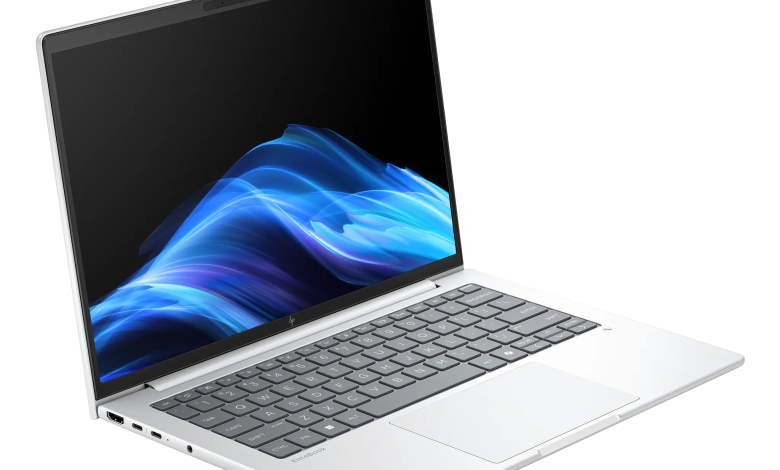
Looking for the HP EliteBook 8 G1a 14 AX8Q1AV driver download for Windows 11? This page lists all 53 official drivers and tools for the HP EliteBook 8 G1a 14 inch Notebook Next Gen AI PC in the AX8Q1AV configuration, taken from HP's own support page for this exact SKU. The list covers the AMD platform, including BIOS, AMD chipset, graphics and the NPU driver, MediaTek and Qualcomm wireless options, docks, TPM firmware and Wolf Security tools, the HP AI Companion Package, and HP utilities — every download below links straight to HP's official server.
Before you start, check that your laptop matches this exact configuration — the HP EliteBook 8 G1a 14 with product number AX8Q1AV — and that you are running Windows 11. Download the drivers you need, run each installer, and restart when asked so every driver loads properly.
HP EliteBook 8 G1a 14 AX8Q1AV BIOS and Firmware
- HP BIOS and System Firmware (X84) — 01.06.01 Rev.A, Sep 2, 2026, 32.2 MB — sp174336.exe Download
HP EliteBook 8 G1a 14 AX8Q1AV Diagnostics
- HP PC Hardware Diagnostics Windows — 3.2.0.0 Rev.A, Aug 6, 2026, 835.3 MB — sp174215.exe Download
- HP PC Hardware Diagnostics UEFI — 10.8.7.0 Rev.A, Jul 8, 2026, 40.6 MB — sp173795.exe Download
HP EliteBook 8 G1a 14 AX8Q1AV Dock Firmware and Drivers
- All Docks – Ethernet Driver (Realtek) — 11.22.0113.2026 Rev.R, Jul 8, 2026, 1.3 MB — sp173785.exe Download
- HP USB-C/A Universal Dock G2 – Firmware — 1.1.26.0 Rev.A, Oct 5, 2026, 9.0 MB — sp174813.exe Download
- HP USB-C Dock G5 – Firmware — 1.0.27.0 Rev.A, Oct 5, 2026, 9.2 MB — sp174812.exe Download
- HP Thunderbolt Dock G4 – Firmware — 1.5.30.0 Rev.A, Oct 5, 2026, 9.7 MB — sp174808.exe Download
- HP USB-C 100W G6 Dock – HP Firmware Installer — 1.3.16.0 Rev.A, Sep 18, 2026, 15.1 MB — sp174713.exe Download
- All Docks – Ethernet Driver (Intel) — 2.1.5.12 Rev.A, Jun 24, 2026, 1.1 MB — sp173637.exe Download
- HP USB-C Dock G5 – Audio Driver — 6.4.0.2412/393 Rev.A, Apr 15, 2025, 19.1 MB — sp158060.exe Download
- HP Thunderbolt 4 Ultra 180W/280W G6 Dock – HP Firmware Installer — 1.6.50.0 Rev.A, Sep 18, 2026, 15.8 MB — sp174717.exe Download
- HP Thunderbolt 4 100W G6 – HP Firmware Installer — 1.6.49.0 Rev.A, Sep 18, 2026, 15.5 MB — sp174715.exe Download
HP EliteBook 8 G1a 14 AX8Q1AV Audio Driver
- Realtek High-Definition (HD) Audio Driver — 25.10023.51.39 Rev.DC, Aug 13, 2026, 82.0 MB — sp174337.exe Download
HP EliteBook 8 G1a 14 AX8Q1AV Chipset Drivers
- Parade PS8835/ PS8836 Retimer Peripheral Driver — 1.0.18.0 Rev.A, May 20, 2026, 0.8 MB — sp173164.exe Download
- AMD Sensor Fusion Hub Driver — 1.1.0.37 Rev.A, Jul 10, 2026, 0.9 MB — sp173809.exe Download
- AMD AMS Mailbox Driver — 5.1.0.1480 Rev.A, Jul 31, 2026, 13.6 MB — sp173859.exe Download
- AMD Chipset Driver — 8.05.26.1201 Rev.A, Aug 3, 2026, 1.8 MB — sp174134.exe Download
- AMD Neural Processing Unit (NPU) Driver — 32.00.0203.314 Rev.S, Jan 9, 2026, 33.0 MB — sp168883.exe Download
HP EliteBook 8 G1a 14 AX8Q1AV Driver Enabling
- HP Application Enabling Software Driver — 1.87.4769.0 Rev.A, Jul 8, 2026, 84.5 MB — sp173791.exe Download
- HP Services Scan for Commercial — 4.8.125.0 Rev.A, Nov 27, 2025, 51.4 MB — sp165987.exe Download
HP EliteBook 8 G1a 14 AX8Q1AV Graphics Drivers
- AMD Video Drivers and Control Panel — 32.0.22050.4002 Rev.B, Aug 6, 2026, 753.3 MB — sp173828.exe Download
- DisplayLink Graphic Driver — 11.7.5493.0 Rev.A, Jul 9, 2025, 8.8 MB — sp160418.exe Download
HP EliteBook 8 G1a 14 AX8Q1AV Keyboard, Mouse and Input Devices
- Goodix MOC Touch Fingerprint Driver — 5.4.61.170 Rev.A, Mar 26, 2026, 3.0 MB — sp172092.exe Download
- HP Universal Camera Driver — 25.20412.50893.0 Rev.A, Jul 15, 2026, 19.9 MB — sp173848.exe Download
- HP Hotkey Support – UWP — 8.10.52.464 Rev.A, Apr 14, 2026, 134.0 MB — sp172423.exe Download
- HP Universal WBF Fingerprint Driver — 1.0.0.13 Rev.A, Apr 28, 2026, 2.5 MB — sp172647.exe Download
HP EliteBook 8 G1a 14 AX8Q1AV Network Drivers
- NXP NFC NPC300 Proximity Driver — 12.0.6.0 Rev.W, Jul 10, 2026, 0.9 MB — sp173761.exe Download
- MediaTek Bluetooth Driver — 2.22.0.94 Rev.E, Aug 27, 2026, 7.2 MB — sp174480.exe Download
- HP 5G Sub-6 CAT 19 Drivers — 1.0.0.43 Rev.A, Sep 10, 2026, 356.9 MB — sp174631.exe Download
- MediaTek Wireless LAN Driver — 3.5.0.120 Rev.A, Jun 24, 2026, 29.2 MB — sp173639.exe Download
- HP 4G Cat 19 Drivers — 1.1.0.41 Rev.A, Jul 23, 2026, 155.3 MB — sp174005.exe Download
- Qualcomm 9205 LTE-M (Cat-M1 fSVC) Driver — 25.0.4.19 Rev.A, Dec 10, 2025, 2.0 MB — sp167221.exe Download
- Realtek Ethernet Controller Drivers — 1166.28.1224.2025 Rev.A, Jul 13, 2026, 1.1 MB — sp173816.exe Download
- Qualcomm Bluetooth Adapter Driver — 3.1.0.1571 Rev.A, Dec 17, 2025, 1.0 MB — sp168439.exe Download
- Qualcomm WLAN Driver — 3.1.0.1571 Rev.A, Dec 8, 2025, 4.9 MB — sp167155.exe Download
HP EliteBook 8 G1a 14 AX8Q1AV Storage Drivers
- Alcor Micro Smart Card Reader Driver — 1.10.7.1001 Rev.A, Jan 2, 2026, 0.8 MB — sp168725.exe Download
HP EliteBook 8 G1a 14 AX8Q1AV HP Connection Optimizer
- HP Connection Optimizer — 2.0.22.0 Rev.A, Apr 17, 2026, 4.2 MB — sp172460.exe Download
HP EliteBook 8 G1a 14 AX8Q1AV Security Tools
- HP Wolf Security for Business — 4.4.33.1019 Rev.A, Aug 17, 2026, 438.6 MB — sp174378.exe Download
- Infineon Trusted Platform Module (TPM) Firmware — 15.24 Rev.A, Apr 30, 2025, 3.0 MB — sp158068.exe Download
- HP Sure Recover — 10.1.30.280 Rev.A, Apr 30, 2026, 4.2 MB — sp172448.exe Download
- HP Wolf Security Console — 11.1.8.1209 Rev.A, Aug 18, 2026, 65.0 MB — sp174397.exe Download
- Sure Run — 5.0.5.105 Rev.A, Apr 30, 2026, 2.3 MB — sp172450.exe Download
HP EliteBook 8 G1a 14 AX8Q1AV Software and Utilities
- Cloud Recovery Client — cr-2.34.1.1032 Rev.A, Dec 19, 2025, 4.9 MB — sp168377.exe Download
- HP Notifications — 1.1.34.25 Rev.A, Sep 1, 2026, 16.6 MB — sp174484.exe Download
- System Default Settings — 1.5.26.1 Rev.0, Aug 4, 2026, 4.6 MB — sp174145.exe Download
- Poly Camera Pro Software — 2.12.3 Rev.A, Sep 9, 2026, 1029.1 MB — sp174628.exe Download
- HP MAC Address Manager — 1.1.19.1 Rev.A, Oct 19, 2022, 3.0 MB — sp143092.exe Download
- Poly Lens Desktop — 2.3.1.4673 Rev.A, Oct 31, 2025, 400.8 MB — sp165644.exe Download
- HP App — 57.52623.7882.0 Rev.A, Jun 15, 2026, 835.8 MB — sp173578.exe Download
- HP Easy Clean — 2.2.7.53 Rev.A, Mar 1, 2025, 33.7 MB — sp157220.exe Download
- HP AI Companion Package — 2.6.1003.0 Rev.A, Jun 19, 2026, 1409.7 MB — sp173575.exe Download
- HP Privacy Settings — 1.4.17.0 Rev.A, Jan 2, 2026, 283.6 MB — sp168489.exe Download
- HP Support Assistant — 9.54.3.0 Rev.A, Jul 7, 2026, 177.6 MB — sp173774.exe Download
How to Install HP EliteBook 8 G1a 14 AX8Q1AV Drivers
- Download the drivers you need from the sections above, starting with the chipset and BIOS updates.
- Run each installer one at a time and follow the on-screen prompts.
- Restart your laptop when an installer asks you to, so the new driver loads correctly.
- After installing, open Device Manager and confirm no device shows a warning icon. If one does, reinstall that driver from this page.
FAQs
Where can I download HP EliteBook 8 G1a 14 AX8Q1AV drivers for Windows 11?
You can download them from this page — all 53 HP EliteBook 8 G1a 14 AX8Q1AV drivers listed above link directly to HP's official download server, so you always get the genuine files.
Which wireless driver should I install on the HP EliteBook 8 G1a 14 AX8Q1AV?
This is a customizable configuration, so it shipped with different wireless hardware. Check what your laptop has first — the Network section lists MediaTek Wireless LAN and Bluetooth drivers as well as Qualcomm WLAN and Bluetooth Adapter drivers — install only the pair that matches your laptop's wireless card.
What is the HP AI Companion Package in the HP EliteBook 8 G1a 14 AX8Q1AV driver list?
The AX8Q1AV is a Next Gen AI PC configuration, and its support page includes the HP AI Companion Package in the Software and Utilities section, alongside the AMD NPU driver in the Chipset section. Install both if you use the laptop's AI features; they are not needed for basic driver setup.
Should I install the HP EliteBook 8 G1a 14 AX8Q1AV BIOS update?
Only if your laptop matches this exact model and SKU. The BIOS and System Firmware (X84) update here is specific to the HP EliteBook 8 G1a 14 AX8Q1AV — never install a BIOS file meant for another model.