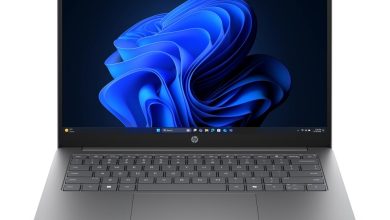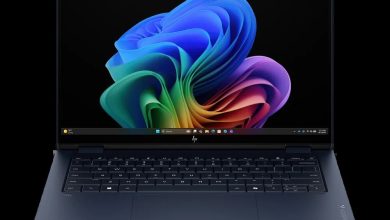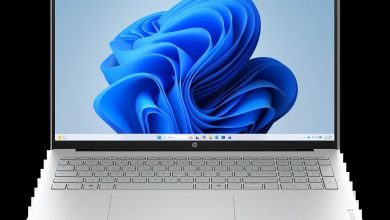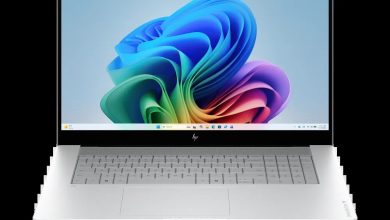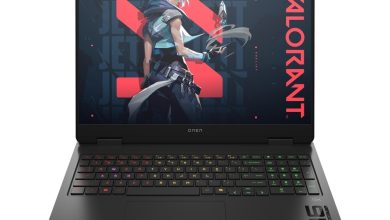
HP OmniBook 3 Laptop AI 16-CT000 Driver Download (Windows 11 on ARM)
If you are looking for the HP OmniBook 3 16-CT000 driver download for Windows 11 on ARM, this page keeps it honest and simple. This model runs on a Qualcomm Snapdragon processor, so it is an ARM-only laptop, and HP currently lists just two downloadable drivers for it — both are SSD firmware updates. Everything else on this machine is delivered through Windows Update, so there is nothing else you need to hunt down here.
Please note: HP provides no separate BIOS, chipset, graphics, audio, Wi-Fi and Bluetooth, touchpad, or utility downloads for this model. That is not a gap in this article — it is simply how HP supports this ARM laptop. The drivers for those functions arrive through Windows Update, and HP Support Assistant can also detect anything your system still needs. The only packages HP offers as direct downloads are the two SSD firmware updates below, so install only the one that matches the SSD fitted in your laptop.
HP OmniBook 3 16-CT000 Driver Download: Storage & Firmware
Two firmware updates are available, one per SSD vendor. Check which SSD your laptop has before downloading — installing the wrong vendor's firmware will not work.
- SanDisk Solid State Drives (SSD) Firmware Update — HPS3N7A/HPS3T7A Rev.A, May 12, 2026, 6.7 MB — sp172977.exe Download
- Longsys Solid State Drives (SSD) Firmware Update — HPS04 Rev.A, Jul 13, 2026, 1.9 MB — sp173821.exe Download
Note: SanDisk and Longsys are SSD hardware variants, so install only the firmware that matches the SSD in your unit.
How to Install Drivers on Your HP OmniBook 3 Laptop AI 16-CT000
- Find your SSD vendor first: open Device Manager, expand Disk drives, and check whether your drive is a SanDisk or Longsys model.
- Download only the firmware package that matches your SSD vendor.
- Close all open programs, run the downloaded file, and follow the on-screen prompts.
- Restart your laptop when the installer asks you to, and do not switch the laptop off during the firmware update.
FAQs
Q: Why does the HP OmniBook 3 16-CT000 driver download page list only two drivers?
A: Because HP only publishes SSD firmware as direct downloads for this Snapdragon ARM model. All other drivers are delivered through Windows Update, so a short list here means HP has nothing else to offer — not that anything is missing.
Q: How do I know whether I need the SanDisk or the Longsys firmware?
A: Check the drive name under Disk drives in Device Manager. Download the SanDisk package for a SanDisk SSD and the Longsys package for a Longsys SSD, and never install the other vendor's firmware.
Q: What about Wi-Fi, graphics, and audio drivers for Windows 11 on ARM?
A: On this ARM laptop those drivers come through Windows Update rather than as separate HP downloads. Keep Windows Update turned on, and you can also run HP Support Assistant to detect anything outstanding.
Q: Can I use HP Cloud Recovery for this model?
A: Yes — HP Cloud Recovery is a recovery tool that can reinstall Windows on your laptop, but it is not a driver download, so no download link for it is listed here. Use it only if you need to recover or reinstall the operating system.