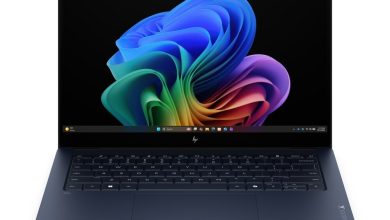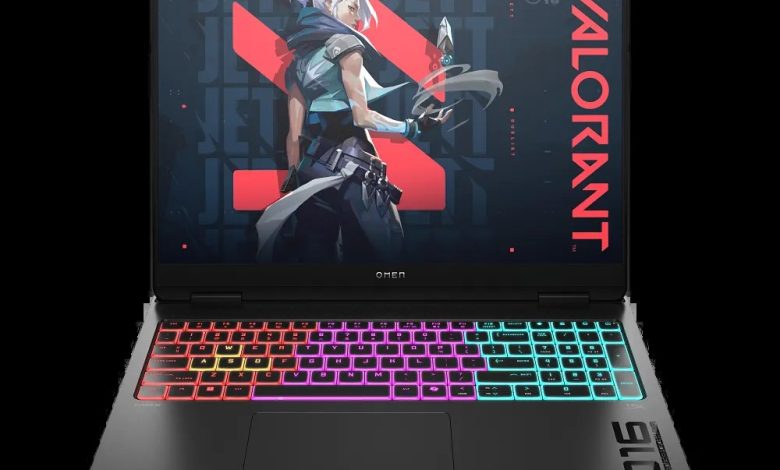
Need the official OMEN MAX Gaming Laptop 16-ah0057nr driver download for Windows 11? This page lists every HP driver for the 16-ah0057nr (SKU B96R7UA) — Intel chipset, Intel integrated graphics, NVIDIA GeForce discrete graphics, Realtek audio, Intel Wi-Fi and Bluetooth — with direct official HP download links, versions, release dates and file sizes.
BIOS & Firmware
- HP Notebook System BIOS Update (Intel Processors) — F.24 Rev.A, Oct 7, 2026, 27.1 MB — sp174729.exe Download
Chipset
- Intel Chipset Installation Utility and Driver — 10.1.20378.8757 Rev.C, Apr 9, 2026, 0.7 MB — sp172340.exe Download
- Intel Gaussian and Neural Accelerator Driver — 3.5.0.1611 Rev.C, Mar 20, 2026, 0.8 MB — sp171957.exe Download
- Intel Platform Monitoring Technology (PMT) Driver — 3.1.2.6 Rev.C, Apr 9, 2026, 0.8 MB — sp172331.exe Download
- Intel Serial IO Driver — 30.100.2529.2 Rev.C, Apr 9, 2026, 1.0 MB — sp172343.exe Download
- Intel Movidius Vision Processing Unit (VPU) Driver — 32.0.100.4512 Rev.A, May 13, 2026, 33.6 MB — sp173061.exe Download
- Intel Management Engine Interface (MEI) Driver — 2552.8.10.0 Rev.A, May 12, 2026, 14.2 MB — sp172992.exe Download
- Intel Innovation Platform Framework Processor Participant Driver — 2.3.20303.5058 Rev.A, May 22, 2026, 46.0 MB — sp173314.exe Download
Graphics
- NVIDIA GeForce Graphics Driver — 32.0.15.9227 Rev.A, May 13, 2026, 1203.5 MB — sp173050.exe Download
- Intel High-Definition (HD) Graphics Driver — 32.0.101.8626 Rev.A, May 13, 2026, 825.7 MB — sp173076.exe Download
Audio
- Realtek High-Definition (HD) Audio Driver — 6.0.9963.1 Rev.B, May 4, 2026, 859.2 MB — sp172752.exe Download
Wi-Fi & Bluetooth
- Intel WLAN Driver — 23.110.0.5 Rev.A, Jan 16, 2025, 12.8 MB — sp156715.exe Download
- Intel WLAN Driver — 24.30.1.1 Rev.A, Mar 31, 2026, 15.6 MB — sp172165.exe Download
- Intel Bluetooth Driver — 24.30.1.1 Rev.A, Apr 14, 2026, 11.8 MB — sp172403.exe Download
- Realtek Local Area Network (LAN) Driver — 1125.026.0710.2025 Rev.C, May 5, 2026, 1.6 MB — sp172783.exe Download
Touchpad
- Synaptics Precision Touchpad Filter Driver — 19.5.35.129 Rev.C, Jun 15, 2026, 5.3 MB — sp173582.exe Download
- ELAN Precision Touchpad Filter Driver — 22.2.55.4 Rev.B, May 5, 2026, 1.6 MB — sp172786.exe Download
Storage & Firmware
- SanDisk Solid State Drives (SSD) Firmware Update — HPS3 Rev.A, May 13, 2026, 1.7 MB — sp173073.exe Download
- Darfon MCU Firmware Update — V.41 Rev.A, Oct 3, 2025, 45.8 MB — sp163323.exe Download
Utilities & Software
- HP PC Hardware Diagnostics Windows — 3.3.0.0 Rev.A, Sep 29, 2026, 559.5 MB — sp174767.exe Download
- HP PC Hardware Diagnostics UEFI — 10.8.7.0 Rev.A, Jul 8, 2026, 40.6 MB — sp173795.exe Download
- OMEN Gaming Hub SDK Package — 1.0.95 Rev.A, Aug 21, 2026, 211.3 MB — sp174350.exe Download
How to install drivers on OMEN MAX 16-ah0057nr
- Click the Download link for the driver you need and save the `.exe` file.
- Double-click the file and follow the on-screen setup steps; most drivers complete silently.
- Restart the laptop when prompted — especially after BIOS, graphics or firmware updates.
- Install chipset and MEI drivers first, then graphics, then Wi-Fi and audio.
FAQs
Where can I download OMEN MAX Gaming Laptop 16-ah0057nr drivers for Windows 11?
All official drivers are listed above with direct HP download links — Intel chipset and graphics, NVIDIA GeForce graphics, Realtek audio, Intel Wi-Fi and Bluetooth.
Which graphics drivers does the OMEN MAX 16-ah0057nr need?
It needs both the NVIDIA GeForce Graphics Driver for the discrete GPU and the Intel High-Definition Graphics Driver for the integrated GPU — both are listed above.
Why are there two Intel WLAN driver versions?
HP lists both 23.110.0.5 and 24.30.1.1 builds for Intel wireless adapters. Install the newer 24.30.1.1 build unless you have a specific issue that needs the older one.
How do I update the BIOS on the OMEN MAX 16-ah0057nr?
Download the HP Notebook System BIOS Update (F.24 Rev.A), close all programs, run the file, and keep the laptop plugged in until the update finishes — do not power off during the flash.