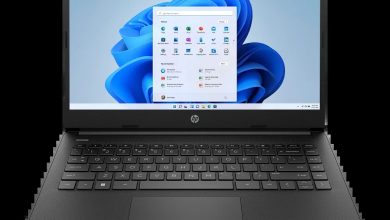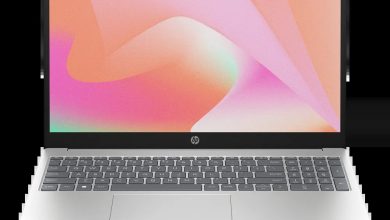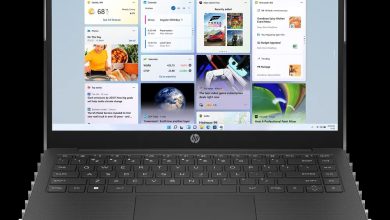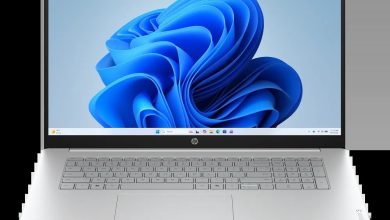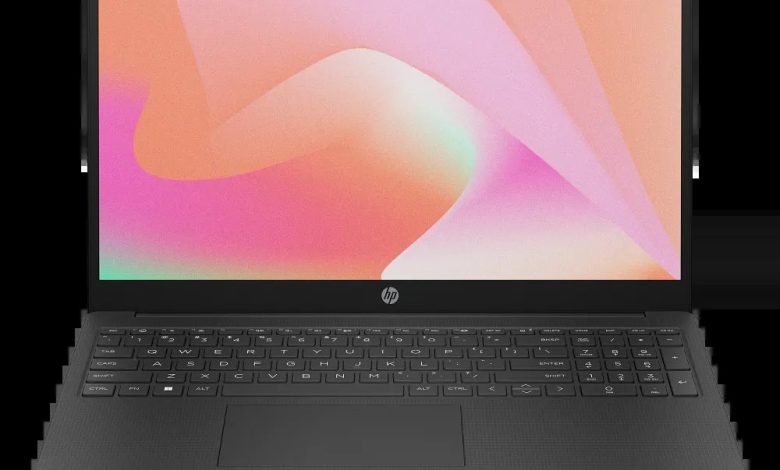
The HP Laptop 15-fc0047nr (7F1Z4UA) is an AMD-powered Windows 11 laptop with Radeon integrated graphics. If you need the official HP Laptop 15-fc0047nr driver download links, this page lists every driver HP publishes for this model — BIOS, graphics, audio, Wi-Fi and Bluetooth, touchpad, fingerprint sensor and SSD firmware — with direct links to HP’s own download servers.
BIOS & Firmware
- HP Consumer Notebook system BIOS Update (SSID 8B2F/8DC9/8B6B/8B30/8DC7/8BA5) — F.25 Rev.A, May 30, 2026, 25.3 MB — sp173267.exe Download
- HP PC Hardware Diagnostics UEFI — 10.8.5.0 Rev.A, Mar 13, 2026, 48.9 MB — sp171649.exe Download
- HP PC Hardware Diagnostics Windows — 3.2.0.0 Rev.A, Aug 6, 2026, 835.3 MB — sp174215.exe Download
Graphics
- AMD High-Definition Graphics Driver — 31.0.21924.61 Rev.D, May 4, 2026, 908.8 MB — sp172742.exe Download
- AMD High-Definition Graphics Driver — 32.0.21039.2003 Rev.G, May 4, 2026, 1023.7 MB — sp172741.exe Download
Audio
- Realtek High-Definition (HD) Audio Driver — 6.0.9956.1 Rev.F, May 4, 2026, 291.6 MB — sp172745.exe Download
Wi-Fi & Bluetooth
- MediaTek Bluetooth Driver — 2.22.0.86 Rev.E, Oct 28, 2025, 7.2 MB — sp165553.exe Download
- Realtek RTL8xxx Series Bluetooth Driver — 1.10.1061.3016 Rev.S, Feb 20, 2024, 1.6 MB — sp151456.exe Download
- Realtek RTL8xxx Series Bluetooth Driver — 1.0.0.182 Rev.S, Apr 13, 2026, 2.0 MB — sp172371.exe Download
- MediaTek Wireless LAN Driver — 3.5.0.106 Rev.E, Nov 1, 2025, 30.2 MB — sp165645.exe Download
- Realtek RTL8xxx Wireless LAN Drivers — 1.0.0.273 Rev.S, Nov 14, 2025, 17.2 MB — sp165794.exe Download
Touchpad & Fingerprint
- Synaptics Fingerprint Sensor Driver — 6.0.67.1111 Rev.F, May 4, 2026, 1.9 MB — sp172749.exe Download
- Synaptics Precision Touchpad Filter Driver — 19.5.35.125 Rev.F, May 4, 2026, 5.3 MB — sp172747.exe Download
- ELAN Precision Touchpad Filter Driver — 22.2.55.4 Rev.F, May 4, 2026, 1.6 MB — sp172746.exe Download
- ELAN Fingerprint Sensor Driver — 3.2.12401.10701 Rev.F, May 4, 2026, 1.3 MB — sp172748.exe Download
Storage Firmware
- SanDisk Solid State Drives (SSD) Firmware Update — HPS3N7A/HPS3T7A Rev.A, May 12, 2026, 6.7 MB — sp172977.exe Download
- Longsys Solid State Drives (SSD) Firmware Update — HPS04 Rev.A, Jul 13, 2026, 1.9 MB — sp173821.exe Download
- Samsung SSD Firmware Update — HPS4NHAV Rev.A, Oct 17, 2023, 2.2 MB — sp149650.exe Download
- Western Digital SSD Firmware Update — HPS2/HPS2T Rev.A, Mar 1, 2025, 6.2 MB — sp156920.exe Download
Utilities
- HP Connection Optimizer — 2.0.21.0 Rev.A, Jun 13, 2025, 4.2 MB — sp160169.exe Download
- HP Support Assistant — 9.55.10.0 Rev.A, Aug 25, 2026, 169.5 MB — sp174448.exe Download
How to Install
- Download the HP Laptop 15-fc0047nr driver you need and run the `.exe` file as administrator.
- For the BIOS update, keep the charger plugged in and do not power off the laptop during the update.
- Restart Windows after installing graphics, audio, or wireless drivers so the changes take effect.
Frequently Asked Questions
Where can I download drivers for the HP Laptop 15-fc0047nr?
Use the official HP links on this page — every download points to HP's own servers for the 7F1Z4UA SKU.
Which graphics driver should I install on the 15-fc0047nr?
HP lists two AMD graphics builds (31.0.21924.61 Rev.D and 32.0.21039.2003 Rev.G); pick the one matching the version you need — both are official releases for this model.
Is the HP Laptop 15-fc0047nr Intel or AMD?
This model is AMD-powered, so install the AMD graphics drivers and the MediaTek or Realtek wireless drivers matching your card — both variants are listed above.
How do I check which BIOS version my 15-fc0047nr needs?
The BIOS update above (F.25 Rev.A) covers SSIDs 8B2F, 8DC9, 8B6B, 8B30, 8DC7 and 8BA5 — match the SSID shown in your BIOS setup before installing.