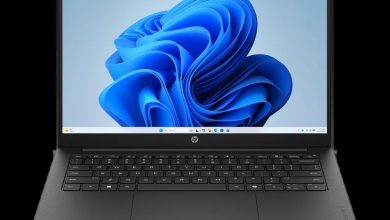
HP EliteBook 6 G1q 14 CA6R2UA Driver Download (Windows 11 on ARM)
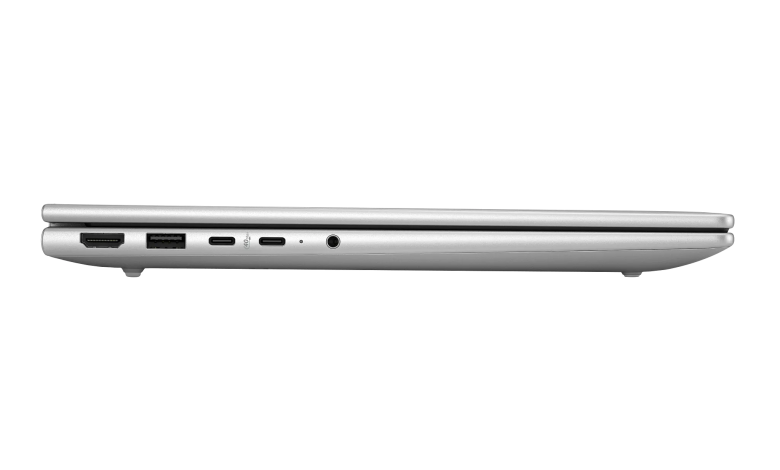
Looking for the HP EliteBook 6 G1q 14 CA6R2UA driver download for Windows 11 on ARM? This page collects every driver and software package HP publishes for this exact SKU of the EliteBook 6 G1q 14-inch Notebook Next Gen AI PC, with the version, release date and file size for each one, plus a direct download link to HP's official server. This model runs on the Qualcomm Snapdragon platform, so HP publishes a smaller, focused package set for it: the Qualcomm BSP Software Pack carries the core platform drivers, and the remaining device drivers are delivered automatically through Windows Update.
Diagnostics
- HP PC Hardware Diagnostics Windows — 3.1.1.0 Rev.A, May 20, 2026, 618.9 MB — sp173207.exe Download
Docks Firmware & Drivers
- HP USB-C 100W G6 Dock – HP Firmware Installer — 1.3.16.0 Rev.A, Sep 18, 2026, 15.1 MB — sp174713.exe Download
- HP USB-C/A Universal Dock G2 – Firmware — 1.1.26.0 Rev.A, Oct 5, 2026, 9.0 MB — sp174813.exe Download
- HP USB-C Dock G5 – Firmware — 1.0.27.0 Rev.A, Oct 5, 2026, 9.2 MB — sp174812.exe Download
- HP Thunderbolt 4 100W G6 – HP Firmware Installer — 1.4.41.0 Rev.A, Mar 24, 2026, 14.7 MB — sp172012.exe Download
- HP Thunderbolt 4 Ultra 180W/280W G6 Dock – HP Firmware Installer — 1.4.42.0 Rev.A, Mar 24, 2026, 15.1 MB — sp172013.exe Download
Chipset
- Qualcomm BSP Software Pack — r09300.1 Rev.A, Aug 7, 2026, 415.7 MB — sp174046.exe Download
Software & Utilities
- HP Notifications — 1.1.34.25 Rev.A, Sep 1, 2026, 16.6 MB — sp174484.exe Download
- System Default Settings — 1.5.26.1 Rev.0, Aug 4, 2026, 4.6 MB — sp174145.exe Download
- HP App — 57.52623.7882.0 Rev.A, Jun 15, 2026, 835.8 MB — sp173578.exe Download
- Poly Camera Pro Software — 2.6.3 Rev.A, Sep 15, 2025, 557.9 MB — sp163197.exe Download
- HP Privacy Settings — 1.4.17.0 Rev.A, Jan 2, 2026, 283.6 MB — sp168489.exe Download
How to Install the HP EliteBook 6 G1q 14 CA6R2UA Drivers
- Download the packages you need from the links above, starting with the Qualcomm BSP Software Pack, which contains the core platform drivers for this ARM model.
- Run each downloaded .exe file and follow the on-screen instructions; restart the laptop when a package asks for it.
- Connect the laptop to the internet and run Windows Update, so any remaining device drivers for the EliteBook 6 G1q 14 CA6R2UA are installed automatically.
- If you use an HP docking station, install the matching dock firmware package from the Docks section above while the dock is connected.
FAQs
Where can I get the HP EliteBook 6 G1q 14 CA6R2UA driver download for Windows 11 on ARM?
Every package HP publishes for this SKU is listed on this page with a direct link to HP's official download server, including the Qualcomm BSP Software Pack, diagnostics, dock firmware and HP utilities.
Why are there only a few drivers listed for this model?
The EliteBook 6 G1q 14 CA6R2UA is a Qualcomm Snapdragon (ARM) model. HP bundles the core platform drivers into the single Qualcomm BSP Software Pack, and the remaining device drivers are supplied through Windows Update instead of separate downloads.
Does the Qualcomm BSP Software Pack replace all the individual drivers?
It covers the core platform components of this ARM laptop. After installing it, run Windows Update to pick up any additional device drivers Microsoft delivers for this model.
Are these drivers safe to install?
Yes. All download links on this page point to HP's official ftp.hp.com server, and each package is the exact file HP publishes for the EliteBook 6 G1q 14 CA6R2UA.