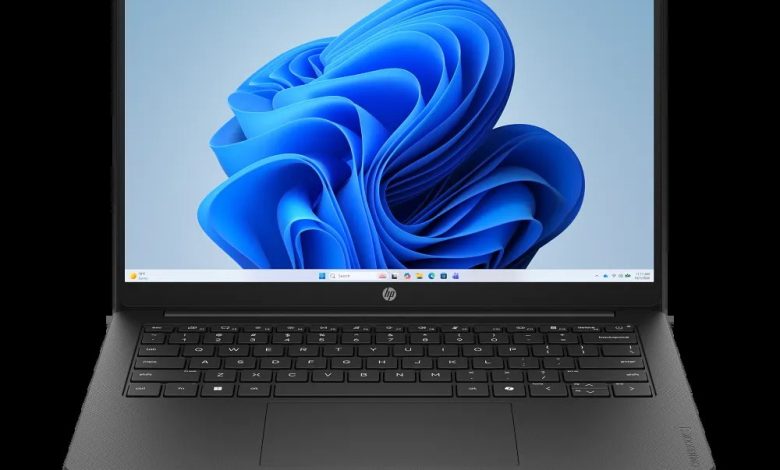
Looking for the HP OmniBook 3 Laptop 14z-hy000 driver download? You are in the right place. This page has every official HP OmniBook 3 Laptop 14z-hy000 driver for Windows 11 — BIOS, AMD platform, AMD graphics, Realtek audio, MediaTek/Realtek Wi-Fi and Bluetooth, touchpad, SSD firmware, and HP utilities — all with direct official HP download links.
The HP OmniBook 3 Laptop 14z-hy000 (configure-to-order SKU C2PD0AV_1) is a 14-inch laptop powered by AMD Ryzen processors. Its CTO configuration is covered by HP's official 14-hy000 base-model support page, and the drivers below come from that page (Windows 11 version 25H2, 64-bit). HP lists several wireless, touchpad, and graphics builds for this series — match your hardware before installing.
BIOS & Firmware
- HP Notebook System BIOS Update (AMD Processors) — F.12 Rev.A, Sep 14, 2026, 55.9 MB — sp174656.exe Download
- SanDisk Solid State Drives (SSD) Firmware Update — HPS3N7A/HPS3T7A Rev.A, May 12, 2026, 6.7 MB — sp172977.exe Download
- Longsys Solid State Drives (SSD) Firmware Update — HPS04 Rev.A, Jul 13, 2026, 1.9 MB — sp173821.exe Download
- Driver package — HPSA02 Rev.A, Aug 3, 2026, 1.6 MB — sp174131.exe Download
BIOS warning: Only install the BIOS update marked for AMD processors. Keep the laptop plugged in and never turn it off during the update. Install only the SSD firmware that matches your drive brand.
Chipset & Platform
- AMD Neural Processing Unit (NPU) Driver — 32.00.0203.311 Rev.A, Dec 15, 2025, 62.0 MB — sp168353.exe Download
- Driver package — 32.00.0203.329 Rev.A, Apr 21, 2026, 62.1 MB — sp172489.exe Download
NPU note: Install the newer NPU build (32.00.0203.329 Rev.A, Apr 21, 2026). The older build is kept for reference.
Graphics
- AMD High-Definition Graphics Driver — 32.0.31032.3 Rev.A, Aug 14, 2026, 948.5 MB — sp174348.exe Download
- Driver package — 32.0.22052.2001 Rev.A, Mar 27, 2026, 1022.4 MB — sp171966.exe Download
- Driver package — 32.0.21032.24 Rev.A, Dec 15, 2025, 939.2 MB — sp168325.exe Download
Graphics note: Install the newest build (32.0.31032.3 Rev.A, Aug 14, 2026). The older builds are kept for reference if the latest causes issues on your configuration.
Audio
- Realtek High-Definition (HD) Audio Driver — 6.0.9995.1 Rev.A, Jun 4, 2026, 266.9 MB — sp173487.exe Download
Network (Wi-Fi/Bluetooth)
- MediaTek Wireless LAN Driver — 3.5.0.120 Rev.A, Jun 24, 2026, 29.2 MB — sp173639.exe Download
- MediaTek Bluetooth Driver — 2.22.0.93 Rev.E, Jul 14, 2026, 7.2 MB — sp173831.exe Download
- Realtek RTL8xxx Wireless LAN Drivers — 1.0.0.274 Rev.S, Dec 15, 2025, 17.3 MB — sp167239.exe Download
- Realtek RTL8xxx Series Bluetooth Driver — 1.0.0.188 Rev.S, Jul 27, 2026, 2.2 MB — sp174038.exe Download
Wi-Fi warning: Install only the MediaTek or the Realtek Wi-Fi + Bluetooth set that matches your wireless card (Device Manager → Network adapters) — never mix brands.
Touchpad/Input
- Synaptics Precision Touchpad Filter Driver — 19.5.35.129 Rev.A, Jun 9, 2026, 5.3 MB — sp173527.exe Download
- ELAN Precision Touchpad Filter Driver — 43.2.2.2 Rev.A, Dec 18, 2025, 1.6 MB — sp168473.exe Download
Touchpad warning: Install only the touchpad driver that matches your hardware (Synaptics or ELAN) — check Device Manager under Human Interface Devices.
Software & Utilities
- HP PC Hardware Diagnostics UEFI — 10.8.7.0 Rev.A, Jul 8, 2026, 40.6 MB — sp173795.exe Download
How to Install the HP OmniBook 3 Laptop 14z-hy000 Drivers
- Start with the AMD NPU driver, then restart.
- Install the AMD graphics driver (newest build: 32.0.31032.3 Rev.A) and restart again.
- Install audio, the Wi-Fi + Bluetooth set for your wireless card, and the touchpad driver for your hardware.
- Install the BIOS update last (laptop plugged in, do not turn it off or close the lid).
FAQs: HP OmniBook 3 Laptop 14z-hy000 Driver Download
Where can I download HP OmniBook 3 Laptop 14z-hy000 drivers for Windows 11?
Right here — every link above points to HP's official ftp.hp.com download servers. This CTO SKU (C2PD0AV_1) is covered by HP's official 14-hy000 base-model support page on Windows 11 64-bit.
Which graphics driver should I install on the HP OmniBook 3 Laptop 14z-hy000?
Install the newest build: 32.0.31032.3 Rev.A (sp174348.exe, Aug 14, 2026). The two older builds are kept only as fallbacks.
Which Wi-Fi driver does my HP OmniBook 3 Laptop 14z-hy000 need?
Check Device Manager under Network adapters. This series ships with either a MediaTek or a Realtek wireless card — install the matching Wi-Fi + Bluetooth pair, never mix.
Which BIOS update is correct for this model?
Install the BIOS marked for AMD processors: F.12 Rev.A (sp174656.exe). Keep the charger connected and do not interrupt the flash.