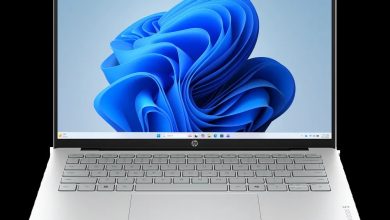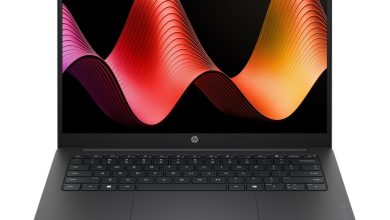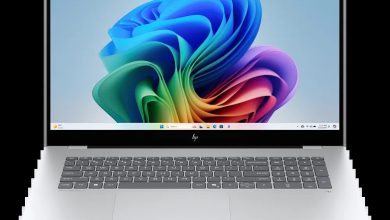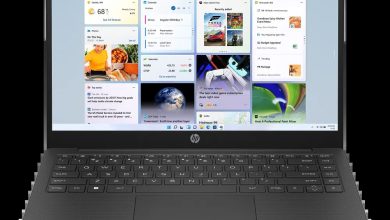
Looking for the HyperX OMEN 15 inch Gaming Laptop PC 15 driver download? You are in the right place. This page has every official HyperX OMEN 15 driver for Windows 11 — BIOS, Intel chipset, Intel NPU, Intel + NVIDIA graphics, Realtek audio, Intel/MediaTek/Realtek Wi-Fi and Bluetooth, touchpad variants, SSD and MCU firmware, and the OMEN Gaming Hub SDK — all with direct official HP download links.
The HyperX OMEN 15 inch Gaming Laptop PC 15 (SKU DD6K0UA) is a 15-inch gaming laptop powered by Intel processors with NVIDIA discrete graphics. HP has no dedicated driver page for this SKU, so the drivers below come from the official 15-ga0000 IDS base-model page. HP ships several BIOS builds for different system-board IDs (SSID) in this series — match the SSID notes to your unit.
BIOS & Firmware
- HP Notebook System BIOS Update (Intel Processors, SSID 8EDE) — F.05 Rev.A, Oct 7, 2026, 18.5 MB — sp174731.exe Download
- HP Notebook System BIOS Update (Intel Processors, SSID 8EDE) — F.02 Rev.A, Apr 24, 2026, 18.6 MB — sp172337.exe Download
- HP Notebook System BIOS Update (Intel Processors, SSID 8F5C) — F.04 Rev.A, Jul 31, 2026, 17.0 MB — sp173961.exe Download
- HP Notebook System BIOS Update (Intel Processors, SSID 8EDF) — F.07 Rev.A, 16.5 MB — sp173960.exe Download
- HP Notebook System BIOS Update (Intel Processors, SSID 8EDD) — F.09 Rev.A, Jul 3, 2026, 13.5 MB — sp173632.exe Download
- HP Notebook System BIOS Update (Intel Processors, SSID 8EDC) — 13.6 MB — sp173633.exe Download
BIOS note: HP ships six BIOS builds for this series targeting different system-board IDs (SSID). Installing the wrong BIOS can brick the laptop — check your SSID with HP PC Hardware Diagnostics or on the service label, then pick the matching build. If in doubt, use HP Support Assistant to pick the right one automatically.
Chipset
- Intel Chipset Installation Utility and Driver — 10.1.20398.8776 Rev.A, 0.8 MB — sp171663.exe Download
- Intel Chipset Installation Utility and Driver — 10.1.20404.8794 Rev.A, Mar 13, 2026, 0.8 MB — sp171729.exe Download
- Intel Management Engine Interface (MEI) Driver — 2540.8.7.0 Rev.A, 14.0 MB — sp171753.exe Download
- Intel Management Engine Interface (MEI) Driver — 2552.8.10.0 Rev.A, 14.0 MB — sp171756.exe Download
- Intel Neural Processing Unit (NPU) Driver — 32.0.100.4724 Rev.A, May 13, 2026, 35.3 MB — sp173072.exe Download
- Intel Neural Processing Unit (NPU) Driver — 83.5 MB — sp173069.exe Download
- Intel Innovation Platform Framework Processor Participant Driver — 2.3.20200.4422 Rev.A, 7.9 MB — sp171734.exe Download
- Intel Innovation Platform Framework Processor Participant Driver — 2.3.20303.5058 Rev.A, Apr 24, 2026, 46.2 MB — sp172584.exe Download
- Intel Serial IO Driver — 30.100.2534.18 Rev.A — sp171772.exe Download
- Intel Serial IO Driver — 30.100.2531.31 Rev.A, Mar 16, 2026, 0.9 MB — sp171768.exe Download
- Intel Serial IO Driver — 30.100.2529.2 Rev.A, Mar 16, 2026, 1.0 MB — sp171770.exe Download
- Intel Serial IO Driver — 30.100.2527.40 Rev.A, Apr 21, 2026, 1.0 MB — sp172498.exe Download
- Intel Platform Monitoring Technology (PMT) Driver — 7.3.10.3 Rev.A, Mar 16, 2026, 0.8 MB — sp171757.exe Download
- Intel Platform Monitoring Technology (PMT) Driver — 3.1.2.6 Rev.A, Mar 16, 2026 — sp171758.exe Download
- Intel Gaussian and Neural Accelerator Driver — 3.5.0.1611 Rev.A, Mar 13, 2026 — sp171738.exe Download
- Intel Platform Power Management (PPM) — 1.0.0.0 Rev.A, 0.7 MB — sp171777.exe Download
Chipset note: Install the newest chipset installation utility first (10.1.20404.8794, sp171729.exe), then the newer MEI (2552.8.10.0, sp171756.exe), Serial IO 30.100.2527.40 (sp172498.exe) and NPU (32.0.100.4724, sp173072.exe) builds. For each driver family, prefer the latest revision unless HP labels a build for different hardware.
Graphics
- NVIDIA GeForce Graphics Driver — 32.0.15.9282 Rev.A, Jun 25, 2026, 1266.8 MB — sp173651.exe Download
- Intel High-Definition (HD) Graphics Driver — 32.0.101.8724 Rev.A, Jun 15, 2026, 572.2 MB — sp173576.exe Download
- Intel High-Definition (HD) Graphics Driver — 32.0.101.8724 Rev.A, 572.2 MB — sp173587.exe Download
- Intel High-Definition (HD) Graphics Driver — 32.0.101.7085 Rev.A, Jun 15, 2026, 564.8 MB — sp173586.exe Download
Graphics note: Keep both drivers installed — the NVIDIA GeForce GPU handles games, the Intel integrated GPU handles light work and power saving. For the newest build in each family, use NVIDIA 32.0.15.9282 (sp173651.exe) and Intel 32.0.101.8724 (sp173576.exe).
Audio
- Realtek High-Definition (HD) Audio Driver — 6.0.9995.1 Rev.A, Jun 5, 2026, 898.2 MB — sp173493.exe Download
- Realtek High-Definition (HD) Audio Driver — 6.0.9995.1 Rev.A, Jul 7, 2026, 852.7 MB — sp173769.exe Download
- Realtek High-Definition (HD) Audio Driver — 857.4 MB — sp173492.exe Download
Wi-Fi & Bluetooth
- Intel WLAN Driver — 24.20.0.4 Rev.A, Mar 10, 2026, 15.4 MB — sp171583.exe Download
- Intel Bluetooth Driver — 24.50.0.4 Rev.A, Jun 15, 2026, 11.7 MB — sp173579.exe Download
- MediaTek Wireless LAN Driver — 3.5.0.112 Rev.E, Jan 21, 2026, 30.2 MB — sp170057.exe Download
- MediaTek Bluetooth Driver — 2.22.0.90 Rev.E, Mar 6, 2026, 7.2 MB — sp171518.exe Download
- Realtek RTL8xxx Wireless LAN Drivers — 1.0.0.274 Rev.S, Nov 21, 2025, 17.3 MB — sp165839.exe Download
- Realtek RTL8xxx Series Bluetooth Driver — 1.0.0.182 Rev.S, Apr 13, 2026, 2.0 MB — sp172371.exe Download
- Realtek Local Area Network (LAN) Driver — 1168.27.919.2025 Rev.A, Mar 13, 2026, 1.6 MB — sp171740.exe Download
Wireless note: This series ships with Intel, MediaTek, or Realtek wireless hardware. Check Network adapters in Device Manager and install the matching vendor's driver — newest packages are Intel WLAN 24.20.0.4 (sp171583.exe) and Intel Bluetooth 24.50.0.4 (sp173579.exe). The wired Ethernet port takes the Realtek LAN driver.
Touchpad
- Synaptics Precision Touchpad Filter Driver — 19.5.35.125 Rev.A, 5.3 MB — sp171717.exe Download
- ELAN Precision Touchpad Filter Driver — 43.2.6.1 Rev.A, Mar 13, 2026, 1.6 MB — sp171718.exe Download
- Intel Human Interface Device (HID) Event Filter Driver — 2.2.2.17 Rev.A, 0.8 MB — sp171727.exe Download
Storage/Firmware
- SanDisk Solid State Drives (SSD) Firmware Update — Multiple version Rev.A, Nov 13, 2025, 21.0 MB — sp165812.exe Download
- Sonix MCU Firmware Update — V.0020 Rev.A, May 29, 2026, 3.1 MB — sp173277.exe Download
Firmware note: Firmware updates only apply if your laptop has that exact SSD/controller. Check Disk drives and System devices in Device Manager before running one.
Utilities/Software
- HP PC Hardware Diagnostics Windows — 3.3.0.0 Rev.A, Sep 29, 2026, 559.5 MB — sp174767.exe Download
- HP PC Hardware Diagnostics UEFI — 10.8.7.0 Rev.A, Jul 8, 2026, 40.6 MB — sp173795.exe Download
- HP Support Assistant — 9.55.10.0 Rev.A, Aug 25, 2026, 169.5 MB — sp174448.exe Download
- HP Connection Optimizer — 2.0.21.0 Rev.A, Jun 13, 2025, 4.2 MB — sp160169.exe Download
- OMEN Gaming Hub SDK Package — 1.0.95 Rev.A, Aug 21, 2026, 211.3 MB — sp174350.exe Download
How to install HyperX OMEN 15 drivers
- Download the driver package for your hardware from the list above.
- Double-click the downloaded file and follow the on-screen installer prompts.
- Restart the laptop when the installer asks (especially after chipset and graphics updates).
- Verify the install in Device Manager — no yellow warning icons should remain.
FAQs
### Which drivers do I need for the HyperX OMEN 15? The essentials are the newest chipset installation utility, the Intel NPU driver, both graphics drivers (NVIDIA + Intel), the Realtek audio driver, and the matching Wi-Fi/Bluetooth package. Add the OMEN Gaming Hub SDK for gaming features and the BIOS update (matching your SSID) only if needed.
### How do I find my SSID to pick the right BIOS for the HyperX OMEN 15? HP lists six BIOS builds keyed by system-board ID. Find your SSID in HP PC Hardware Diagnostics (F2 at boot → System Information) or on the service label under the laptop, then download the matching build.
### Should I install both NVIDIA and Intel graphics drivers on the OMEN 15? Yes. This gaming laptop uses both GPUs — the NVIDIA GeForce handles games, the Intel integrated GPU handles light work and power saving. Keep both drivers current.
### Where can I download HyperX OMEN 15 drivers safely? From the official HP download links on this page — every link above points to HP's own ftp.hp.com servers, so the packages are genuine and unmodified.