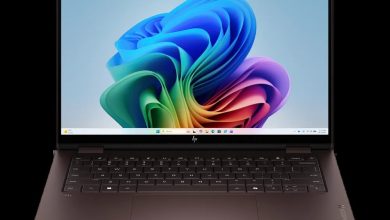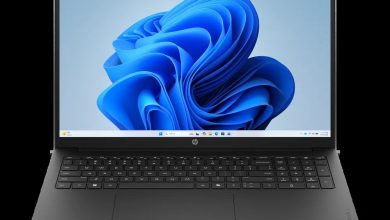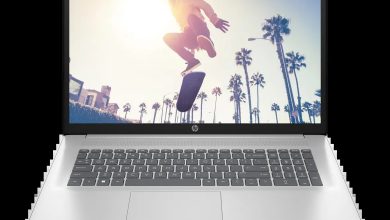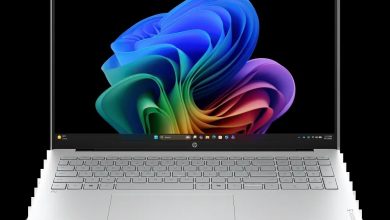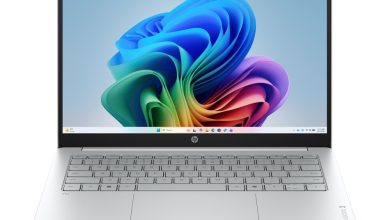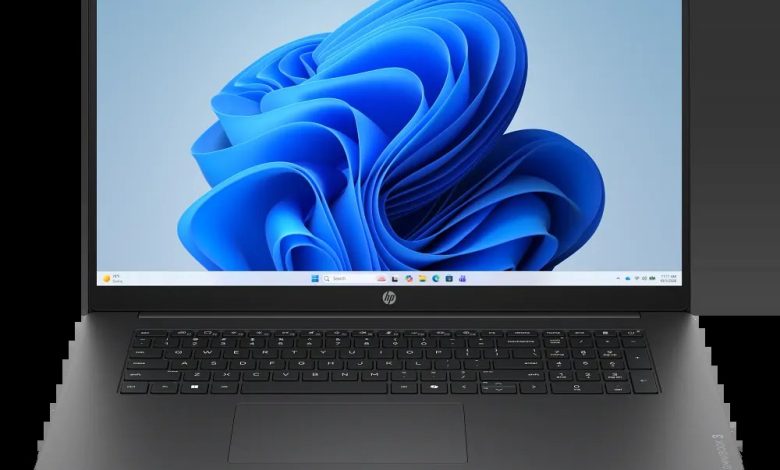
Looking for the HP OmniBook 3 Laptop AI 17z-dn000 driver download? You are in the right place. This page has every official HP OmniBook 3 Laptop AI 17z-dn000 driver for Windows 11 — BIOS, AMD chipset and graphics, Realtek audio, MediaTek and Realtek Wi-Fi/Bluetooth, touchpad, SSD firmware and HP utilities — all with direct official HP download links.
The HP OmniBook 3 Laptop AI 17z-dn000 (configure-to-order SKU C2XA9AV_1) is a 17.3-inch laptop powered by AMD Ryzen AI processors. HP has no dedicated driver page for this CTO configuration, so the drivers below come from the official 17-dn0000 base-model page. Because HP lists multiple BIOS revisions and several graphics builds, the correct variant for your hardware is labeled on each driver below.
BIOS & Firmware
- HP Notebook System BIOS Update (AMD CPU) — F.11 Rev.A, Jul 13, 2026, 40.7 MB — sp173778.exe Download
- HP Notebook System BIOS Update (AMD Processor) — Jul 7, 2026, 37.5 MB — sp173686.exe Download
- HP Notebook System BIOS Update (AMD CPU) — F.04 Rev.A, May 30, 2026, 9.8 MB — sp173312.exe Download
- HP Notebook System BIOS Update (AMD CPU) — 15.3 MB — sp173311.exe Download
- SanDisk Solid State Drives (SSD) Firmware Update — HPS3N7A/HPS3T7A Rev.A, May 12, 2026, 6.7 MB — sp172977.exe Download
- Longsys Solid State Drives (SSD) Firmware Update — HPS04 Rev.A, Jul 13, 2026, 1.9 MB — sp173821.exe Download
- ELAN Touchscreen Firmware — 6701T07 Rev.A, Dec 16, 2025, 1.1 MB — sp165948.exe Download
BIOS warning: HP lists four BIOS packages for different board groups. Install ONLY the BIOS whose SSID group matches your board — press Win+R, type msinfo32, and check the BaseBoard Product line. Installing the wrong one can brick your laptop. Keep it plugged in during the update.
Chipset
- AMD Neural Processing Unit (NPU) Driver — 32.00.0203.329 Rev.B, 14.4 MB — sp174440.exe Download
- Windows Studio Effects Driver (AMD) — 1.0.48.0 Rev.A, 30.4 MB — sp174441.exe Download
- Windows Studio Effects Driver (AMD) — 2.0.28.0 Rev.A, Aug 28, 2026, 18.9 MB — sp174442.exe Download
Graphics
- AMD High-Definition Graphics Driver — 32.0.31032.3 Rev.C, 987.3 MB — sp174432.exe Download
- AMD High-Definition Graphics Driver — 32.0.21042.1001 Rev.B, 980.6 MB — sp174431.exe Download
- AMD High-Definition Graphics Driver — 980.4 MB — sp174430.exe Download
- AMD High-Definition Graphics Driver — 32.0.22064.4003 Rev.C, Aug 28, 2026, 1040.0 MB — sp174433.exe Download
- AMD High-Definition Graphics Driver — 32.0.22064.7 Rev.A, May 15, 2026, 1043.5 MB — sp172819.exe Download
- AMD High-Definition Graphics Driver — 32.0.22024.9002 Rev.A, Jan 9, 2026, 1032.1 MB — sp168623.exe Download
Graphics note: HP lists six AMD graphics builds. Install the newest build (32.0.22064.4003 Rev.C, released August 28, 2026).
Audio
- Realtek High-Definition (HD) Audio Driver — 6.0.9995.1 Rev.B, Aug 28, 2026, 267.5 MB — sp174434.exe Download
Wi-Fi & Bluetooth
- MediaTek Wireless LAN Driver — 3.5.0.120 Rev.A, Jun 24, 2026, 29.2 MB — sp173639.exe Download
- MediaTek Bluetooth Driver — 2.22.0.93 Rev.E, Jul 14, 2026, 7.2 MB — sp173831.exe Download
- Realtek RTL8xxx Wireless LAN Drivers — 1.0.0.273 Rev.S, Nov 14, 2025, 17.2 MB — sp165794.exe Download
- Realtek RTL8xxx Series Bluetooth Driver — 1.0.0.182 Rev.S, Apr 13, 2026, 2.0 MB — sp172371.exe Download
Wi-Fi warning: This series ships with either a MediaTek or a Realtek wireless card. Check Device Manager under Network adapters — install only the MediaTek pair or the Realtek pair, never mix them.
Touchpad & Input
- ELAN Precision Touchpad Filter Driver — 43.2.2.2 Rev.A, 1.6 MB — sp168606.exe Download
- Synaptics Precision Touchpad Filter Driver — 19.5.35.122 Rev.A, 5.3 MB — sp168609.exe Download
Touchpad note: HP lists both ELAN and Synaptics variants. Install the one matching your touchpad hardware — check Device Manager under Human Interface Devices.
Diagnostics & Software
- HP PC Hardware Diagnostics Windows — 3.1.1.0 Rev.A, May 20, 2026, 618.9 MB — sp173207.exe Download
- HP PC Hardware Diagnostics UEFI — 10.8.7.0 Rev.A, Jul 8, 2026, 40.6 MB — sp173795.exe Download
- HP Connection Optimizer — 2.0.21.0 Rev.A, Jun 13, 2025, 4.2 MB — sp160169.exe Download
- HP Support Assistant — 9.54.3.0 Rev.A, Jul 7, 2026, 177.6 MB — sp173774.exe Download
- HP Cloud Recovery Tool — available on the Microsoft Store — Get it here
How to Install HP OmniBook 3 Laptop AI 17z-dn000 Drivers
- Download the driver you need from the list above — start with the AMD NPU driver, then graphics, then the rest.
- Run the downloaded .exe file (double-click it) and follow the on-screen instructions.
- Restart your laptop when the installer asks you to, so the driver loads properly.
- Verify in Device Manager — no yellow warning icons should remain under Display adapters, Network adapters, or Sound controllers.
Frequently Asked Questions (FAQ)
Where can I download HP OmniBook 3 Laptop AI 17z-dn000 drivers for Windows 11?
All official HP OmniBook 3 Laptop AI 17z-dn000 driver downloads for Windows 11 are listed on this page, with direct links to HP’s own servers. Just click the download link next to the driver you need — each file comes straight from HP, so you always get the authentic package.
Which BIOS should I install — there are four listed?
Install ONLY the BIOS whose SSID group matches your board. Press Win+R, type msinfo32, and check the BaseBoard Product line to identify your board group, then pick the matching package. Installing the wrong BIOS can brick your laptop, so double-check before you run the updater, and keep the laptop plugged in during the update.
Which of the six AMD graphics builds should I install?
Install the newest build — 32.0.22064.4003 Rev.C, released August 28, 2026. The older builds exist for specific board groups, so if the newest build causes issues, fall back to the next most recent version listed.
Which Wi-Fi driver should I install — MediaTek or Realtek?
Check Device Manager under Network adapters to see which wireless card your laptop has. If it shows a MediaTek card, install the MediaTek WLAN + Bluetooth pair; if it shows a Realtek card, install the Realtek pair. Never mix vendors — install only one pair.
Source: HP official support page — HP OmniBook 3 17.3-inch Laptop AI PC 17-dn0000 (IDS base-model page, SKU C2XA9AV, covering CTO configuration C2XA9AV_1). Driver details verified from HP’s download listings. Always download the latest version available.