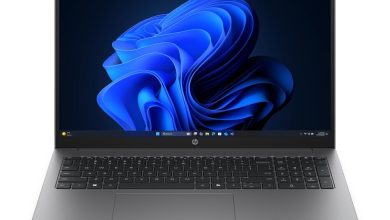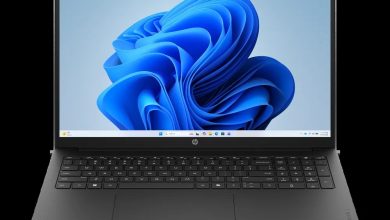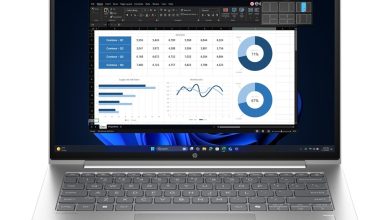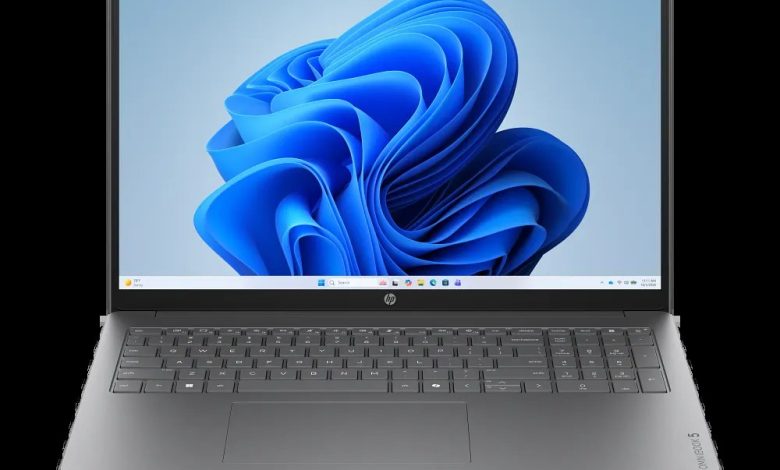
Download the official HP OmniBook 5 Laptop 16T-CF000 driver download package for Windows 11. This 16-inch OmniBook 5 (SKU C56U9AV_1) ships with Intel Core processors, and HP lists the drivers for Windows 11 version 25H2 (64-bit) on its support site. Because this is a configure-to-order model with several processor options, HP provides driver variants for Core Ultra Series 2/3, Core Series 3, and 12th/13th generation CPUs — pick the build that matches the processor shown in Device Manager. Every link below points to HP’s official server.
HP OmniBook 5 Laptop 16T-CF000 Driver Download — BIOS & Firmware
- HP Consumer Notebook PC BIOS Update (Intel Processors) — F.07 Rev.A, Jul 8, 2026, 271.4 MB — sp173786.exe Download
- HP Consumer Notebook PC BIOS (Intel Core Series 3 Processors) — F.08 Rev.A, Aug 18, 2026, 97.7 MB — sp174392.exe Download
- HP Consumer Notebook PC BIOS Update (8EBF,8EC6,8EC8,8F9F,8FA0) — F.02 Rev.A, Mar 3, 2026, 20.7 MB — sp171454.exe Download
- HP PC Hardware Diagnostics UEFI — 10.8.7.0 Rev.A, 40.6 MB — sp173795.exe Download
HP OmniBook 5 16T-CF000 Chipset Drivers
- Intel Platform Monitoring Technology (PMT) Driver (Core Series 3) — 11.3.10.2 Rev.A, Jun 5, 2026, 0.8 MB — sp173087.exe Download
- Intel Innovation Platform Framework Processor Participant Driver (12th/13th generation CPU) — 2.3.20200.4422 Rev.A, Jan 27, 2026, 7.9 MB — sp168792.exe Download
- Intel Platform Monitoring Technology (PMT) (Core Ultra Series 2) — 3.1.2.6 Rev.A, Mar 22, 2026 — sp171462.exe Download
- Intel Neural Processing Unit (NPU) Driver (Core Ultra Series 3) — 32.0.100.4724 Rev.A, Jun 12, 2026, 83.5 MB — sp173455.exe Download
- Intel Neural Processing Unit (NPU) Driver (Core Series 3) — Oct 5, 2026, 83.6 MB — sp174803.exe Download
- Intel Innovation Platform Framework Processor Participant Driver (Core Ultra Series 2/3) — 2.3.20303.5058 Rev.A, 46.3 MB — sp173420.exe Download
- Intel Management Engine Interface (MEI) Driver (Core Ultra Series 2) — 2552.8.10.0 Rev.A, 1.6 MB — sp171457.exe Download
- Intel Platform Monitoring Technology (PMT) (Core Ultra Series 3) — 7.3.10.3 Rev.A, Mar 2, 2026, 0.8 MB — sp170285.exe Download
- Intel Management Engine Interface (MEI) Driver (12th/13th generation CPU) — 2540.8.7.0 Rev.A, Jan 27, 2026, 1.7 MB — sp168788.exe Download
- Intel Neural Processing Unit (NPU) Driver (Core Ultra Series 2) — 32.0.100.4724 Rev.A, Oct 5, 2026, 34.7 MB — sp174793.exe Download
- Intel Serial IO Driver — 30.100.2534.35 Rev.A, Jun 2, 2026, 1.3 MB — sp173084.exe Download
- Intel Management Engine Interface (MEI) Driver (Core Ultra Series 3/Core Series 3) — 2603.9.4.0 Rev.A, 1.6 MB — sp173081.exe Download
- Intel Innovation Platform Framework Processor Participant Driver (Core Series 3) — 2.3.20303.5058 Rev.A, 46.2 MB — sp173083.exe Download
- Intel Chipset Installation Utility and Driver — 10.1.20524.8822 Rev.A, 0.8 MB — sp173080.exe Download
- Intel Gaussian and Neural Accelerator Driver (12th/13th generation CPU) — 3.5.0.1611 Rev.A, Jan 5, 2026, 0.8 MB — sp167197.exe Download
- Intel Human Interface Device (HID) Event Filter Driver — 2.2.2.18 Rev.A, Jun 2, 2026 — sp173085.exe Download
Graphics Drivers for the OmniBook 5 16T-CF000
- Intel High-Definition (HD) Graphics Driver (Core Ultra Series 2/3) — 32.0.101.8626 Rev.A, Jun 12, 2026, 566.7 MB — sp173401.exe Download
- Intel High-Definition (HD) Graphics Driver (Core Series 3) — 32.0.101.8572 Rev.A, Jun 2, 2026, 562.3 MB — sp173082.exe Download
- Intel High-Definition (HD) Graphics Driver (12th/13th generation CPU) — 32.0.101.7077 Rev.A, Feb 13, 2026, 565.6 MB — sp170279.exe Download
Audio Drivers
- Realtek High-Definition (HD) Audio Driver (Core Ultra Series 3/Core Series 3) — 6.0.9995.1 Rev.A, Jun 12, 2026, 846.1 MB — sp173503.exe Download
- Realtek High-Definition (HD) Audio Driver (Core Ultra Series 2) — 851.9 MB — sp173505.exe Download
- Realtek High-Definition (HD) Audio Driver (13th generation CPU) — 6.0.9909.1 Rev.A, Jan 9, 2026, 879.9 MB — sp168510.exe Download
- Realtek High-Definition (HD) Audio Driver (13th generation CPU) — 878.6 MB — sp173501.exe Download
Wi-Fi & Bluetooth Drivers
- Intel Wireless LAN Driver — 24.30.1.1 Rev.A, Apr 23, 2026, 15.6 MB — sp172546.exe Download
- Intel Bluetooth Driver — 24.10.0.4 Rev.A, Feb 2, 2026, 14.2 MB — sp170216.exe Download
- Intel Wireless LAN Driver — 15.1 MB — sp170215.exe Download
- Realtek RTL8xxx Series Bluetooth Driver — 1.0.0.182 Rev.S, Apr 13, 2026, 2.0 MB — sp172371.exe Download
- Realtek RTL8xxx Wireless LAN Drivers — 1.0.0.274 Rev.S, Dec 15, 2025, 17.3 MB — sp167239.exe Download
- Intel Bluetooth Driver — 24.30.1.1 Rev.A, Apr 23, 2026, 15.2 MB — sp172547.exe Download
Touchpad Drivers
- ELAN Precision Touchpad Filter Driver — 43.2.2.2 Rev.A, 1.6 MB — sp167285.exe Download
- Synaptics Precision Touchpad Filter Driver — 19.5.35.128 Rev.A, May 22, 2026, 5.3 MB — sp173090.exe Download
Storage / Firmware
- SanDisk Solid State Drives (SSD) Firmware Update — HPS3N7A/HPS3T7A Rev.A, May 12, 2026, 6.7 MB — sp172977.exe Download
How to Install Drivers on the HP OmniBook 5 Laptop 16T-CF000
- Check the processor in Settings > System > About or Device Manager first, then download only the HP OmniBook 5 Laptop 16T-CF000 driver builds that match your CPU generation.
- Run the chipset and graphics installers before the audio, wireless, and touchpad packages so Windows detects the hardware in the right order.
- If a BIOS update is needed, plug in the AC adapter, close all apps, run the matching BIOS file, and never power off the laptop while it flashes.
- Restart after installation and confirm Device Manager shows no unknown devices.
FAQs
Where can I download the HP OmniBook 5 Laptop 16T-CF000 driver?
You can download the official HP OmniBook 5 Laptop 16T-CF000 driver package right from this page — every link above points to HP's official download server, with the exact file name, version, and release date.
Which CPU variant driver should I install on the 16T-CF000?
This is a configure-to-order model, so match the driver to the processor in Device Manager — HP lists separate builds for Core Ultra Series 2/3, Core Series 3, and 12th/13th generation CPUs. Installing the wrong generation's driver may fail or behave unexpectedly.
Does the HP OmniBook 5 16T-CF000 driver download work on Windows 11 25H2?
Yes. These drivers are listed by HP for Windows 11 version 25H2 (64-bit). The page also covers both Intel and Realtek wireless cards — pick the one installed in your unit.
Do I need the ELAN or the Synaptics touchpad driver?
Open Device Manager > Human Interface Devices to see which touchpad your unit uses, then install only the matching driver — ELAN or Synaptics — from the touchpad section above.