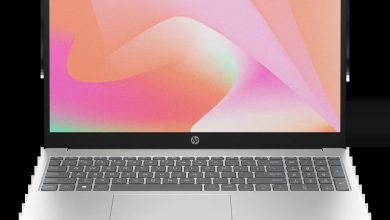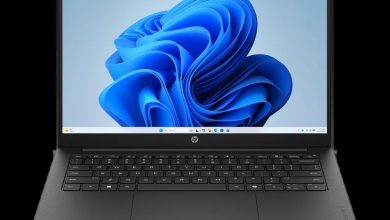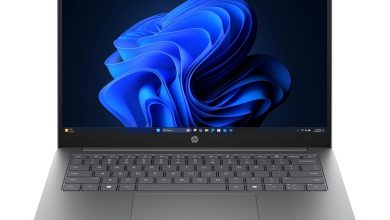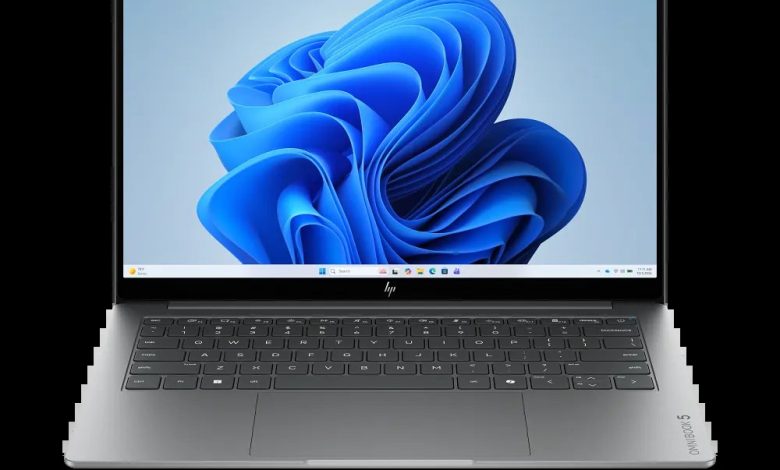
The HP OmniBook 5 Laptop AI 14-mh0523nr (SKU E48Z5UA) is an AI-ready Windows 11 laptop built around an Intel platform with a dedicated Neural Processing Unit (NPU) for on-device AI workloads. This HP OmniBook 5 Laptop AI 14-mh0523nr driver download page brings together every official HP driver for this model — chipset, graphics, audio, Wi-Fi and Bluetooth — with direct links to HP's download servers, so you can get the right driver for Windows 11 in one place.
Chipset Drivers for HP OmniBook 5 Laptop AI 14-mh0523nr
Keep the platform core stable and power-efficient with these Intel chipset drivers, including the NPU driver that powers the AI features of your HP OmniBook 5 Laptop AI 14-mh0523nr driver download set.
- Intel Platform Power Management (PPM) — 1.0.0.264 Rev.A, Sep 23, 2026, 1.0 MB — sp174719.exe Download
- Intel Dynamic Tuning Driver — 9.1.10010.2297 Rev.A, Sep 18, 2026, 47.7 MB — sp174647.exe Download
- Intel Management Engine Interface (MEI) Driver — 2626.9.35 Rev.A, Sep 23, 2026, 14.5 MB — sp174716.exe Download
- Intel Chipset Installation Utility and Driver — 10.1.20551.8850 Rev.A, Sep 18, 2026, 0.7 MB — sp174640.exe Download
- Intel Serial IO Driver — 30.100.2534.35 Rev.A, Sep 18, 2026, 1.0 MB — sp174654.exe Download
- Intel Platform Monitoring Technology (PMT) Driver — 11.3.12.6 Rev.A, Sep 18, 2026, 0.8 MB — sp174650.exe Download
- Intel Innovation Platform Framework Processor Participant Driver — 2.3.20305.6 Rev.A, Sep 23, 2026, 3.5 MB — sp174714.exe Download
- Intel Neural Processing Unit (NPU) Driver — 32.0.100.4778 Rev.A, Sep 18, 2026, 84.6 MB — sp174646.exe Download
- Intel Human Interface Device (HID) Event Filter Driver — 2.2.2.18 Rev.A, Sep 18, 2026, 0.8 MB — sp174652.exe Download
Graphics Driver
- Intel High-Definition (HD) Graphics Driver — 32.0.101.8831 Rev.A, Sep 23, 2026, 560.4 MB — sp174720.exe Download
Audio Driver
- Realtek High-Definition (HD) Audio Driver — 10.0.436.1 Rev.A, Sep 23, 2026, 607.9 MB — sp174721.exe Download
Wi-Fi & Bluetooth Drivers
This model ships with Intel and Realtek wireless hardware — install only the driver that matches your laptop's wireless card.
- Intel Bluetooth Driver — 24.70.0.4 Rev.A, Sep 18, 2026, 3.5 MB — sp174645.exe Download
- Intel Wireless LAN Driver — 24.70.0.3 Rev.A, Sep 18, 2026, 16.0 MB — sp174641.exe Download
- Realtek RTL8xxx Wireless LAN Drivers — 1.0.0.282 Rev.S, Jul 24, 2026, 16.0 MB — sp173924.exe Download
How to Install
- Download the driver file(s) above directly from HP's official servers.
- Run each `.exe` file and follow the on-screen setup wizard.
- Restart your laptop when prompted so the new drivers load properly.
- Install chipset drivers first, then graphics, audio, and wireless for the smoothest setup.
FAQs
Where can I find the HP OmniBook 5 Laptop AI 14-mh0523nr driver download for Windows 11?
Right here — every driver listed above is an official HP release for the 14-mh0523nr (E48Z5UA) on Windows 11, with direct HP download links.
Which wireless driver should I install on the 14-mh0523nr?
Install only the one matching your card: the Intel Wireless LAN/Bluetooth pair for Intel cards, or the Realtek RTL8xxx package for Realtek cards. Check Device Manager → Network adapters if unsure.
Do I need the NPU driver?
Yes — the Intel NPU Driver enables the on-device AI features of this AI PC. Without it, AI-accelerated apps fall back to slower CPU processing.
Are these drivers official?
Yes. All files are hosted on HP's official ftp.hp.com servers and are the same versions HP lists for this model on support.hp.com.