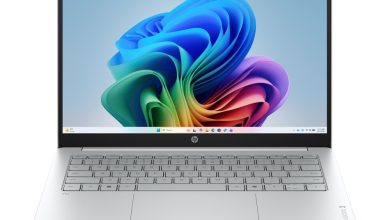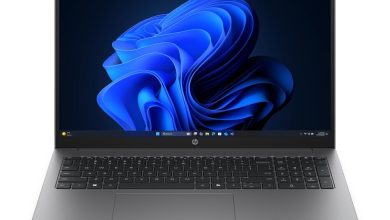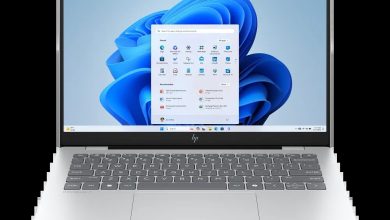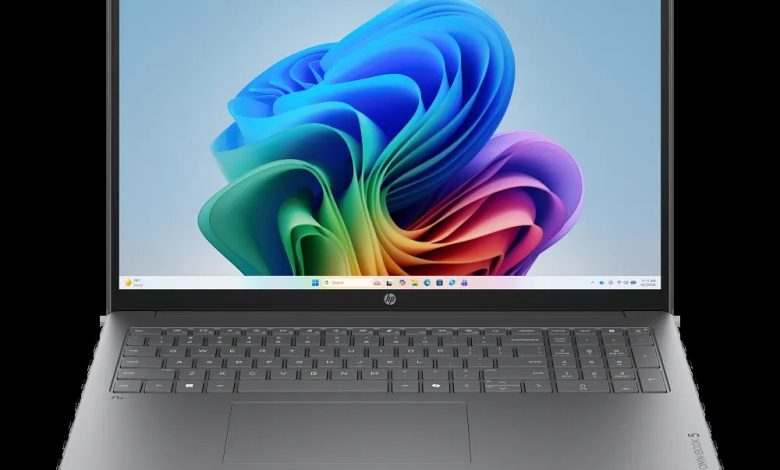
This page lists the official HP OmniBook 5 Laptop Next Gen AI 16Z-CG000 driver download links for Windows 11 (64-bit), sourced directly from HP's support site. This AMD-powered 16-inch Next Gen AI laptop (SKU C5BR1AV_1, CTO base configuration) ships with MediaTek or Realtek wireless cards and ELAN or Synaptics touchpads, so pick the driver package that matches your hardware — install the BIOS update first, then the chipset and graphics drivers, followed by the rest in category order.
BIOS & Firmware
- HP Notebook System BIOS Update (AMD CPU, SSID 8EE1, 8EF9, 8EFB, 8F83, 8F86, 8F89, 8EE5, 8F8B) — F.11 Rev.A, Jul 13, 2026, 40.7 MB — sp173778.exe Download
- HP Notebook System BIOS Update (AMD Processor, SSID 8EE0, 8EF8, 8EFA, 8F82, 8F85, 8F88, 8F84, 8F87, …) — Jul 7, 2026, 37.5 MB — sp173686.exe Download
- SanDisk Solid State Drives (SSD) Firmware Update — HPS3N7A/HPS3T7A Rev.A, May 12, 2026, 6.7 MB — sp172977.exe Download
Chipset & Platform
- AMD Neural Processing Unit (NPU) Driver — 32.00.0203.329 Rev.B, Aug 28, 2026, 14.4 MB — sp174440.exe Download
Graphics
- AMD High-Definition Graphics Driver — 32.0.22064.4003 Rev.C, Aug 28, 2026, 1040.0 MB — sp174433.exe Download
- AMD High-Definition Graphics Driver — 32.0.31032.3 Rev.C, 987.3 MB — sp174432.exe Download
- Windows Studio Effects Driver (AMD) — 1.0.48.0 Rev.A, 30.4 MB — sp174441.exe Download
- Windows Studio Effects Driver (AMD) — 2.0.28.0 Rev.A, 18.9 MB — sp174442.exe Download
Audio
- Realtek High-Definition (HD) Audio Driver — 6.0.9995.1 Rev.B, Aug 28, 2026, 267.5 MB — sp174434.exe Download
- Realtek High-Definition (HD) Audio Driver — 823.4 MB — sp174435.exe Download
Network (Wi-Fi & Bluetooth)
- MediaTek Wireless LAN Driver — 3.5.0.120 Rev.A, Jun 24, 2026, 29.2 MB — sp173639.exe Download
- Realtek RTL8xxx Wireless LAN Drivers — 1.0.0.273 Rev.S, Nov 14, 2025, 17.2 MB — sp165794.exe Download
- MediaTek Bluetooth Driver — 2.22.0.93 Rev.E, Jul 14, 2026, 7.2 MB — sp173831.exe Download
- Realtek RTL8xxx Series Bluetooth Driver — 1.0.0.182 Rev.S, Apr 13, 2026, 2.0 MB — sp172371.exe Download
Touchpad / Input
- ELAN Precision Touchpad Filter Driver — 43.2.2.2 Rev.A, Jan 9, 2026, 1.6 MB — sp168606.exe Download
- Synaptics Precision Touchpad Filter Driver — 19.5.35.122 Rev.A, 5.3 MB — sp168609.exe Download
Software & Utilities
- HP PC Hardware Diagnostics Windows — 3.1.1.0 Rev.A, May 20, 2026, 618.9 MB — sp173207.exe Download
- HP PC Hardware Diagnostics UEFI — 10.8.7.0 Rev.A, Jul 8, 2026, 40.6 MB — sp173795.exe Download
- HP Connection Optimizer — 2.0.21.0 Rev.A, Jun 13, 2025, 4.2 MB — sp160169.exe Download
- HP Support Assistant — 9.55.10.0 Rev.A, Aug 25, 2026, 169.5 MB — sp174448.exe Download
How to Install HP OmniBook 5 Laptop Next Gen AI 16Z-CG000 Drivers
- Run the BIOS update for your SSID group first with the laptop plugged in, then restart. Check your system board ID in the BIOS setup screen to pick the correct BIOS package.
- Install the AMD NPU driver and the AMD high-definition graphics driver, then restart.
- Install the Windows Studio Effects driver, then the Realtek audio driver.
- Install the Wi-Fi and Bluetooth drivers matching your wireless card (MediaTek or Realtek).
- Install the touchpad filter driver for your hardware (ELAN or Synaptics), then finish with the SanDisk SSD firmware, Connection Optimizer and Support Assistant.
FAQs — HP OmniBook 5 Laptop Next Gen AI 16Z-CG000 Drivers
Where can I download HP OmniBook 5 Laptop Next Gen AI 16Z-CG000 drivers for Windows 11?
You can download the official HP OmniBook 5 Laptop Next Gen AI 16Z-CG000 drivers for Windows 11 from the HP-hosted links above — every package comes straight from HP's support site.
Which BIOS update should I install if there are two?
The two BIOS packages target different system board IDs (SSIDs). Check your system board ID in the BIOS setup screen and install the package whose SSID list contains it.
Which Wi-Fi driver should I install — MediaTek or Realtek?
This model ships with different wireless cards depending on the configuration. Check your network adapter in Device Manager and install the matching driver.
Do these HP OmniBook 5 16Z-CG000 drivers work on Windows 10?
No — these drivers are published for Windows 11 (64-bit) only.