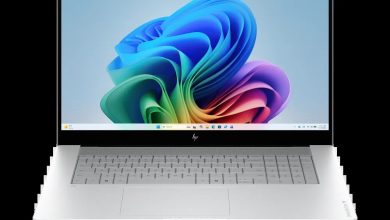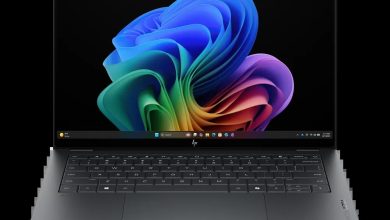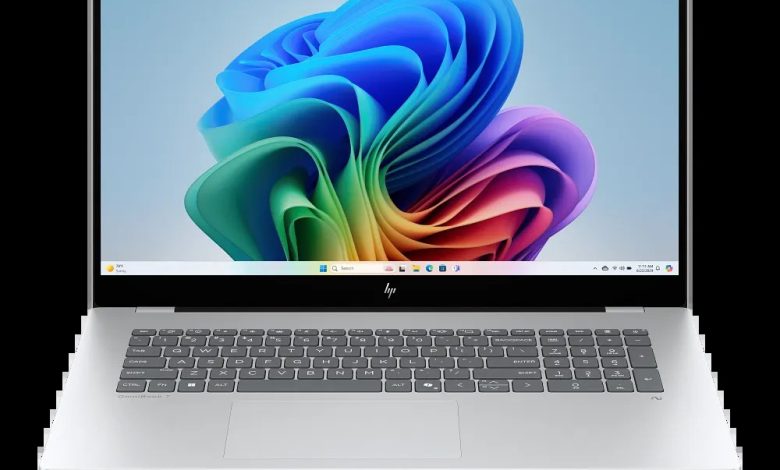
Get the official HP OmniBook 7 17-dc0037nr driver download for Windows 11 (SKU BE1C5UA). This page lists every current driver package from HP — BIOS, chipset, Intel and NVIDIA graphics, audio, and Intel Wi-Fi/Bluetooth — with direct download links. Install the chipset and Serial IO drivers first, then graphics and audio.
Note: This laptop ships in Intel-only and Intel + NVIDIA GeForce configurations. Install the NVIDIA GeForce Graphics Driver only if your machine has NVIDIA graphics (check Device Manager, Display adapters).
BIOS & Firmware
- HP Notebook System BIOS Update (Intel Processors) — F.20 Rev.A, Apr 30, 2026, 16.5 MB — sp172503.exe Download
- HP PC Hardware Diagnostics UEFI — 10.8.7.0 Rev.A, Jul 8, 2026, 40.6 MB — sp173795.exe Download
- SanDisk Solid State Drives (SSD) Firmware Update — Multiple version Rev.A, Nov 13, 2025, 21.0 MB — sp165812.exe Download
- Goodix Touchscreen Firmware Update — GT7937_1A.10.01.05 Rev.05, Mar 28, 2025, 0.9 MB — sp157976.exe Download
Chipset & Platform
- Intel Neural Processing Unit (NPU) Driver — 32.0.100.4512 Rev.E, Apr 27, 2026, 39.0 MB — sp172285.exe Download
- Intel Serial IO Driver — 30.100.2524.32 Rev.B, Apr 27, 2026, 1.0 MB — sp172269.exe Download
- Intel Human Interface Device (HID) Event Filter Driver — 2.2.2.17 Rev.C, Apr 27, 2026, 0.8 MB — sp172280.exe Download
- Intel Platform Monitoring Technology (PMT) Driver — 5.2.6.3 Rev.B, Apr 27, 2026, 0.8 MB — sp172267.exe Download
- Intel Chipset Installation Utility and Driver — 10.1.20378.8757 Rev.B, Apr 27, 2026, 0.7 MB — sp172266.exe Download
- Intel Innovation Platform Framework Processor Participant Driver — 2.3.20200.4422 Rev.B, Apr 27, 2026, 8.2 MB — sp172278.exe Download
- Intel Management Engine Interface (MEI) Driver — 2552.8.10.0 Rev.B, Apr 27, 2026, 13.8 MB — sp172270.exe Download
Graphics — HP OmniBook 7 Laptop Next Gen AI 17-dc0037nr
- Intel High-Definition (HD) Graphics Driver — 32.0.101.8626 Rev.C, Apr 27, 2026, 566.2 MB — sp172271.exe Download
- NVIDIA GeForce Graphics Driver — 32.0.15.9180 Rev.C, Apr 27, 2026, 1280.3 MB — sp172277.exe Download
Audio — HP OmniBook 7 Laptop Next Gen AI 17-dc0037nr
- Realtek High-Definition (HD) Audio Driver — 6.0.9945.1 Rev.E, Apr 27, 2026, 842.5 MB — sp172282.exe Download
Network (Wi-Fi/Bluetooth)
- Intel WLAN Driver — 24.50.0.4 Rev.A, Jun 25, 2026, 15.8 MB — sp173653.exe Download
- Intel Bluetooth Driver — 24.50.1.3 Rev.A, Jun 25, 2026, 16.2 MB — sp173652.exe Download
Touchpad & Input
- Synaptics Precision Touchpad Filter Driver — 19.5.35.126 Rev.E, Apr 27, 2026, 5.3 MB — sp172284.exe Download
- ELAN Precision Touchpad Filter Driver — 22.2.55.4 Rev.C, Apr 27, 2026, 1.6 MB — sp172283.exe Download
Software & Utilities
- HP PC Hardware Diagnostics Windows — 3.2.0.0 Rev.A, Aug 6, 2026, 835.3 MB — sp174215.exe Download
- HP Connection Optimizer — 2.0.21.0 Rev.A, Jun 13, 2025, 4.2 MB — sp160169.exe Download
- Poly Camera Pro Software — 2.11.5 Rev.A, Aug 7, 2026, 947.2 MB — sp174235.exe Download
- HP Support Assistant — 9.55.10.0 Rev.A, Aug 25, 2026, 169.5 MB — sp174448.exe Download
- HP AI Companion Package — 2.6.1003.0 Rev.A, Dec 1, 2025, 1434.8 MB — sp165958.exe Download
How to Install
- Download the driver file (the .exe link) for your component.
- Double-click the file and follow the on-screen installer.
- Restart the laptop when prompted, especially after BIOS and graphics updates.
- Install chipset drivers before graphics and audio drivers for best results.
FAQs
How do I get the HP OmniBook 7 17-dc0037nr driver download for Windows 11?
Right here — every link above points to HP’s official download server (ftp.hp.com).
Which driver should I install first on the HP OmniBook 7 Laptop Next Gen AI 17-dc0037nr?
BIOS and chipset drivers first, then graphics, audio, and wireless.
Are these HP OmniBook 7 Laptop Next Gen AI 17-dc0037nr drivers official?
Yes — all packages are published by HP for this exact model.
Do I need to update the BIOS on the HP OmniBook 7 Laptop Next Gen AI 17-dc0037nr?
Only if you need a fix it provides. Keep the laptop plugged in and never interrupt a BIOS update.