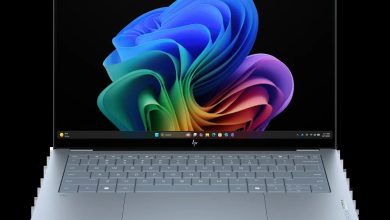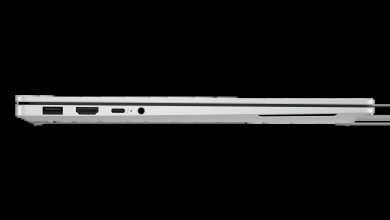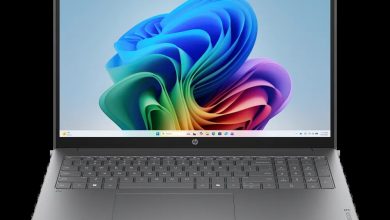
HP OmniBook X Flip 2-in-1 Laptop Next Gen AI 14-fm0047nr Driver Download (Windows 11)
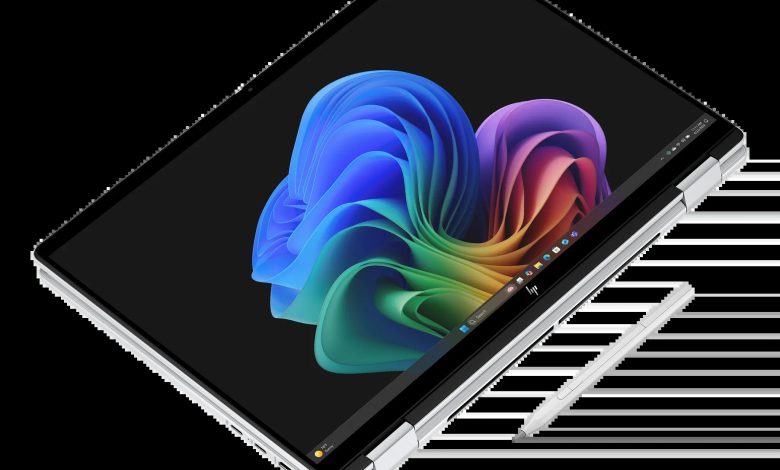
Looking for the HP OmniBook X Flip 14-fm0047nr driver download for Windows 11? This page lists every driver HP offers for the OmniBook X Flip 2-in-1 Laptop Next Gen AI 14-fm0047nr (B88A6UA) — BIOS, chipset, Intel Arc graphics, Realtek audio, Wi-Fi and Bluetooth, touchpad, touchscreen and SSD firmware, plus HP diagnostics — each with its version, release date, file size and a direct official HP download link.
HP OmniBook X Flip 14-fm0047nr Driver Download for Windows 11
All drivers below are the latest Windows 11 versions HP lists for this model, which runs an Intel Core Ultra 7 processor with Intel Arc 140V graphics. Download only the drivers you need, and install the chipset drivers first.
BIOS & Firmware
- HP Notebook System BIOS Update (Intel Processors) — F.20 Rev.A, May 8, 2026, 16.7 MB — sp172509.exe Download
Chipset
- Intel Neural Processing Unit (NPU) Driver — 32.0.100.4512 Rev.E, Apr 27, 2026, 39.0 MB — sp172285.exe Download
- Intel Integrated Sensor Solution Driver — 5.8.52.0 Rev.C, May 15, 2026, 1.7 MB — sp172806.exe Download
- Intel Serial IO Driver — 30.100.2524.32 Rev.B, Apr 27, 2026, 1.0 MB — sp172269.exe Download
- Intel Human Interface Device (HID) Event Filter Driver — 2.2.2.17 Rev.C, Apr 27, 2026, 0.8 MB — sp172280.exe Download
- Intel Platform Monitoring Technology (PMT) Driver — 5.2.6.3 Rev.B, Apr 27, 2026, 0.8 MB — sp172267.exe Download
- Intel Chipset Installation Utility and Driver — 10.1.20378.8757 Rev.B, Apr 27, 2026, 0.7 MB — sp172266.exe Download
- Intel Innovation Platform Framework Processor Participant Driver — 2.3.20200.4422 Rev.B, Apr 27, 2026, 8.2 MB — sp172278.exe Download
- Intel Management Engine Interface (MEI) Driver — 2552.8.10.0 Rev.B, Apr 27, 2026, 13.8 MB — sp172270.exe Download
Graphics
- Intel High-Definition (HD) Graphics Driver — 32.0.101.8626 Rev.C, Apr 27, 2026, 566.2 MB — sp172271.exe Download
Audio
- Realtek High-Definition Audio Driver — 6.0.9945.1 Rev.E, Apr 27, 2026, 842.5 MB — sp172282.exe Download
Wi-Fi & Bluetooth
- Intel Bluetooth Driver — 24.50.1.3 Rev.A, Jun 25, 2026, 16.2 MB — sp173652.exe Download
- Intel WLAN Driver — 24.50.0.4 Rev.A, Jun 25, 2026, 15.8 MB — sp173653.exe Download
Touchpad
- ELAN Precision Touchpad Filter Driver — 22.2.55.4 Rev.C, Apr 27, 2026, 1.6 MB — sp172283.exe Download
- Synaptics Precision Touchpad Filter Driver — 19.5.35.126 Rev.E, Apr 27, 2026, 5.3 MB — sp172284.exe Download
- HP Presence Sensing Settings — 1.1.8.9 Rev.C, Feb 9, 2026, 1.6 MB — sp170101.exe Download
Note: ELAN and Synaptics are hardware variants, so install only the touchpad driver that matches the touchpad hardware in your unit.
Storage & Firmware
- ELAN Touchscreen Firmware — 8302T16_20250414 Rev.8302T16, Mar 7, 2025, 2.1 MB — sp158079.exe Download
- SanDisk Solid State Drives (SSD) Firmware Update — Multiple version Rev.A, Nov 13, 2025, 21.0 MB — sp165812.exe Download
- Samsung PM9A1 SSD Firmware — HPS4NKXM Rev.A, Jan 20, 2025, 3.1 MB — sp156710.exe Download
Note: SanDisk and Samsung are SSD hardware variants, so install only the SSD firmware update that matches the SSD installed in your unit.
Diagnostics & Utilities
- HP PC Hardware Diagnostics Windows — 3.2.0.0 Rev.A, Aug 6, 2026, 835.3 MB — sp174215.exe Download
- HP PC Hardware Diagnostics UEFI — 10.8.7.0 Rev.A, Jul 8, 2026, 40.6 MB — sp173795.exe Download
- HP Connection Optimizer — 2.0.20.0 Rev.A, Apr 25, 2023, 4.1 MB — sp146686.exe Download
- HP AI Companion Package — 2.6.1003.0 Rev.A, Dec 1, 2025, 1434.8 MB — sp165958.exe Download
- HP AI Companion Local Model Package (Intel) — 1.0.0.0 Rev.A, Dec 8, 2025, 3384.8 MB — sp166076.exe Download
- Poly Camera Pro Software — 2.11.5 Rev.A, Aug 7, 2026, 947.2 MB — sp174235.exe Download
- Intel Connectivity Performance Suite (ICPS) — 50.26.220.212 Rev.A, Jun 9, 2026, 11.9 MB — sp173517.exe Download
How to Install
- Download the driver file for your hardware from the list above.
- Run the downloaded file as administrator and follow the on-screen prompts.
- Install the chipset drivers first, then graphics, audio, and Wi-Fi and Bluetooth.
- Restart the laptop after installing the drivers, and keep it plugged in while updating the BIOS — never interrupt a BIOS update.
Frequently Asked Questions
### Where can I find the HP OmniBook X Flip 14-fm0047nr driver download for Windows 11?
Right here. Every download link on this page points directly to HP's official servers, so you always get the genuine, latest driver for this model.
### Which touchpad driver should I install, ELAN or Synaptics?
Only the one that matches the touchpad hardware in your laptop. Installing the wrong touchpad driver will not break anything, but the touchpad may not work correctly until you install the matching one.
### Which SSD firmware should I install, SanDisk or Samsung?
Only the one that matches the SSD in your laptop. Check your SSD model in Device Manager under Disk drives before downloading, and skip the other firmware update.
### Do I need to install every driver on this page?
No. Install the chipset, graphics, audio, and Wi-Fi and Bluetooth drivers first, then add the touchpad, touchscreen, and utility packages you actually use. Update the BIOS only if you need a fix it provides or HP recommends it.