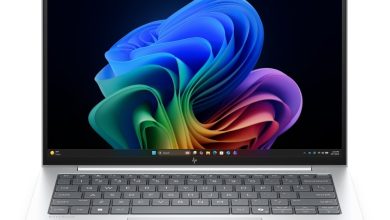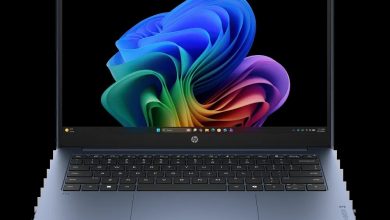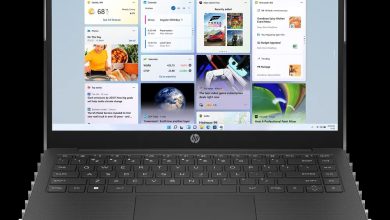
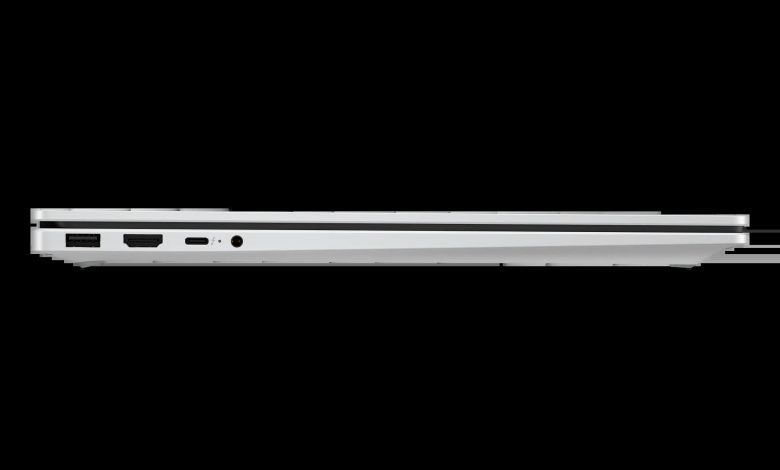
Looking for the HP OmniBook X 17-de0047nr driver download for Windows 11? This page lists the latest official HP drivers for the HP OmniBook X Laptop Next Gen AI 17-de0047nr (D9KT8UA), a 17.3-inch laptop with an Intel Core Ultra 7 processor, 32 GB of RAM, a 1 TB SSD, and a Full HD touch display. Every link below points directly to HP's official download server, so you get the genuine latest version for your laptop.
BIOS & Firmware for HP OmniBook X 17-de0047nr
- HP Notebook System BIOS Update (Intel Processors) — F.06 Rev.A, Jul 3, 2026, 18.9 MB — sp173669.exe Download
Chipset
- Intel Innovation Platform Framework Processor Participant Driver — 2.3.20201.4882 Rev.A, Jan 26, 2026, 39.7 MB — sp168983.exe Download
- Intel Human Interface Device (HID) Event Filter Driver — 2.2.2.17 Rev.A, Jan 26, 2026, 0.8 MB — sp168970.exe Download
- Intel Chipset Installation Utility and Driver — 10.1.20404.8794 Rev.A, Jan 26, 2026, 0.7 MB — sp168963.exe Download
- Intel Platform Monitoring Technology (PMT) Driver — 7.3.10.3 Rev.A, Jan 26, 2026, 0.8 MB — sp168992.exe Download
- Intel Management Engine Interface (MEI) Driver — 2547.8.50.0 Rev.A, Jan 29, 2026, 1.6 MB — sp168981.exe Download
- Intel Neural Processing Unit (NPU) Driver — 32.0.100.4841 Rev.C, Sep 1, 2026, 84.0 MB — sp174471.exe Download
- Intel Movidius Vision Processing Unit (VPU) Driver — 32.0.100.4509 Rev.A, Jan 26, 2026, 81.8 MB — sp168991.exe Download
- Intel Serial IO Driver — 30.100.2534.18 Rev.A, Jan 26, 2026, 1.0 MB — sp168989.exe Download
Graphics
- Intel High-Definition (HD) Graphics Driver — 32.0.101.8356 Rev.A, Jan 23, 2026, 558.3 MB — sp168984.exe Download
Audio
- Realtek High-Definition (HD) Audio Driver — 10.0.297.1 Rev.A, Jan 30, 2026, 786.6 MB — sp170037.exe Download
Wi-Fi & Bluetooth
- Intel WLAN Driver — 24.10.0.4 Rev.A, Dec 30, 2025, 15.1 MB — sp168698.exe Download
- Intel Bluetooth Driver — 24.10.0.4 Rev.A, Dec 30, 2025, 19.1 MB — sp168696.exe Download
Touchpad & Input
Note: this laptop ships with either a Synaptics or an ELAN touchpad, depending on the unit. Install only the touchpad driver that matches your laptop's hardware.
- HP Presence Sensing Settings — 1.1.8.9 Rev.B, Feb 9, 2026, 1.6 MB — sp170004.exe Download
- Synaptics Precision Touchpad Filter Driver — 19.5.35.124 Rev.A, Jan 26, 2026, 5.4 MB — sp168979.exe Download
- ELAN Precision Touchpad Filter Driver — 43.2.3.1 Rev.A, Jan 30, 2026, 1.6 MB — sp168980.exe Download
Storage & Firmware
- SanDisk Solid State Drives (SSD) Firmware Update — Multiple version Rev.A, Nov 13, 2025, 21.0 MB — sp165812.exe Download
- ELAN Touchscreen Firmware Update — 6701T05 Rev.A, Apr 28, 2026, 1.1 MB — sp172664.exe Download
Utilities & Software
- HP PC Hardware Diagnostics UEFI — 10.8.7.0 Rev.A, Jul 8, 2026, 40.6 MB — sp173795.exe Download
How to Install the HP OmniBook X 17-de0047nr Driver Download
- Download the driver you need from the official HP links above.
- Run the downloaded file and follow the on-screen instructions, keeping the laptop plugged in.
- For the BIOS update, do not switch off or restart the laptop while the update is running.
- Restart the laptop after installing chipset, graphics, audio, or network drivers if asked.
Frequently Asked Questions
Where can I get the HP OmniBook X 17-de0047nr driver download for Windows 11?
All the latest official HP drivers for this model are listed above, with direct links to HP's download server.
Which BIOS version should I install?
Install F.06 Rev.A (July 3, 2026), the latest BIOS for this model. The older F.03 release is superseded and is not listed here.
There are two touchpad drivers listed. Which one do I need?
This model ships with either a Synaptics or an ELAN touchpad, depending on the unit. Install only the driver that matches your laptop's touchpad hardware.
Are these drivers for Windows 11 on ARM?
No. This is an Intel Core Ultra 7 model, so the drivers above are for standard Windows 11. Windows 11 on ARM uses a different driver set.