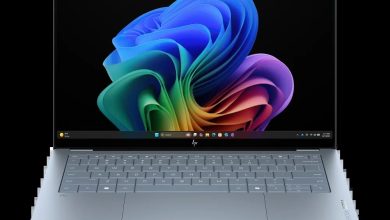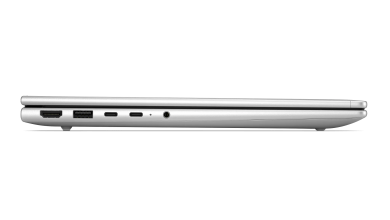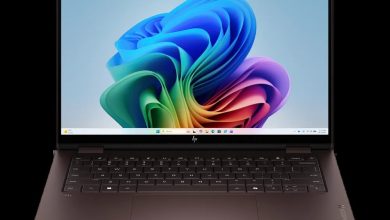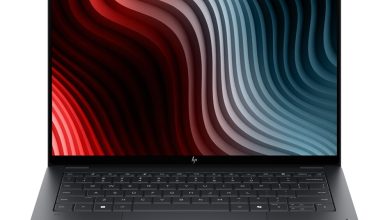
HP ProBook 4 G2a 16 inch Notebook Next Gen AI PC Driver Download (Windows 11)
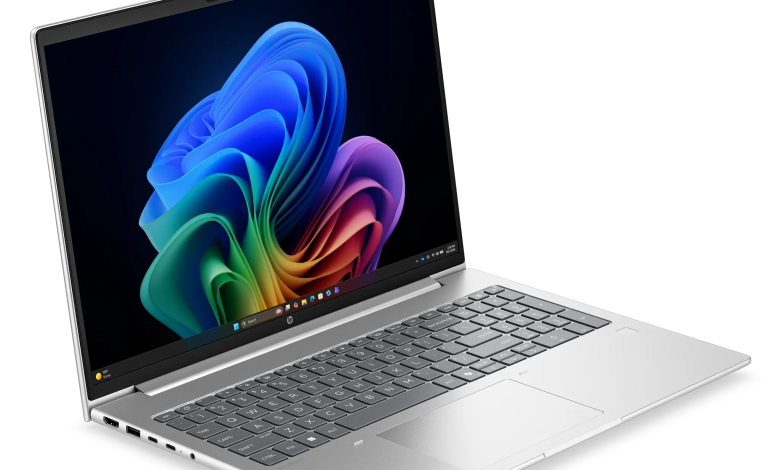
Looking for the latest HP ProBook 4 G2a 16 driver download for Windows 11? This page lists all 33 official HP ProBook 4 G2a 16 inch Notebook Next Gen AI PC drivers for Windows 11, taken from HP's official support page for this AMD-powered business notebook. Every download below links directly to HP's own server, with the version, release date, and file size shown for each driver.
BIOS & System Firmware
- HP BIOS and System Firmware (Y75) — 01.02.03 Rev.A, Sep 14, 2026, 39.4 MB — sp174674.exe Download
Diagnostics
- HP PC Hardware Diagnostics UEFI — 10.8.6.0 Rev.A, May 11, 2026, 48.1 MB — sp172931.exe Download
- HP PC Hardware Diagnostics Windows — 3.1.0.0 Rev.A, Apr 7, 2026, 619.1 MB — sp172257.exe Download
Docks Firmware & Drivers
- All Docks – Ethernet Driver (Realtek) — 11.22.0113.2026 Rev.R, Jul 8, 2026, 1.3 MB — sp173785.exe Download
Audio
- HP Integrated Audio Driver — 26.9945.56.7 Rev.AQ, Mar 6, 2026, 308.7 MB — sp171396.exe Download
Chipset
- AMD Chipset Driver — 7.12.23.2054 Rev.A, Mar 6, 2026, 1.7 MB — sp170331.exe Download
- AMD Neural Processing Unit (NPU) Driver — 32.00.20102.3930 Rev.A, Aug 28, 2026, 28.3 MB — sp174248.exe Download
Driver Enabling
- HP Services Scan for Commercial — 4.8.125.0 Rev.A, Nov 27, 2025, 51.4 MB — sp165987.exe Download
- HP Application Enabling Software Driver — 1.87.4769.0 Rev.A, Jul 8, 2026, 84.5 MB — sp173791.exe Download
Graphics
- AMD Video Driver and Control Panel — 32.0.22042.34002 Rev.B, Aug 21, 2026, 1069.2 MB — sp174177.exe Download
Keyboard, Mouse & Input Devices
- HP Universal Camera Driver — 26.20413.50896.0 Rev.A, Sep 11, 2026, 68.8 MB — sp174668.exe Download
- HP Hotkey Support – UWP — 8.10.50.393 Rev.A, Jan 5, 2026, 133.9 MB — sp168736.exe Download
- HP Universal WBF Fingerprint Driver — 1.0.0.13 Rev.A, Apr 28, 2026, 2.5 MB — sp172647.exe Download
Network
- HP 5G NR Sub-6 CAT19 Drivers — 2.6.14.10500 Rev.A, Jul 10, 2026, 101.7 MB — sp173756.exe Download
- HP CAT-1 bis Narrowband Module Driver — 26.5.0.38 Rev.A, Jun 25, 2026, 2.1 MB — sp173643.exe Download
- MediaTek Wireless LAN Driver — 3.5.0.117 Rev.B, Jun 1, 2026, 30.3 MB — sp173395.exe Download
- MediaTek Bluetooth Driver — 2.22.0.92 Rev.E, May 11, 2026, 7.2 MB — sp172951.exe Download
- Realtek Ethernet Controller Drivers — 1166.28.1224.2025 Rev.A, Jul 13, 2026, 1.1 MB — sp173816.exe Download
HP Connection Optimizer
- HP Connection Optimizer — 2.0.21.0 Rev.A, Jun 13, 2025, 4.2 MB — sp160169.exe Download
Security
- HP Sure Recover — 10.1.29.275 Rev.A, Dec 19, 2025, 4.2 MB — sp167340.exe Download
- Sure Run — 5.0.5.81 Rev.A, Jan 2, 2025, 4.1 MB — sp156510.exe Download
- HP Wolf Security for Business — 4.4.32.722 Rev.A, Jun 26, 2026, 448.3 MB — sp173672.exe Download
- HP Wolf Security Console — 11.1.7.1163 Rev.A, Apr 9, 2026, 67.6 MB — sp172352.exe Download
Software & Utilities
- HP App — 58.52629.10977.0 Rev.A, Aug 10, 2026, 788.0 MB — sp174236.exe Download
- Poly Lens Desktop — 2.3.1.4673 Rev.A, Oct 31, 2025, 400.8 MB — sp165644.exe Download
- HP Poly Studio Desktop — 5.1.1.2 Rev.A, Jul 20, 2026, 286.5 MB — sp173951.exe Download
- HP MAC Address Manager — 1.1.19.1 Rev.A, Oct 19, 2022, 3.0 MB — sp143092.exe Download
- HP Easy Clean — 2.2.7.53 Rev.A, Mar 1, 2025, 33.7 MB — sp157220.exe Download
- HP Notifications — 1.1.32.80 Rev.A, Jan 14, 2026, 16.8 MB — sp168936.exe Download
- HP Privacy Settings — 1.4.17.0 Rev.A, Jan 2, 2026, 283.6 MB — sp168489.exe Download
- HP Support Assistant — 9.55.10.0 Rev.A, Aug 25, 2026, 169.5 MB — sp174448.exe Download
- System Default Settings — 1.5.26.1 Rev.0, Aug 4, 2026, 4.6 MB — sp174145.exe Download
- Cloud Recovery Client — cr-2.36.2.1072 Rev.A, Aug 18, 2026, 5.0 MB — sp174296.exe Download
How to Install HP ProBook 4 G2a 16 Drivers
- Download the driver you need from the list above — start with the chipset driver, then graphics, then Wi-Fi and Bluetooth.
- Run the downloaded file and follow the on-screen installer prompts.
- Restart your laptop when the installer asks you to, so the new driver loads properly.
- For the BIOS update, keep the laptop plugged into AC power and do not turn it off during the update.
Frequently Asked Questions About HP ProBook 4 G2a 16 Driver Download
Which operating system do these HP ProBook 4 G2a 16 drivers support?
These drivers are for Windows 11, as listed on HP's official support page for this model.
Do I need to install all 33 drivers?
No. Install the chipset, graphics, audio, and network drivers first, then add the tools you actually use, such as HP Support Assistant or Wolf Security.
Which Wi-Fi driver does this laptop use?
This model uses a MediaTek wireless adapter, so install the MediaTek Wireless LAN Driver and the MediaTek Bluetooth Driver listed above.
Is it safe to update the BIOS from this page?
Yes, as long as you use the BIOS file linked above from HP's official server and keep the laptop connected to AC power throughout the update.