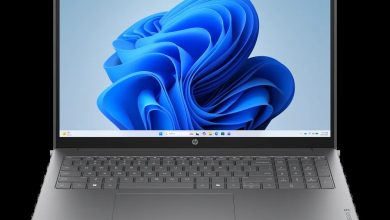
HP ProBook 445 14 inch Touch screen G11 Notebook PC Driver Download (Windows 11)
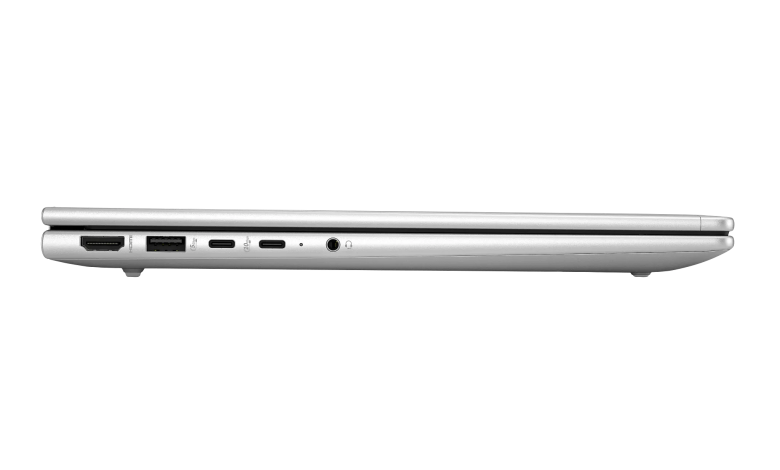
If you are looking for the HP ProBook 445 Touch G11 driver download for Windows 11, this page has the complete, official set for the touch-screen configuration — the AMD Ryzen 7 7735U model with 16 GB RAM and a 512 GB SSD. Below are all 49 HP drivers and firmware updates for this touch-screen business notebook, from the BIOS and AMD chipset to graphics, Wi-Fi, audio, dock firmware and HP’s business security tools, each linked directly to HP’s official download server.
BIOS & Firmware
- HP BIOS and System Firmware (W78) — 01.09.00 Rev.A, Aug 6, 2026, 20.6 MB — sp174281.exe Download
Diagnostics
- HP PC Hardware Diagnostics Windows — 3.1.1.0 Rev.A, May 20, 2026, 618.9 MB — sp173207.exe Download
- HP PC Hardware Diagnostics UEFI — 10.8.7.0 Rev.A, Jul 8, 2026, 40.6 MB — sp173795.exe Download
Docks Firmware & Drivers
- HP USB-C G5 Essential Dock – Firmware — 01.00.12.00 Rev.J, Aug 7, 2026, 6.8 MB — sp174226.exe Download
- HP Thunderbolt 4 Ultra 180W/280W G6 Dock – HP Firmware Installer — 1.6.50.0 Rev.A, Sep 18, 2026, 15.8 MB — sp174717.exe Download
- HP USB-C Dock G5 – Firmware — 1.0.26.0 Rev.A, Nov 20, 2025, 8.5 MB — sp165907.exe Download
- HP Thunderbolt Dock G4 – Firmware — 1.5.29.0 Rev.A, Nov 20, 2025, 9.0 MB — sp165902.exe Download
- HP USB-C Dock G5 – Audio Driver — 6.4.0.2412/393 Rev.A, Apr 15, 2025, 19.1 MB — sp158060.exe Download
- HP Thunderbolt 4 100W G6 – HP Firmware Installer — 1.6.49.0 Rev.A, Sep 18, 2026, 15.5 MB — sp174715.exe Download
- HP USB-C G5 Essential Dock Audio Driver — 6.3.9600.2382 Rev.A, Apr 29, 2024, 8.6 MB — sp152517.exe Download
- All Docks – Ethernet Driver (Realtek) — 11.22.0113.2026 Rev.R, Jul 8, 2026, 1.3 MB — sp173785.exe Download
- HP USB-C 100W G6 Dock – HP Firmware Installer — 1.3.16.0 Rev.A, Sep 18, 2026, 15.1 MB — sp174713.exe Download
- HP USB-C/A Universal Dock G2 – Firmware — 1.1.25.0 Rev.A, Nov 20, 2025, 8.3 MB — sp165909.exe Download
Audio
- Realtek High-Definition (HD) Audio Driver — 24.9929.114.37 Rev.D, Jun 30, 2026, 311.4 MB — sp173650.exe Download
Chipset (AMD)
- AMD Chipset Installation Utility and Driver — 8.05.04.516 Rev.A, Jul 29, 2026, 1.4 MB — sp174068.exe Download
Driver Enabling (Business)
- HP Services Scan for Commercial — 4.8.125.0 Rev.A, Nov 27, 2025, 51.4 MB — sp165987.exe Download
- Seamless Firmware Update Service — 1.1.9.3 Rev.A, May 6, 2026, 3.8 MB — sp172867.exe Download
- HP Application Enabling Software Driver — 1.87.4769.0 Rev.A, Jul 8, 2026, 84.5 MB — sp173791.exe Download
Graphics (AMD)
- AMD Video Drivers and Control Panel — 32.0.21032.4002 Rev.W, Jan 16, 2026, 1001.9 MB — sp168699.exe Download
- DisplayLink Graphic Driver — 11.7.5493.0 Rev.A, Jul 9, 2025, 8.8 MB — sp160418.exe Download
Keyboard, Mouse & Input
- HP Universal Camera Driver — 24.20390.50887.0 Rev.A, Nov 27, 2025, 14.3 MB — sp165983.exe Download
- HP Universal WBF Fingerprint Driver — 1.0.0.15 Rev.A, Dec 19, 2025, 2.7 MB — sp168482.exe Download
- HP Hotkey Support – UWP — 8.10.52.464 Rev.A, Apr 14, 2026, 134.0 MB — sp172423.exe Download
Network
- MediaTek Wireless LAN Driver — 3.5.0.121 Rev.A, Aug 5, 2026, 29.2 MB — sp174196.exe Download
- HP 4G LTE-Advanced Pro Cat 16 Mobile Broadband Wireless — 1.1.5.2 Rev.A, Feb 12, 2026, 94.8 MB — sp170364.exe Download
- Realtek RTL8xxx Series Bluetooth Driver — 1.0.0.190 Rev.S, Sep 11, 2026, 2.1 MB — sp174666.exe Download
- NXP NFC NPC300 Proximity Driver — 12.0.6.0 Rev.W, Sep 20, 2024, 0.9 MB — sp155171.exe Download
- MediaTek Bluetooth Driver — 2.22.0.93 Rev.E, Jul 14, 2026, 7.2 MB — sp173831.exe Download
- Realtek RTL8xxx Wireless LAN Drivers — 1.0.0.282 Rev.S, Jul 24, 2026, 16.0 MB — sp173924.exe Download
- Realtek Ethernet Controller Drivers — 1166.28.1224.2025 Rev.A, Jul 13, 2026, 1.1 MB — sp173816.exe Download
Storage Firmware
- Intel/Solidigm SSD Firmware Update — HPS4 Rev.A, Nov 26, 2024, 2.9 MB — sp155903.exe Download
- AData SSD Firmware Update — HPS3 Rev.A, Mar 7, 2025, 2.2 MB — sp157183.exe Download
HP Connection Optimizer
- HP Connection Optimizer — 2.0.22.0 Rev.A, Apr 17, 2026, 4.2 MB — sp172460.exe Download
Security (Business)
- Endpoint Security Controller (ESC) Audit Log Forwarding Utility — FF-4.0.1.1030 Rev.A, Jul 15, 2026, 7.2 MB — sp173800.exe Download
- HP Sure Recover — 10.1.30.280 Rev.A, Apr 30, 2026, 4.2 MB — sp172448.exe Download
- Infineon Trusted Platform Module (TPM) Firmware — 15.24 Rev.A, Apr 30, 2025, 3.0 MB — sp158068.exe Download
- Sure Run — 5.0.5.105 Rev.A, Apr 30, 2026, 2.3 MB — sp172450.exe Download
- HP Wolf Security for Business — 4.4.32.722 Rev.A, Jun 26, 2026, 448.3 MB — sp173672.exe Download
- HP Wolf Security Console — 11.1.7.1163 Rev.A, Apr 9, 2026, 67.6 MB — sp172352.exe Download
Software & Utilities
- Poly Lens Desktop — 2.3.1.4673 Rev.A, Oct 31, 2025, 400.8 MB — sp165644.exe Download
- HP Poly Studio Desktop — 5.1.1.2 Rev.A, Jul 20, 2026, 286.5 MB — sp173951.exe Download
- HP MAC Address Manager — 1.1.19.1 Rev.A, Oct 19, 2022, 3.0 MB — sp143092.exe Download
- HP Notifications — 1.1.34.25 Rev.A, Sep 1, 2026, 16.6 MB — sp174484.exe Download
- HP Smart Health — 2.3.201.0 Rev.A, Dec 17, 2021, 2.0 MB — sp136712.exe Download
- Cloud Recovery Client — 2.32.3.976 Rev.A, Sep 1, 2025, 4.9 MB — sp162904.exe Download
- HP App — 57.52623.7882.0 Rev.A, Jun 15, 2026, 835.8 MB — sp173578.exe Download
- HP Privacy Settings — 1.4.17.0 Rev.A, Jan 2, 2026, 283.6 MB — sp168489.exe Download
- HP Support Assistant — 9.55.10.0 Rev.A, Aug 25, 2026, 169.5 MB — sp174145.exe Download
- System Default Settings — 1.5.26.1 Rev.0, Aug 4, 2026, 4.6 MB — sp174448.exe Download
How to Install HP ProBook 445 Touch G11 Drivers
- Start with the BIOS update, then install the AMD chipset driver and restart the notebook.
- Install the AMD graphics driver, followed by the Realtek audio driver.
- For wireless, install only the driver matching your installed card — MediaTek or Realtek — and the matching Bluetooth driver.
- Install the remaining drivers and utilities in any order, restarting when an installer asks you to.
- If a dock is connected, install only the firmware for your exact dock model.
Frequently Asked Questions About HP ProBook 445 Touch G11 Driver Download
### Does the touch screen need a separate driver?
No. HP lists no separate touch screen driver for this model — touch input runs through the BIOS W78 Touch Controller Firmware, so keeping the BIOS updated is what keeps the touch screen working. If touch stops responding after a Windows reinstall, install the BIOS update first, then the AMD chipset driver.
### Are these drivers for the AMD or Intel version?
This article covers the AMD configuration built around the Ryzen 7 7735U processor, so the chipset and graphics drivers here are AMD. Do not install Intel chipset or graphics drivers on this touch-screen model.
### Which wireless driver should I install — MediaTek or Realtek?
It depends on the card fitted in your notebook. Open Device Manager, check the wireless adapter's maker under Network adapters, and install only that vendor's WLAN and Bluetooth drivers from the list above. Installing the other vendor's driver will simply not apply.
### What are the HP Wolf Security and Sure tools in the list?
They are HP's business security suite for this notebook — Wolf Security for Business, Sure Recover, Sure Run and the TPM firmware. They are optional for home use but recommended on managed or work machines; install them after the core chipset, graphics and network drivers.