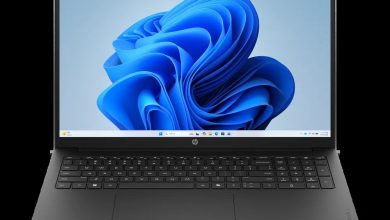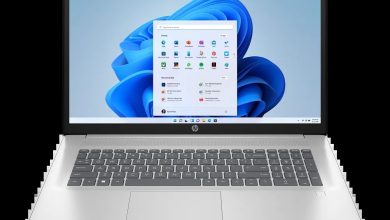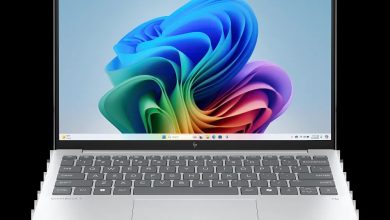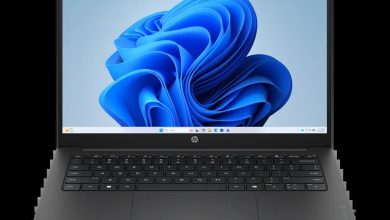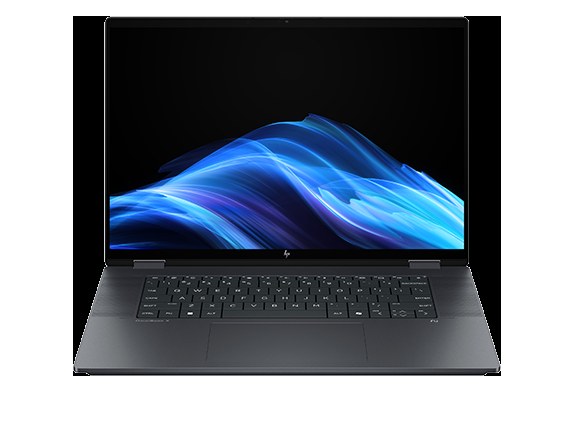
Download official HP OmniBook X Flip 2-in-1 Laptop Next Gen AI 16-as0047nr driver download files for Windows 11 (64-bit). HP publishes 24 drivers for this Intel-powered 16-inch convertible — BIOS, chipset, graphics, audio, Intel Wi-Fi and Bluetooth, touchpad filters, SSD firmware, plus HP AI Companion utilities. Use the direct HP links below; no HP installer is needed to read this page.
HP OmniBook X Flip 16-as0047nr BIOS & Firmware Drivers
- HP Notebook System BIOS Update (Intel Processors) — F.20 Rev.A, May 8, 2026, 16.7 MB — sp172510.exe Download
- HP PC Hardware Diagnostics Windows — 3.2.0.0 Rev.A, Aug 6, 2026, 835.3 MB — sp174215.exe Download
- HP PC Hardware Diagnostics UEFI — 10.8.7.0 Rev.A, Jul 8, 2026, 40.6 MB — sp173795.exe Download
Chipset Drivers
- Intel Neural Processing Unit (NPU) Driver — 32.0.100.4512 Rev.E, 39.0 MB — sp172285.exe Download
- Intel Serial IO Driver — 30.100.2524.32 Rev.B, 1.0 MB — sp172269.exe Download
- Intel Integrated Sensor Solution Driver — 5.8.52.0 Rev.C, May 15, 2026, 1.7 MB — sp172806.exe Download
- Intel Human Interface Device (HID) Event Filter Driver — 2.2.2.17 Rev.C, Apr 27, 2026, 0.8 MB — sp172280.exe Download
- Intel Platform Monitoring Technology (PMT) Driver — 5.2.6.3 Rev.B — sp172267.exe Download
- Intel Chipset Installation Utility and Driver — 10.1.20378.8757 Rev.B, 0.7 MB — sp172266.exe Download
- Intel Innovation Platform Framework Processor Participant Driver — 2.3.20200.4422 Rev.B, 8.2 MB — sp172278.exe Download
- Intel Management Engine Interface (MEI) Driver — 2552.8.10.0 Rev.B, 13.8 MB — sp172270.exe Download
Graphics Driver
- Intel High-Definition (HD) Graphics Driver — 32.0.101.8626 Rev.C, Apr 27, 2026, 566.2 MB — sp172271.exe Download
Audio Driver
- Realtek High-Definition Audio Driver — 6.0.9945.1 Rev.E, Apr 27, 2026, 842.5 MB — sp172282.exe Download
Wi-Fi & Bluetooth Drivers
- Intel Bluetooth Driver — 24.50.1.3 Rev.A, Jun 25, 2026, 16.2 MB — sp173652.exe Download
- Intel WLAN Driver — 24.50.0.4 Rev.A, 15.8 MB — sp173653.exe Download
Touchpad Drivers
- Synaptics Precision Touchpad Filter Driver — 19.5.35.126 Rev.E, 5.3 MB — sp172284.exe Download
- ELAN Precision Touchpad Filter Driver — 22.2.55.4 Rev.C, 1.6 MB — sp172283.exe Download
Storage & Firmware Drivers
- SanDisk Solid State Drives (SSD) Firmware Update — Multiple version Rev.A, Nov 13, 2025, 21.0 MB — sp165812.exe Download
- HP Presence Sensing Settings — 1.1.8.9 Rev.C, Feb 9, 2026 — sp170101.exe Download
Utilities & Software
- HP Connection Optimizer — 2.0.20.0 Rev.A, Apr 25, 2023, 4.1 MB — sp146686.exe Download
- Poly Camera Pro Software — 2.11.5 Rev.A, Aug 7, 2026, 947.2 MB — sp174235.exe Download
- HP AI Companion Package — 2.6.1003.0 Rev.A, Dec 1, 2025, 1434.8 MB — sp165958.exe Download
- HP AI Companion Local Model Package (Intel) — 1.0.0.0 Rev.A, Dec 8, 2025, 3384.8 MB — sp166076.exe Download
- Intel Connectivity Performance Suite (ICPS) — 50.26.220.212 Rev.A, Jun 9, 2026, 11.9 MB — sp173517.exe Download
How to Install HP OmniBook X Flip 16-as0047nr Drivers
- Download the driver you need from the list above (each link is a direct HP file).
- Run the downloaded `.exe` as administrator and follow the on-screen installer.
- Install the BIOS update only while the laptop is plugged into AC power.
- Restart the laptop after chipset, graphics, or BIOS updates to finish installation.
FAQs
Where can I download HP OmniBook X Flip 16-as0047nr drivers for Windows 11?
Use the official HP links above — each is a direct ftp.hp.com download for the 16-as0047nr on Windows 11 64-bit.
Is the HP OmniBook X Flip 16-as0047nr Intel or Snapdragon?
It is Intel-based: all drivers on HP's page are Intel drivers (Intel NPU, Intel graphics, Intel Wi-Fi/Bluetooth), not Snapdragon ARM64 packs.
Which touchpad driver should I install — Synaptics or ELAN?
Check Device Manager under "Human Interface Devices" for the touchpad hardware ID, then install the matching filter driver — both are listed above.
How do I update the BIOS on the OmniBook X Flip 16-as0047nr?
Download the HP Notebook System BIOS Update (Intel Processors) F.20 Rev.A above, plug in the AC adapter, run the installer, and let the laptop reboot to complete the flash.