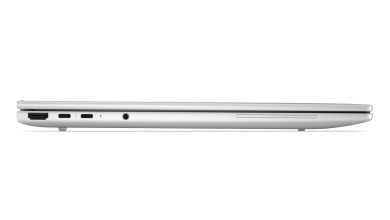
HP ZBook Ultra 14 G1a DF3Q3PA Driver Download (Windows 11)
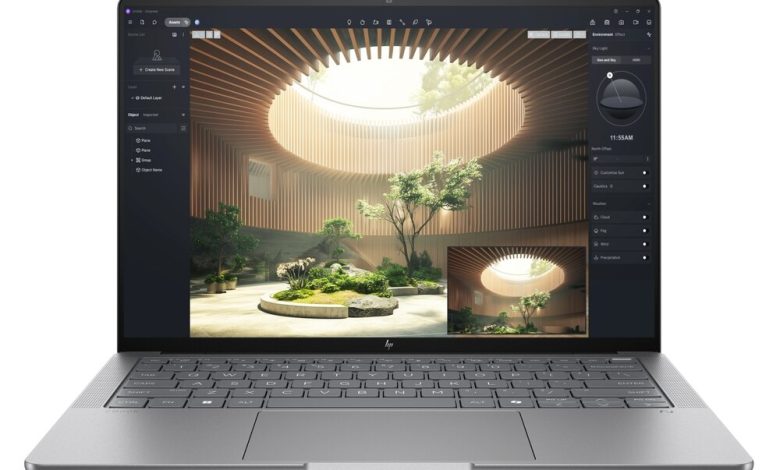
Download the latest official HP ZBook Ultra 14 G1a DF3Q3PA drivers for Windows 11 (64-bit). This 14-inch HP ZBook Ultra 14 G1a mobile workstation runs on the AMD platform — all links below point directly to HP’s official download server (ftp.hp.com), free and no sign-up needed.
BIOS and Firmware
- HP BIOS and System Firmware (X89) — 01.06.02 Rev.A (Sep 10, 2026, 23.2 MB) — Download
- HP PC Hardware Diagnostics UEFI — 10.8.7.0 Rev.A (Jul 8, 2026, 40.6 MB) — Download
- HP PC Hardware Diagnostics Windows — 3.2.0.0 Rev.A (Aug 6, 2026, 835.3 MB) — Download
Chipset Drivers
- AMD Chipset Driver — 8.05.26.1201 Rev.A (Aug 3, 2026, 1.8 MB) — Download
- AMD Sensor Fusion Hub Driver — 1.1.0.37 Rev.A (Jul 10, 2026, 0.9 MB) — Download
- AMD AMS Mailbox Driver — 5.1.0.1480 Rev.A (Jul 31, 2026, 13.6 MB) — Download
- Parade PS8835/ PS8836 Retimer Peripheral Driver — 1.0.18.0 Rev.A (May 20, 2026, 0.8 MB) — Download
- AMD Neural Processing Unit (NPU) Driver — 32.00.0203.314 Rev.A (Sep 14, 2026, 32.6 MB) — Download
- AMD Neural Processing Unit (NPU) Driver — 10.1109.0008.196 Rev.A (Mar 10, 2025, 65.3 MB) — Download
Graphics Driver
- AMD Video Drivers and Control Panel — 32.0.22050.4002 Rev.B (Aug 6, 2026, 753.3 MB) — Download
Audio Driver
- Realtek High-Definition (HD) Audio Driver — 25.10023.60.39 Rev.SGH (Aug 13, 2026, 86.8 MB) — Download
Keyboard, Mouse and Input Device Drivers
- HP Hotkey Support – UWP — 8.10.52.464 Rev.A (Apr 14, 2026, 134.0 MB) — Download
- Synaptics FS7600 WBF Touch Fingerprint Driver — 6.0.203.1110 Rev.A (Aug 7, 2026, 2.0 MB) — Download
- AMD MIPI Camera Driver — 11.04.02.1159 Rev.A (May 31, 2026, 4.1 MB) — Download
Install the fingerprint driver only if your unit has a fingerprint sensor.
Wi-Fi and Bluetooth Drivers
- MediaTek Wireless LAN Driver — 3.5.0.120 Rev.A (Jun 24, 2026, 29.2 MB) — Download
- MediaTek Wireless LAN Driver — 3.5.0.84 Rev.E (Mar 12, 2025, 24.6 MB) — Download
- MediaTek Bluetooth Driver — 2.22.0.94 Rev.E (Aug 27, 2026, 7.2 MB) — Download
- NXP NFC NPC300 Proximity Driver — 12.0.6.0 Rev.W (Jul 10, 2026, 0.9 MB) — Download
Dock Drivers and Firmware
- All Docks – Ethernet Driver (Realtek) — 11.22.0113.2026 Rev.R (Jul 8, 2026, 1.3 MB) — Download
- All Docks – Ethernet Driver (Intel) — 2.1.5.12 Rev.A (Jun 24, 2026, 1.1 MB) — Download
- HP Thunderbolt Dock G4 – Firmware — 1.5.30.0 Rev.A (Oct 5, 2026, 9.7 MB) — Download
- HP Thunderbolt 4 Ultra 180W/280W G6 Dock – HP Firmware Installer — 1.6.50.0 Rev.A (Sep 18, 2026, 15.8 MB) — Download
Install only the ethernet/dock packages matching your dock hardware.
Security and Enabling
- HP Wolf Security Console — 11.1.7.1163 Rev.A (Apr 9, 2026, 67.6 MB) — Download
- HP Wolf Security for Business — 4.4.34.927 Rev.A (Oct 9, 2026, 446.8 MB) — Download
- HP Sure Recover — 10.1.30.280 Rev.A (Apr 30, 2026, 4.2 MB) — Download
- Sure Run — 5.0.5.105 Rev.A (Apr 30, 2026, 2.3 MB) — Download
- Infineon Trusted Platform Module (TPM) Firmware — 15.24 Rev.A (Apr 30, 2025, 3.0 MB) — Download
- HP Application Enabling Software Driver — 1.87.4769.0 Rev.A (Jul 8, 2026, 84.5 MB) — Download
- HP Services Scan for Commercial — 4.8.125.0 Rev.A (Nov 27, 2025, 51.4 MB) — Download
- Nuvoton Trusted Platform Module (TPM) Firmware — 7.2.5.1 Rev.A (Sep 30, 2026, 4.0 MB) — Download
Tools
- HP Support Assistant — 9.54.3.0 Rev.A (Jul 7, 2026, 177.6 MB) — Download
- HP Connection Optimizer — 2.0.22.0 Rev.A (Apr 17, 2026, 4.2 MB) — Download
- HP Notifications — 1.1.34.25 Rev.A (Sep 1, 2026, 16.6 MB) — Download
- Cloud Recovery Client — cr-2.34.1.1032 Rev.A (Dec 19, 2025, 4.9 MB) — Download
- HP Privacy Settings — 1.4.17.0 Rev.A (Jan 2, 2026, 283.6 MB) — Download
- HP Poly Studio Desktop — 5.1.1.2 Rev.A (Jul 20, 2026, 286.5 MB) — Download
- Poly Lens Desktop — 2.3.1.4673 Rev.A (Oct 31, 2025, 400.8 MB) — Download
- Poly Camera Pro Software — 2.12.3 Rev.A (Sep 9, 2026, 1029.1 MB) — Download
- HP App — 61.52637.14262.0 Rev.A (Oct 14, 2026, 728.6 MB) — Download
- HP AI Companion Package — 1.4.4 Rev.A (Feb 21, 2025, 927.9 MB) — Download
- HP MAC Address Manager — 1.1.19.1 Rev.A (Oct 19, 2022, 3.0 MB) — Download
- System Default Settings — 1.5.26.1 Rev.0 (Aug 4, 2026, 4.6 MB) — Download
How to Install
- Download the
.exefile and double-click it — most HP SoftPaqs extract and launch setup automatically. - Allow the installer through User Account Control if asked.
- Restart your workstation when prompted (required for chipset, graphics and BIOS).
- On a fresh Windows install, follow this order: Chipset → Graphics → Audio → Wi-Fi/Bluetooth → Hotkey support.
FAQs
Which BIOS version is latest for the DF3Q3PA?
01.06.02 Rev.A (September 2026).
Do I need the dock drivers?
Only if you use an HP Thunderbolt dock — skip them otherwise.
Do I need the fingerprint driver?
Only if your unit has a fingerprint sensor.
What is the HP AI Companion Package?
HP’s on-device AI assistant software package for workstations.