HP 240R G9 Notebook PC B13TTPC Driver Download (Windows 11)
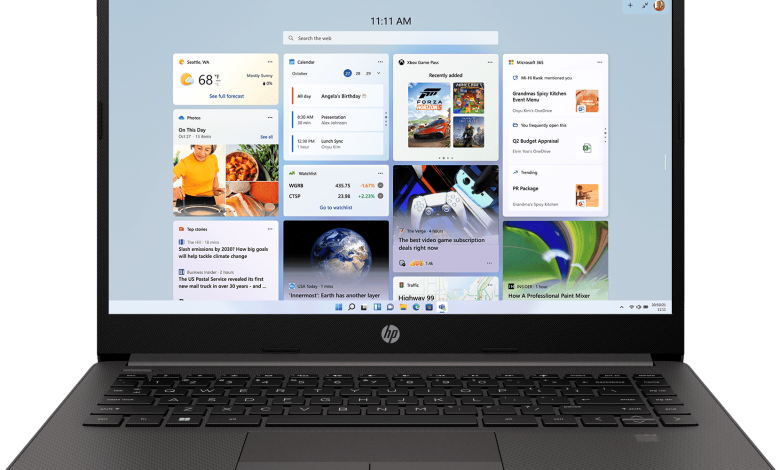
Download the latest HP 240R G9 B13TTPC driver download packages for Windows 11, straight from HP's official servers. The HP 240R G9 Notebook PC (B13TTPC) is a business laptop powered by a 13th Gen Intel Core i3 processor, and this page brings together all 42 official drivers and firmware updates for it — BIOS, chipset, graphics, audio, network, touchpad and fingerprint drivers, SSD firmware, and HP utilities — so you can get every device on your laptop working with the correct, up-to-date software.
Before you start: HP publishes both Intel and AMD hardware variants for this model family under the same support page, so the list below includes two BIOS updates, Intel and AMD graphics drivers, ELAN and Synaptics touchpad and fingerprint drivers, and SSD firmware for Samsung, SanDisk, Western Digital, AData, and Micron drives. Install only the packages that match the hardware in your laptop — check Device Manager if you are unsure which variant you have — and keep your laptop plugged into power while installing BIOS and firmware updates.
Driver Index
- BIOS
- Diagnostic
- Docks Firmware and Driver
- Driver Audio
- Driver Chipset
- Driver Graphics
- Driver Keyboard, Mouse and Input Devices
- Driver Network
- Firmware
- Software PoS
- Software Security
- Software Solutions
- Installation Steps
- Driver FAQs
BIOS

Diagnostic
Docks-Firmware and Driver
Driver-Audio
Driver-Chipset
Driver-Graphics
Driver-Keyboard, Mouse and Input Devices
Driver-Network
Firmware
Software-PoS
Software-Security
Software-Solutions
Installation Steps
- Download the driver package for the device you need from the section above and run the setup file once the download finishes.
- Follow the on-screen installer prompts and accept the default settings unless you have a reason to change them.
- Restart your laptop when the installer asks you to — BIOS, chipset, and graphics drivers only take full effect after a restart.
- Open Device Manager and check that the device no longer shows a warning icon; repeat the steps for each remaining driver.
- Install the HP Support Assistant package last, then run it once to check for any newer updates HP has released since this page was published.
Driver FAQs
Where can I download the HP 240R G9 B13TTPC drivers?
You can download the complete HP 240R G9 B13TTPC driver download set from this page — every package above is the official HP setup file hosted on HP's own servers, covering Windows 11 (64-bit). Pick the package for the device you need and click its Download button.
Which drivers should I install first on the HP 240R G9?
Install the chipset drivers first, then the graphics, network, and audio drivers, followed by the touchpad, fingerprint, and remaining device drivers. Install the BIOS update and SSD firmware updates only when your laptop is plugged into power, and restart after each major driver.
Why are there both Intel and AMD drivers in the HP 240R G9 B13TTPC driver download list?
HP publishes all hardware variants for this model family under one support page, so the list includes Intel and AMD versions of the BIOS and graphics drivers, plus ELAN and Synaptics touchpad and fingerprint drivers. Your laptop has only one of each — install the package that matches your hardware and skip the others.
Do I need to install the SSD firmware updates?
Only install the SSD firmware update that matches your drive's brand — Samsung, SanDisk, Western Digital, AData, or Micron. You can find your SSD model in Device Manager under Disk drives. If none of the listed brands matches your drive, skip the firmware section entirely.