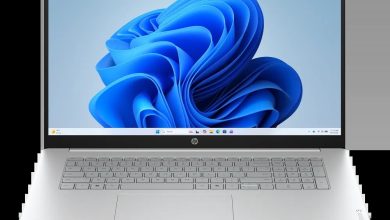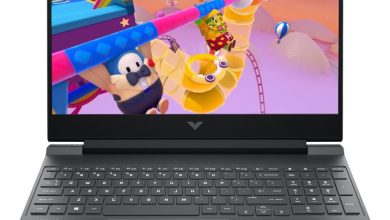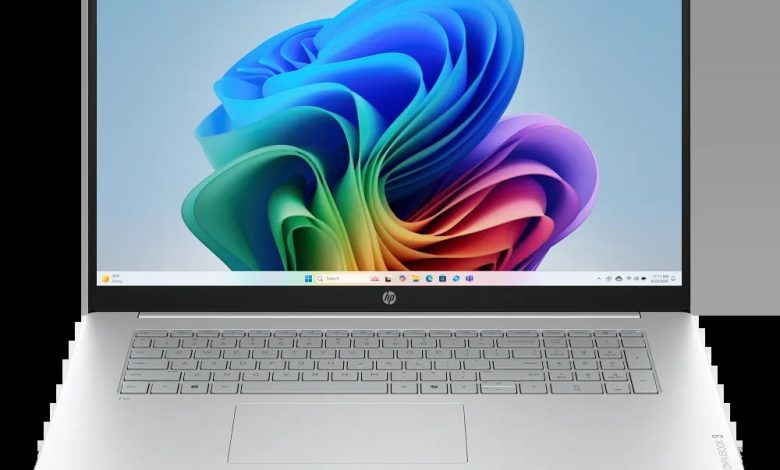
Download the latest drivers for your HP OmniBook 3 Laptop Next Gen AI 17-dm0761nr (D46PCUA). This HP OmniBook 3 Laptop Next Gen AI 17-dm0761nr driver download page lists every official HP driver for Windows 11 (64-bit) — BIOS, chipset, graphics, audio, Wi-Fi and Bluetooth, touchpad, storage firmware, and HP utilities. Note: despite the "Next Gen AI" branding, this 17-dm0761nr model runs on an AMD processor (x64) — not a Qualcomm Snapdragon ARM chip — so all the standard x64 HP driver packages below apply.
BIOS & Firmware
- HP Notebook System BIOS Update (AMD CPU, SSID 8EE1, 8EF9, 8EFB, 8F83, 8F86, 8F89, 8EE5, 8F8B) — F.11 Rev.A, Jul 13, 2026, 40.7 MB — sp173778.exe Download
- HP Notebook System BIOS Update (AMD Processor, SSID 8EE0, 8EF8, 8EFA, 8F82, 8F85, 8F88, 8F84, 8F87, 8F8A) — F.11 Rev.A, Jul 7, 2026, 37.5 MB — sp173686.exe Download
- HP Notebook System BIOS Update (AMD CPU, SSID 8EE3, 8F02) — F.04 Rev.A, May 30, 2026, 9.8 MB — sp173312.exe Download
- HP Notebook System BIOS Update (AMD CPU, SSID 8EE2, 8EFC, 8EE4) — F.04 Rev.A, May 30, 2026, 15.3 MB — sp173311.exe Download
- HP PC Hardware Diagnostics Windows — 3.1.1.0 Rev.A, May 20, 2026, 618.9 MB — sp173207.exe Download
- HP PC Hardware Diagnostics UEFI — 10.8.7.0 Rev.A, Jul 8, 2026, 40.6 MB — sp173795.exe Download
Chipset
- AMD Neural Processing Unit (NPU) Driver — 32.00.0203.329 Rev.B, Aug 28, 2026, 14.4 MB — sp174440.exe Download
Graphics
- AMD High-Definition Graphics Driver — 32.0.31032.3 Rev.C, Aug 28, 2026, 987.3 MB — sp174432.exe Download
- AMD High-Definition Graphics Driver — 32.0.21042.1001 Rev.B, Aug 28, 2026, 980.4 MB — sp174430.exe Download
- AMD High-Definition Graphics Driver — 32.0.21042.1001 Rev.B, Aug 28, 2026, 980.6 MB — sp174431.exe Download
- AMD High-Definition Graphics Driver — 32.0.22064.4003 Rev.C, Aug 28, 2026, 1040.0 MB — sp174433.exe Download
- AMD High-Definition Graphics Driver — 32.0.22064.7 Rev.A, May 15, 2026, 1043.5 MB — sp172819.exe Download
- AMD High-Definition Graphics Driver — 32.0.22024.9002 Rev.A, Jan 9, 2026, 1032.1 MB — sp168623.exe Download
- Windows Studio Effects Driver (AMD) — 2.0.28.0 Rev.A, Aug 28, 2026, 18.9 MB — sp174442.exe Download
- Windows Studio Effects Driver (AMD) — 1.0.48.0 Rev.A, Aug 28, 2026, 30.4 MB — sp174441.exe Download
Audio
- Realtek High-Definition (HD) Audio Driver — 6.0.9995.1 Rev.B, Aug 28, 2026, 267.5 MB — sp174434.exe Download
Wi-Fi & Bluetooth
- MediaTek Wireless LAN Driver — 3.5.0.120 Rev.A, Jun 24, 2026, 29.2 MB — sp173639.exe Download
- MediaTek Bluetooth Driver — 2.22.0.93 Rev.E, Jul 14, 2026, 7.2 MB — sp173831.exe Download
- Realtek RTL8xxx Series Bluetooth Driver — 1.0.0.182 Rev.S, Apr 13, 2026, 2.0 MB — sp172371.exe Download
- Realtek RTL8xxx Wireless LAN Drivers — 1.0.0.273 Rev.S, Nov 14, 2025, 17.2 MB — sp165794.exe Download
Touchpad
- ELAN Precision Touchpad Filter Driver — 43.2.2.2 Rev.A, Jan 9, 2026, 1.6 MB — sp168606.exe Download
- Synaptics Precision Touchpad Filter Driver — 19.5.35.122 Rev.A, Jan 9, 2026, 5.3 MB — sp168609.exe Download
- ELAN Touchscreen Firmware — 6701T07 Rev.A, Dec 16, 2025, 1.1 MB — sp165948.exe Download
Storage & Firmware
- SanDisk Solid State Drives (SSD) Firmware Update — HPS3N7A/HPS3T7A Rev.A, May 12, 2026, 6.7 MB — sp172977.exe Download
- Longsys Solid State Drives (SSD) Firmware Update — HPS04 Rev.A, Jul 13, 2026, 1.9 MB — sp173821.exe Download
Utilities & Software
- HP Connection Optimizer — 2.0.21.0 Rev.A, Jun 13, 2025, 4.2 MB — sp160169.exe Download
- HP Support Assistant — 9.54.3.0 Rev.A, Jul 7, 2026, 177.6 MB — sp173774.exe Download
How to Install
- Run the BIOS update first (pick the one matching your unit's SSID) and reboot when prompted.
- Install the AMD chipset/NPU and graphics drivers, rebooting after each.
- Install audio, Wi-Fi/Bluetooth, and touchpad drivers, then the SSD firmware and HP utilities.
- Check Device Manager after each reboot — every device should show without a yellow warning.
FAQs
Which BIOS file should I install for my HP OmniBook 3 Laptop Next Gen AI 17-dm0761nr?
Match the SSID of your unit to one of the four BIOS builds listed above (for example, SSID 8EE1 uses the F.11 Rev.A sp173778.exe build). Installing a BIOS for the wrong SSID can fail or harm the system, so check your SSID in the system information first.
Is the HP OmniBook 3 Laptop Next Gen AI 17-dm0761nr an ARM laptop?
No. Although the "Next Gen AI" name is shared with Snapdragon ARM models, the 17-dm0761nr (D46PCUA) uses an AMD x64 processor. Use the x64 AMD drivers on this HP OmniBook 3 Laptop Next Gen AI 17-dm0761nr driver download page — do not install ARM64 driver packs meant for the Snapdragon variants.
Which AMD graphics driver do I need?
HP lists several AMD graphics builds (32.0.31032.3, 32.0.21042.1001, 32.0.22064.4003, 32.0.22064.7, 32.0.22024.9002) for different hardware configurations. Pick the build that matches your unit's installed graphics hardware; when in doubt, start with the newest build, 32.0.31032.3 Rev.C.
Should I use the MediaTek or Realtek wireless driver?
It depends on the wireless card in your unit. If your laptop shipped with MediaTek Wi-Fi/Bluetooth, use the MediaTek pair (sp173639.exe + sp173831.exe); if it shipped with Realtek RTL8xxx hardware, use the Realtek pair (sp165794.exe + sp172371.exe). Check Device Manager's Network adapters section to see which one you have.