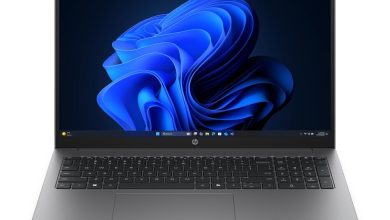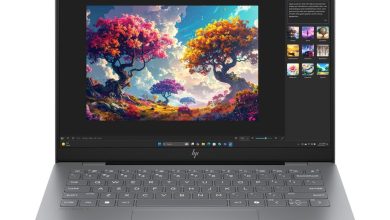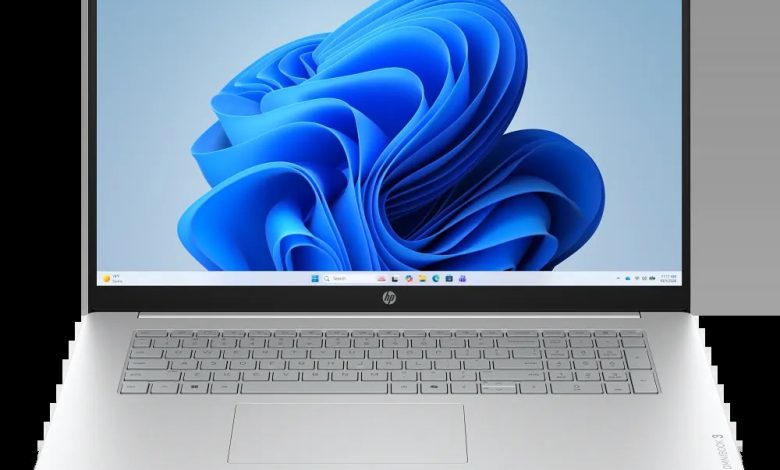
Looking for the HP OmniBook 3 17-dk0765nr driver download? You are in the right place. This page has every official HP OmniBook 3 17-dk0765nr driver for Windows 11 — BIOS, Intel chipset and graphics, Realtek audio, Intel and Realtek Wi-Fi/Bluetooth, touchpad, SSD and touchscreen firmware, plus diagnostics — all with direct official HP download links.
The HP OmniBook 3 Laptop 17-dk0765nr (SKU D18H2UA) is a 17.3-inch laptop from the 17-dk0000 series, which HP ships with several different Intel processors. That is why the list below is long: HP publishes variant-specific drivers for each CPU generation.
IMPORTANT — match your CPU first: Drivers below are labeled for 12th/13th generation CPUs, Intel Core Series 3, Intel Core Ultra Series 2, or Intel Core Ultra Series 2/3. Install ONLY the drivers labeled for your installed processor — installing a different group's package can break your setup. Check your exact processor first: press Win + R, type `msinfo32`, and look at "Processor".
BIOS & Firmware
- HP Consumer Notebook PC BIOS Update (Intel Processors) — F.04 Rev.A, Mar 3, 2026, 45.0 MB — sp171451.exe Download
- HP Consumer Notebook PC BIOS Update (Intel Processors) — F.07 Rev.A, Jul 8, 2026, 271.4 MB — sp173786.exe Download
- HP Consumer Notebook PC BIOS (Intel Core Series 3 Processors) — F.08 Rev.A, Aug 18, 2026, 97.7 MB — sp174392.exe Download
- HP Consumer Notebook PC BIOS (SSID 8F63, 8F64, 8F66, 8F9D, 8F9E) — F.03 Rev.A, Mar 21, 2026, 45.1 MB — sp171960.exe Download
- HP Consumer Notebook PC BIOS Update (8EBF,8EC6,8EC8,8F9F,8FA0) — F.02 Rev.A, 20.7 MB — sp171454.exe Download
- SanDisk Solid State Drives (SSD) Firmware Update — HPS3N7A/HPS3T7A Rev.A, May 12, 2026, 6.7 MB — sp172977.exe Download
- Longsys Solid State Drives (SSD) Firmware Update — HPS04 Rev.A, Jul 13, 2026, 1.9 MB — sp173821.exe Download
- ELAN Touchscreen Firmware — 6701T07 Rev.A, Dec 16, 2025, 1.1 MB — sp165948.exe Download
BIOS warning: Keep the laptop plugged in and do not turn it off during the BIOS update. The SSID-specific BIOS packages apply only to matching board IDs — use the general update if unsure. Install SSD firmware only for the matching drive brand.
Chipset & Platform
- Intel Serial IO Driver — 30.100.2534.35 Rev.A, Jun 2, 2026, 1.3 MB — sp173084.exe Download
- Intel Management Engine Interface (MEI) Driver (Core Ultra Series 3/Core Series 3) — 2603.9.4.0 Rev.A, 1.6 MB — sp173081.exe Download
- Intel Platform Monitoring Technology (PMT) Driver (Core Series 3) — 11.3.10.2 Rev.A, Jun 5, 2026, 0.8 MB — sp173087.exe Download
- Intel Innovation Platform Framework Processor Participant Driver (Core Series 3) — 2.3.20303.5058 Rev.A, 46.2 MB — sp173083.exe Download
- Intel Chipset Installation Utility and Driver — 10.1.20524.8822 Rev.A — sp173080.exe Download
- Intel Innovation Platform Framework Processor Participant Driver (12th/13th generation CPU) — 2.3.20200.4422 Rev.A, Jan 27, 2026, 7.9 MB — sp168792.exe Download
- Intel Management Engine Interface (MEI) Driver (12th/13th generation CPU) — 2540.8.7.0 Rev.A, 1.7 MB — sp168788.exe Download
- Intel Gaussian and Neural Accelerator Driver (12th/13th generation CPU) — 3.5.0.1611 Rev.A — sp167197.exe Download
- Intel Management Engine Interface (MEI) Driver (Core Ultra Series 2) — 2552.8.10.0 Rev.A, Mar 22, 2026, 1.6 MB — sp171457.exe Download
- Intel Platform Monitoring Technology (PMT) (Core Ultra Series 2) — 3.1.2.6 Rev.A, 0.8 MB — sp171462.exe Download
- Intel Neural Processing Unit (NPU) Driver (Core Ultra Series 2) — 32.0.100.4724 Rev.A, Oct 5, 2026, 34.7 MB — sp174793.exe Download
- Intel Neural Processing Unit (NPU) Driver (Core Series 3) — 83.6 MB — sp174803.exe Download
- Intel Neural Processing Unit (NPU) Driver (Core Ultra Series 3) — 32.0.100.4724 Rev.A, Jun 12, 2026, 83.5 MB — sp173455.exe Download
- Intel Platform Monitoring Technology (PMT) (Core Ultra Series 3) — 7.3.10.3 Rev.A, Mar 2, 2026 — sp170285.exe Download
- Intel Innovation Platform Framework Processor Participant Driver (Core Ultra Series 2/3) — 2.3.20303.5058 Rev.A, 46.3 MB — sp173420.exe Download
- Intel Human Interface Device (HID) Event Filter Driver — 2.2.2.18 Rev.A, Jun 2, 2026, 0.8 MB — sp173085.exe Download
Graphics
- Intel High-Definition (HD) Graphics Driver (Core Series 3) — 32.0.101.8572 Rev.A, Jun 2, 2026, 562.3 MB — sp173082.exe Download
- Intel High-Definition (HD) Graphics Driver (Core Ultra Series 2) — 32.0.101.8424 Rev.A, Mar 22, 2026, 526.9 MB — sp171458.exe Download
- Intel High-Definition (HD) Graphics Driver (12th/13th generation CPU) — 32.0.101.7077 Rev.A, Feb 13, 2026, 565.6 MB — sp170279.exe Download
- Intel High-Definition (HD) Graphics Driver (Core Ultra Series 2/3) — 32.0.101.8626 Rev.A, 566.7 MB — sp173401.exe Download
Graphics note: HP lists four Intel graphics builds — one per CPU group. Install only the build matching your processor; the builds are not interchangeable.
Audio
- Realtek High-Definition (HD) Audio Driver (Core Ultra Series 3/Core Series 3) — 6.0.10019.1 Rev.A, Sep 16, 2026, 296.7 MB — sp174664.exe Download
- Realtek High-Definition (HD) Audio Driver (12th/13th generation CPU) — 6.0.9995.1 Rev.A, Jun 12, 2026, 340.4 MB — sp173500.exe Download
- Realtek High-Definition (HD) Audio Driver (Core Ultra Series 2) — 6.0.9995.1 Rev.A, Jun 12, 2026, 313.7 MB — sp173504.exe Download
Network (Wi-Fi/Bluetooth)
- Realtek RTL8xxx Series Bluetooth Driver — 1.0.0.182 Rev.S, Apr 13, 2026, 2.0 MB — sp172371.exe Download
- Realtek RTL8xxx Wireless LAN Drivers — 1.0.0.274 Rev.S, Dec 15, 2025, 17.3 MB — sp167239.exe Download
- Intel Bluetooth Driver — 24.30.1.1 Rev.A, Apr 23, 2026, 15.2 MB — sp172547.exe Download
- Intel Wireless LAN Driver — 24.30.1.1 Rev.A, 15.6 MB — sp172546.exe Download
- Intel Bluetooth Driver — 24.10.0.4 Rev.A, Feb 2, 2026, 14.2 MB — sp170216.exe Download
- Intel Wireless LAN Driver — 24.10.0.4 Rev.A, 15.1 MB — sp170215.exe Download
Wi-Fi note: Install only ONE vendor's pair — the Realtek RTL8xxx pair if your wireless card is Realtek, or one Intel pair (WLAN + Bluetooth) if it is Intel. Check Device Manager under Network adapters first; never install both vendors' drivers together.
Touchpad
- Synaptics Precision Touchpad Filter Driver — 19.5.35.128 Rev.A, May 22, 2026, 5.3 MB — sp173090.exe Download
- ELAN Precision Touchpad Filter Driver — 43.2.2.2 Rev.A, Jan 5, 2026, 1.6 MB — sp167285.exe Download
Touchpad note: HP lists both ELAN and Synaptics variants. Install the one matching your touchpad hardware — check Device Manager under Human Interface Devices.
Diagnostics
- HP PC Hardware Diagnostics UEFI — 10.8.7.0 Rev.A, Jul 8, 2026, 40.6 MB — sp173795.exe Download
How to Install HP OmniBook 3 17-dk0765nr Drivers
- Check your CPU first — press Win + R, type `msinfo32`, and note your exact processor. Then download only the drivers labeled for your CPU group (12th/13th generation, Core Series 3, Core Ultra Series 2, or Core Ultra Series 2/3).
- Run the downloaded .exe file (double-click it) and follow the on-screen instructions.
- Restart your laptop when the installer asks you to, so the driver loads properly.
- Verify in Device Manager — no yellow warning icons should remain under Display adapters, Network adapters, or Sound controllers.
The HP Cloud Recovery Tool is available from the Microsoft Store only — search "HP Cloud Recovery Tool" in the Microsoft Store and click Get it here to install it. There is no direct .exe download for it.
Frequently Asked Questions (FAQ)
How do I know which CPU variant my OmniBook 3 17-dk0765nr has?
Press Win + R, type `msinfo32`, and check the "Processor" line in System Information. Match it to one of the four groups — 12th/13th generation CPUs, Intel Core Series 3, Intel Core Ultra Series 2, or Intel Core Ultra Series 2/3 — then download only drivers labeled for that group.
Which graphics driver should I install from this HP OmniBook 3 17-dk0765nr driver download page?
Install the Intel HD Graphics build matching your CPU group: sp173082 for Core Series 3, sp171458 for Core Ultra Series 2, sp170279 for 12th/13th generation CPUs, or sp173401 for Core Ultra Series 2/3. The builds are not interchangeable.
Which Wi-Fi driver should I install — Intel or Realtek?
Check Device Manager under Network adapters. Install only the pair (WLAN + Bluetooth) matching your wireless card — the Realtek RTL8xxx pair or one of the two Intel pairs (24.30.1.1 or 24.10.0.4). Never install both vendors' drivers together.
Which BIOS version is latest for the OmniBook 3 17-dk0765nr (D18H2UA)?
BIOS F.08 Rev.A (released August 18, 2026) is the latest listed by HP for the Intel Core Series 3 configuration, with F.07 Rev.A (July 8, 2026) as the latest general Intel update. Keep the laptop plugged in during the update and do not turn it off.
Source: HP official support page — HP OmniBook 3 17.3-inch Laptop PC 17-dk0000 (model ID 2103368697, SKU D18H2UA). Driver details verified from HP's download listings. Always download the latest version available.