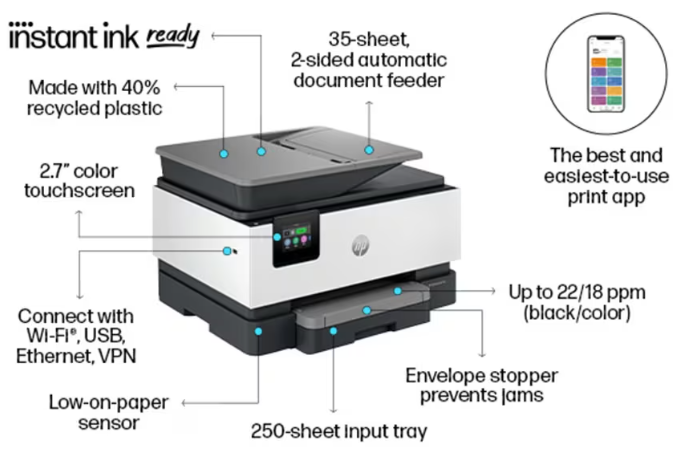
Looking for the HP Laser MFP 1188w driver download? You are in the right place. On this page you can download the official HP Laser MFP 1188w printer drivers, software and firmware for Windows 11 and Windows 10 — free, with direct official links.
The HP Laser MFP 1188w is a wireless monochrome laser multifunction printer (print, scan, copy) — printing up to 20 ppm with built-in Wi-Fi and USB connectivity, ideal for small businesses and home offices. Install the correct driver below.
HP Laser MFP 1188w Driver Downloads (Windows)
| Software / Driver | Version | Released | File Size | Download |
|---|---|---|---|---|
| HP Laser MFP 1000 Printer series Full Feature Solution (Recommended) | 1.09 | Apr 25, 2025 | 88.4 MB | Download |
| HP Laser MFP 1000 Printer series Print and Scan Driver | 1.09 | Apr 17, 2025 | 31.0 MB | Download |
| HP Laser MFP 1000 Printer series Print Driver (No Installer) | 1.09 | Apr 17, 2025 | 10.9 MB | Download |
| HP Laser MFP 1136w, 1139a, 1188a, 1188w, 1188nw Firmware File | V3.82.03.21 | Apr 29, 2025 | 7.5 MB | Download |
1. HP Laser MFP 1000 Series Full Feature Solution (Recommended)
The complete driver and software package for the Laser MFP 1000 series — print, scan and copy.
- Version: 1.09 (released April 2025)
- File name: HP_Laser_MFP_1136-1139_1188_Full_Software_and_Drivers_1.09.exe (88.4 MB)
- Download: HP 1188w Full Solution v1.09 (88.4 MB)
2. Print and Scan Drivers (No Full Install)
Smaller packages for print-only or print-and-scan needs:
– Print and Scan Driver (31.0 MB): Download
– Print Driver, No Installer (10.9 MB): Download
3. Printer Firmware Update
Firmware version V3.82.03.21 (released April 2025) for the Laser MFP 1136w, 1139a, 1188a, 1188w, 1188nw series.
- File name: MFP1136_1139_1188_3in1_V3.82.03.21.zip (7.5 MB)
- Download: HP 1188w Firmware V3.82.03.21 (7.5 MB)
How to Download and Install the HP Laser MFP 1188w Driver
- Download the full feature solution from the table above.
- Disconnect from any VPN before downloading, as VPNs can interrupt downloads from HP’s servers.
- Run the downloaded .exe file and follow the on-screen instructions.
- Connect your printer via Wi-Fi or USB when prompted.
- Print a test page to confirm everything works.
HP Laser MFP 1188w Specifications (Quick Overview)
- Functions: Print, scan, copy (monochrome laser MFP)
- Print speed: Up to 20 ppm (A4), up to 21 ppm (letter)
- Print resolution: Up to 1200 x 1200 dpi
- First page out: As fast as 8.3 sec
- Duplex: Manual (driver-supported)
- Scanner: Flatbed CIS, up to 600 dpi, colour scanning, scan to BMP/JPG/PDF/PNG/TIFF
- Copy: Up to 21 cpm, up to 99 copies
- Connectivity: Wi-Fi 802.11b/g/n, Hi-Speed USB 2.0
- Paper handling: 150-sheet input tray, 100-sheet output bin
- Duty cycle: Up to 30,000 pages per month (recommended 100–2,000)
- Processor/Memory: 600 MHz, 128 MB
- Display: 2-line LCD
- Toner: HP W1660A Black (~1,500 pages)
- Mobile printing: HP Smart app, Apple AirPrint, Mopria, Wi-Fi Direct
- Warranty: One-year onsite warranty
Frequently Asked Questions (FAQ)
Which operating systems does the HP Laser MFP 1188w support?Windows 11, 10 and 7, plus macOS.
What is the difference between the 1188w and the 1188nw?The 1188w connects via Wi-Fi and USB; the 1188nw adds Ethernet. Both use the same Laser MFP 1000-series driver family.
Is the HP Laser MFP 1188w driver free?Yes, all drivers, software and firmware updates listed here are free to download.
Does the 1188w support automatic two-sided printing?No — duplex printing is manual with driver support.
More HP Laser Drivers
Looking for drivers for another model? Browse more HP printer drivers on our site, or search for your exact model number.
Source: HP official support page — HP Laser MFP 1000 series drivers (Windows 11 listing). Driver details verified from HP’s download listings.