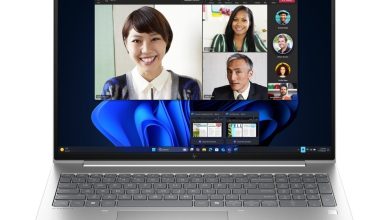
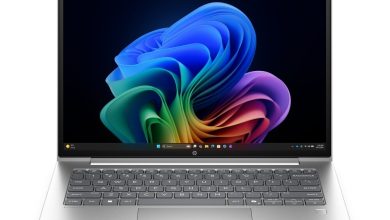
Looking for the official HP OmniBook 3 Laptop Next Gen AI 14-hz0488nr driver download for Windows 11? This page gives you HP's own download links for this model (SKU DT4E9UA) on Windows 11 version 25H2 (64-bit). One important note: this laptop runs on a Qualcomm Snapdragon ARM64 processor with Windows 11 on ARM, so HP publishes only the Qualcomm Driver Pack and the ARM64 hardware diagnostics on its support page — all other drivers for this model arrive automatically through Windows Update.
BIOS & Firmware
- HP PC Hardware Diagnostics UEFI (ARM64) — 10.8.6.0 Rev.A, May 11, 2026, 48.1 MB — sp172932.exe Download
Utilities & Software
- Qualcomm Driver Pack — r09300.1 Rev.S, Aug 24, 2026, 446.0 MB — sp174443.exe Download
A Note About ARM64 Drivers
On the Snapdragon-based 14-hz0488nr, HP's support page lists just two official downloads. This is normal for Windows on ARM laptops: the Qualcomm Driver Pack contains the chipset, graphics, and connectivity drivers tuned for this SoC, and Windows Update keeps them current. You do not need separate Intel or AMD driver packages — they won't run on this machine.
How to Install
- Download the Qualcomm Driver Pack from the link above.
- Right-click the downloaded `.exe` file and select Run as administrator.
- Follow the on-screen instructions and restart your laptop when prompted.
- After installing, open Settings > Windows Update and click Check for updates to pull in any remaining ARM64 drivers HP delivers through Windows Update.
FAQs
Where can I get the HP OmniBook 3 Laptop Next Gen AI 14-hz0488nr drivers?
You can get them right here from this page. Every download link above points to HP's official server, so the HP OmniBook 3 Laptop Next Gen AI 14-hz0488nr driver download is safe and exactly as HP published it.
Which Windows version do these drivers support?
They are published by HP for Windows 11 version 25H2 on ARM (64-bit) — the operating system this Snapdragon-powered OmniBook 3 ships with.
Why are there only two drivers listed for this model?
Because this laptop uses a Qualcomm Snapdragon ARM64 chip. HP publishes only the Qualcomm Driver Pack and ARM64 diagnostics on its support page; the remaining hardware drivers are delivered automatically through Windows Update, so there is nothing extra to download manually.
Do I need to install the drivers in a specific order?
Not strictly. Install the Qualcomm Driver Pack first, then the diagnostics if you want them, restart your laptop, and finish with a Windows Update check so any remaining ARM64 drivers install automatically.