HP OmniBook 7 Aero 13-bg1666AU BM7R0PA Driver Download (Windows 11)
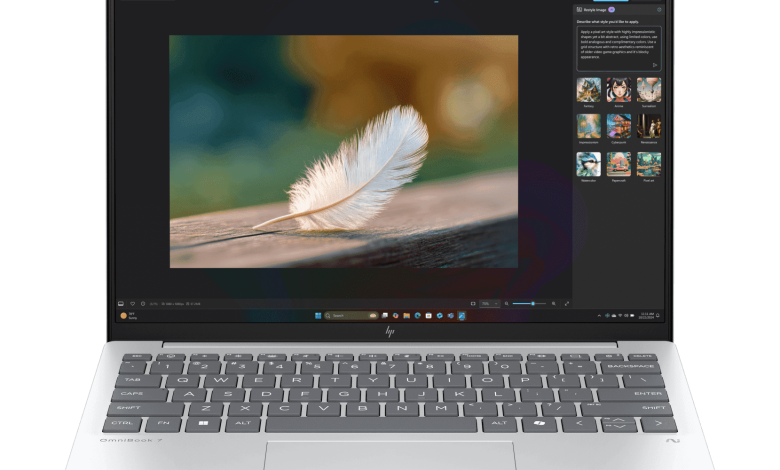
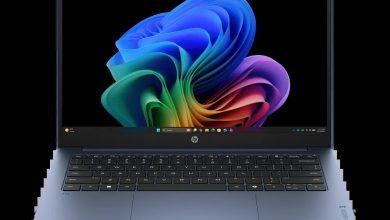
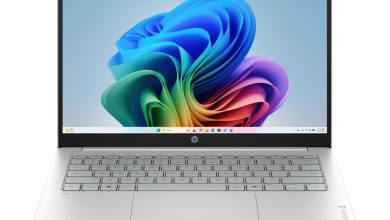
Download the latest HP OmniBook 7 Aero 13-bg1666AU BM7R0PA driver download packages for Windows 11 Home, straight from HP's official servers. The HP OmniBook 7 Aero Laptop Next Gen AI 13-bg1666AU (BM7R0PA) is a lightweight laptop with a 13.3-inch 2K display, powered by an AMD Ryzen AI 5 processor with AMD Radeon 840M graphics, 16GB of LPDDR5x-7500 RAM and a 512GB SSD, and this page brings together all 18 official drivers and firmware updates for it — BIOS, chipset, graphics, audio, network, touchpad, SSD firmware, and HP software — so you can get every device on your laptop working with the correct, up-to-date software.
Before you start: this list includes two versions of Poly Camera Pro and two versions of the Realtek RTL8xxx Wireless LAN driver — install only the newer version of each (Poly Camera Pro 2.13.2 Rev.A over 2.12.3 Rev.A, and Realtek WLAN 1.0.0.279 Rev.S over 1.0.0.260 Rev.S) and skip the older one. The SanDisk SSD firmware update should only be installed if your laptop has a SanDisk SSD — check Device Manager if you are unsure which brand you have. Keep your laptop plugged into power while installing BIOS and firmware updates.
Driver Index
- BIOS
- Diagnostic
- Driver-Audio
- Driver-Chipset
- Driver-Graphics
- Driver-Keyboard, Mouse and Input Devices
- Driver-Network
- Firmware
- Software-Solutions
- Installation Steps
- Driver FAQs
BIOS

Diagnostic
Driver-Audio
Driver-Chipset
Driver-Graphics
Driver-Keyboard, Mouse and Input Devices
Driver-Network
Firmware
Software-Solutions
Installation Steps
- Download the driver package for the device you need from the section above and run the setup file once the download finishes.
- Follow the on-screen installer prompts and accept the default settings unless you have a reason to change them.
- Restart your laptop when the installer asks you to — BIOS, chipset, and graphics drivers only take full effect after a restart.
- Open Device Manager and check that the device no longer shows a warning icon; repeat the steps for each remaining driver.
- Install the HP PC Hardware Diagnostics Windows package last, then run it once to verify that your hardware is working correctly after the new drivers are in place.
Driver FAQs
Where can I download the HP OmniBook 7 Aero 13-bg1666AU BM7R0PA drivers?
You can download the complete HP OmniBook 7 Aero 13-bg1666AU BM7R0PA driver download set from this page — every package above is the official HP setup file hosted on HP's own servers, covering Windows 11 Home (64-bit). Pick the package for the device you need and click its Download button.
There are two Poly Camera Pro packages — which one should I install?
Install the newer version, Poly Camera Pro 2.13.2 Rev.A (sp175234.exe, November 9, 2026), and skip the older 2.12.3 Rev.A (sp174628.exe, September 9, 2026). HP lists both versions on the same support page, but the newer one supersedes the older one.
There are two Realtek Wireless LAN drivers — which one should I install?
Install the newer version, Realtek RTL8xxx Wireless LAN Drivers 1.0.0.279 Rev.S (sp171538.exe, March 13, 2026), and skip the older 1.0.0.260 Rev.S (sp156495.exe, December 27, 2024). The newer driver supersedes the older one.
Which drivers should I install first on the HP OmniBook 7 Aero 13-bg1666AU?
Install the chipset driver first, then the graphics, network, and audio drivers, followed by the touchpad and remaining device drivers. Install the BIOS update and the SSD firmware only when your laptop is plugged into power, and install only the SSD firmware that matches your drive brand.