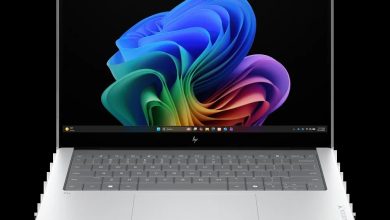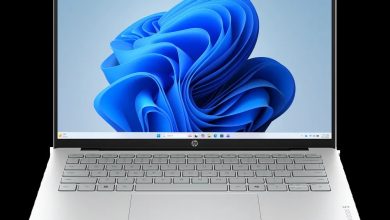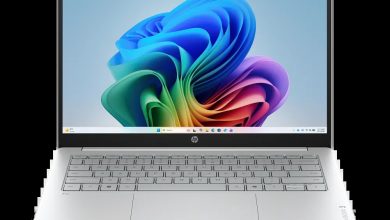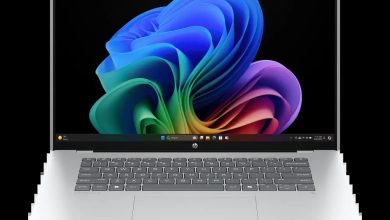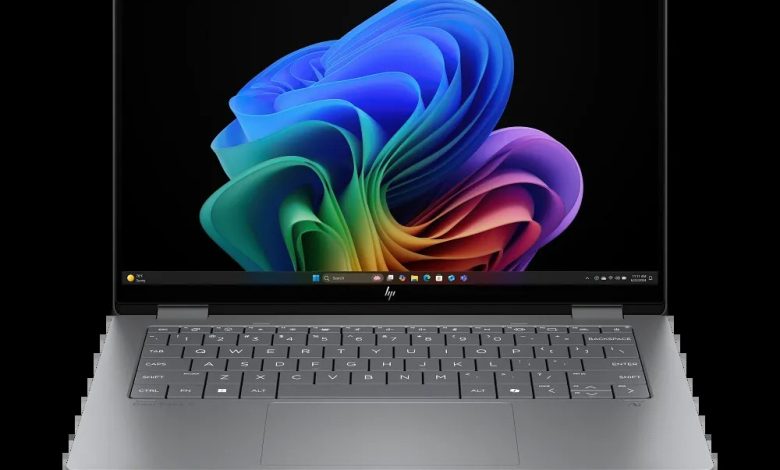
Looking for the official HP OmniBook X Flip 2-in-1 Laptop Next Gen AI 14-fk0047nr driver download for Windows 11? This page collects every driver HP publishes for the 14-fk0047nr (SKU B88A5UA), a 14-inch convertible with an AMD Ryzen AI 7 processor and NPU for on-device AI features. All links are HP’s official ftp.hp.com downloads, checked against HP’s support page for Windows 11 version 25H2 (64-bit).
Utilities & Software
- HP Notebook System BIOS Update (AMD Processors) — F.11 Rev.A, May 11, 2026, 15.4 MB — sp172952.exe Download
- HP PC Hardware Diagnostics Windows — 3.2.0.0 Rev.A, Aug 6, 2026, 835.3 MB — sp174215.exe Download
- HP PC Hardware Diagnostics UEFI — 10.8.7.0 Rev.A, Jul 8, 2026, 40.6 MB — sp173795.exe Download
- Realtek High-Definition (HD) Audio Driver — 6.0.9960.1 Rev.C, May 25, 2026, 809.5 MB — sp173331.exe Download
- AMD Neural Processing Unit (NPU) Driver — 32.00.0203.329 Rev.B, 14.4 MB — sp173329.exe Download
- Windows Studio Effects Driver for AMD — 2.0.11.0 Rev.A, Feb 21, 2025, 41.3 MB — sp156960.exe Download
- AMD High-Definition Graphics Driver — 32.0.22068.0 Rev.D, May 18, 2026, 1008.3 MB — sp173172.exe Download
- HP Presence Sensing Settings — 1.1.8.7 Rev.A, Feb 21, 2025, 2.7 MB — sp156841.exe Download
- Synaptics Precision Touchpad Filter Driver — 19.5.35.113 Rev.A, 5.2 MB — sp156958.exe Download
- ELAN Precision Touchpad Filter Driver — 22.2.55.4 Rev.C, May 21, 2026, 1.6 MB — sp173282.exe Download
- MediaTek Wireless LAN Driver — 3.5.0.116 Rev.A, May 11, 2026, 30.3 MB — sp172908.exe Download
- MediaTek Bluetooth Driver — 2.22.0.91 Rev.E, Apr 29, 2026, 7.2 MB — sp172694.exe Download
- HP Connection Optimizer — 2.0.21.0 Rev.A, Jun 13, 2025, 4.2 MB — sp160169.exe Download
- HP Support Assistant — 9.55.10.0 Rev.A, Aug 25, 2026, 169.5 MB — sp174448.exe Download
- Poly Camera Pro Software — 2.11.5 Rev.A, Aug 7, 2026, 947.2 MB — sp174235.exe Download
How to Install HP OmniBook X Flip 2-in-1 Laptop Next Gen AI 14-fk0047nr Drivers
- Click the spXXXXXX.exe Download link for the driver you need above — it downloads the official HP installer directly.
- Run the downloaded file and follow the on-screen setup wizard. Do not disconnect power during a BIOS update.
- Install the chipset and NPU drivers first, then graphics, audio, network, and touchpad drivers.
- Restart your laptop when prompted so the new drivers take effect.
FAQs
Where can I download the HP OmniBook X Flip 2-in-1 Laptop Next Gen AI 14-fk0047nr driver for Windows 11?
You can download every official driver from this page — all HP OmniBook X Flip 2-in-1 Laptop Next Gen AI 14-fk0047nr driver download links above point directly to HP’s own ftp.hp.com servers for Windows 11 64-bit.
Which BIOS version is latest for the 14-fk0047nr?
HP lists the HP Notebook System BIOS Update (AMD Processors) F.11 Rev.A (May 11, 2026) for the 14-fk0047nr. Keep your laptop plugged in while updating the BIOS.
Which touchpad driver should I install?
The 14-fk0047nr lists both Synaptics and ELAN precision touchpad drivers — install only the one that matches your hardware (check Device Manager under “Human Interface Devices”).
What is the Windows Studio Effects Driver for AMD?
It enables the AI camera effects (background blur, eye-contact correction) powered by the Ryzen AI 7 NPU on the 14-fk0047nr, along with HP Presence Sensing Settings.