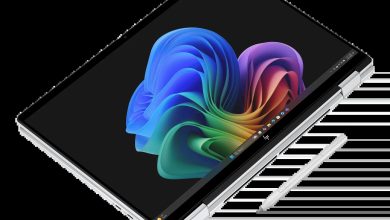
HP EliteBook X G2q 14 inch Notebook Next Gen AI PC Driver Download (Windows 11 on ARM)
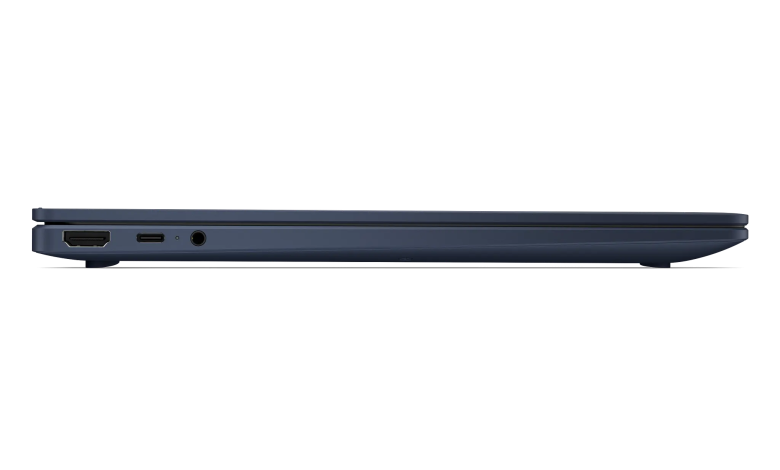
Looking for the latest HP EliteBook X G2q 14 driver download for Windows 11 on ARM? This page lists all 20 official drivers HP publishes for the HP EliteBook X G2q 14 inch Notebook Next Gen AI PC. Note honestly: this is a Qualcomm ARM-based machine, so HP’s driver list for it is short — the page has no separate BIOS, graphics, audio, or Wi-Fi driver sections, and every entry below is the ARM64 build HP lists for this model. Install only these ARM64 drivers; do not install Intel or AMD drivers meant for other EliteBook models.
Diagnostic
- HP PC Hardware Diagnostics Windows — 3.1.1.0 Rev.A, May 20, 2026, 618.9 MB — sp173207.exe Download
- HP PC Hardware Diagnostics UEFI (ARM64) — 10.8.6.0 Rev.A, May 11, 2026, 48.1 MB — sp172932.exe Download
Docks Firmware and Driver
- HP USB-C 100W G6 Dock – HP Firmware Installer — 1.3.16.0 Rev.A, Sep 18, 2026, 15.1 MB — sp174713.exe Download
- Realtek USB Ethernet Controller (ARM64) — 11.22.0113.2026 Rev.A, Jul 28, 2026, 1.1 MB — sp174044.exe Download
- HP USB-C Dock G5 – Firmware — 1.0.27.0 Rev.A, Oct 5, 2026, 9.2 MB — sp174812.exe Download
- HP USB-C/A Universal Dock G2 – Firmware — 1.1.26.0 Rev.A, Oct 5, 2026, 9.0 MB — sp174813.exe Download
- HP Thunderbolt 4 Ultra 180W/280W G6 Dock – HP Firmware Installer — 1.6.50.0 Rev.A, Sep 18, 2026, 15.8 MB — sp174717.exe Download
- HP Thunderbolt 4 100W G6 – HP Firmware Installer — 1.6.49.0 Rev.A, Sep 18, 2026, 15.5 MB — sp174715.exe Download
Driver Chipset
- Qualcomm BSP Software Pack — r05300.4 Rev.S, Oct 13, 2026, 303.0 MB — sp174809.exe Download
Driver Enabling
- HP Application Enabling Software Driver — 1.87.4769.0 Rev.A, Jul 14, 2026, 51.0 MB — sp173834.exe Download
Driver Keyboard, Mouse and Input Devices
- HP Hotkey Support (ARM64) — 1.0.0.61 Rev.B, Jul 30, 2026, 64.7 MB — sp174108.exe Download
- HP Universal WBF Fingerprint Driver (ARM64) — 1.0.0.10 Rev.A, Aug 20, 2026, 2.3 MB — sp174415.exe Download
- Synaptics Touchpad Driver (ARM64) — 19.6.69.310 Rev.A, Feb 10, 2026, 5.4 MB — sp170341.exe Download
Driver Network
- Qualcomm X72 5G WWAN Solution Drivers — 0.1.1.21 Rev.A, May 11, 2026, 162.0 MB — sp172425.exe Download
Software Security
- HP Wolf Security Console — 11.1.8.1209 Rev.A, Aug 18, 2026, 59.9 MB — sp174411.exe Download
- HP Wolf Security for Business (ARM64) — 4.4.33.1019 Rev.A, Aug 18, 2026, 368.9 MB — sp174396.exe Download
Software Solutions
- System Default Settings — 1.5.26.1 Rev.0, Aug 4, 2026, 4.6 MB — sp174145.exe Download
- HP App — 53.52606.1246.0 Rev.A, Apr 13, 2026, 730.4 MB — sp172325.exe Download
- Poly Camera Pro Software — 2.11.5 Rev.A, Aug 7, 2026, 947.2 MB — sp174235.exe Download
- HP Privacy Settings — 1.4.17.0 Rev.A, Jan 2, 2026, 283.6 MB — sp168489.exe Download
How to Install HP EliteBook X G2q 14 Drivers
- Download the driver you need from the list above (each link is HP's official file).
- Run the downloaded file and follow the on-screen installer prompts.
- Restart the notebook when the installer asks you to.
- On this ARM64 machine, install only the drivers listed here — do not install Intel, AMD, or x64-only drivers from other EliteBook pages.
FAQs About HP EliteBook X G2q 14 Driver Download
Why does this page list only 20 drivers?
Because the EliteBook X G2q 14 is a Qualcomm ARM-based notebook, and HP's support page for this model currently lists only these 20 downloads — there are no separate BIOS, graphics, audio, or Wi-Fi driver entries for it.
Is this the Windows 11 on ARM version?
Yes. The drivers above are the ARM64 builds HP lists for this model running Windows 11 on ARM.
Does HP offer a separate Wi-Fi driver for this model?
No separate Wi-Fi/WLAN driver section appears on HP's page for this model. For mobile connectivity, HP lists the Qualcomm X72 5G WWAN drivers above; do not install an Intel or Realtek WLAN driver meant for another model.
Where do I get BIOS updates for this model?
HP's driver page for this model currently lists no separate BIOS download. Check HP's support page again later or use HP Support Assistant on the notebook to check for firmware updates.