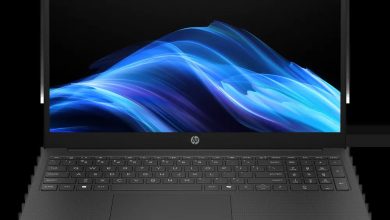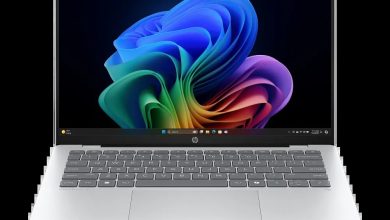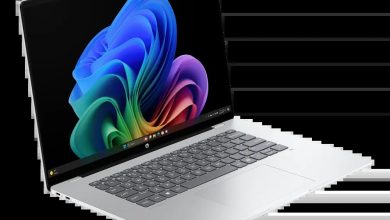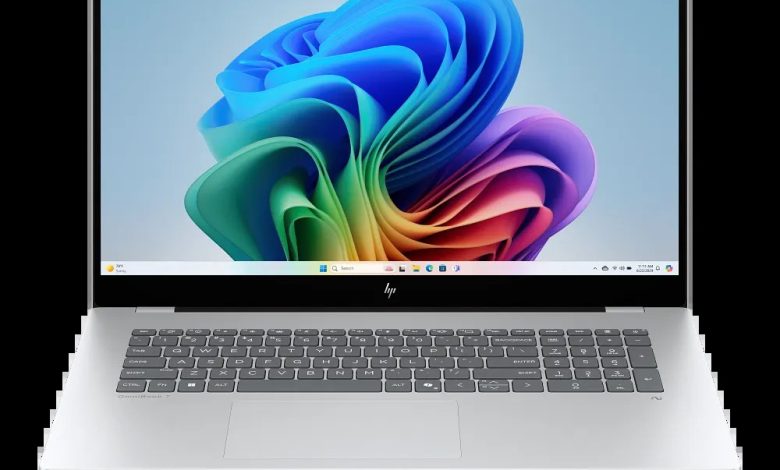
Looking for the HP OmniBook 7 17t-dc000 driver download? You are in the right place. This page has every official HP OmniBook 7 17t-dc000 driver for Windows 11 — BIOS, chipset, Intel and NVIDIA graphics, audio, Intel Wi-Fi and Bluetooth, touchpad, SSD firmware and HP utilities — all with direct official HP download links.
The HP OmniBook 7 17t-dc000 is a 17.3-inch Next Gen AI laptop (configure-to-order SKU AL2B7AV) with Intel processors and optional NVIDIA GeForce graphics. Install the drivers below to keep everything running at its best.
BIOS & Firmware
- HP Notebook System BIOS Update (Intel Processors) — F.20 Rev.A, Apr 30, 2026, 16.5 MB — sp172503.exe Download
- SanDisk SSD Firmware Update — Multiple versions Rev.A, Nov 13, 2025, 21.0 MB — sp165812.exe Download
- Samsung PM9A1 SSD Firmware — HPS4NKXM Rev.A, Jan 20, 2025, 3.1 MB — sp156710.exe Download
- Goodix Touchscreen Firmware Update — GT7937_1A.10.01.05 Rev.05, Mar 28, 2025, 0.9 MB — sp157976.exe Download
BIOS warning: Only install the BIOS update marked for Intel processors. Keep the laptop plugged in and do not turn it off during the update. Install the SSD firmware that matches your drive (SanDisk or Samsung PM9A1).
Chipset
- Intel Neural Processing Unit (NPU) Driver — 32.0.100.4512 Rev.E, 39.0 MB — sp172285.exe Download
- Intel Serial IO Driver — 30.100.2524.32 Rev.B, 1.0 MB — sp172269.exe Download
- Intel Human Interface Device (HID) Event Filter Driver — 2.2.2.17 Rev.C, 0.8 MB — sp172280.exe Download
- Intel Platform Monitoring Technology (PMT) Driver — 5.2.6.3 Rev.B, Apr 27, 2026 — sp172267.exe Download
- Intel Chipset Installation Utility and Driver — 10.1.20378.8757 Rev.B, 0.7 MB — sp172266.exe Download
- Intel Innovation Platform Framework Processor Participant Driver — 2.3.20200.4422 Rev.B, 8.2 MB — sp172278.exe Download
- Intel Management Engine Interface (MEI) Driver — 2552.8.10.0 Rev.B, 13.8 MB — sp172270.exe Download
Graphics
- Intel High-Definition (HD) Graphics Driver — 32.0.101.8626 Rev.C, Apr 27, 2026, 566.2 MB — sp172271.exe Download
- NVIDIA GeForce Graphics Driver — 32.0.15.9180 Rev.C, 1280.3 MB — sp172277.exe Download
Graphics note: Install the Intel graphics driver always. Install the NVIDIA driver only if your configuration has NVIDIA GeForce graphics.
Audio
- Realtek High-Definition Audio Driver — 6.0.9945.1 Rev.E, Apr 27, 2026, 842.5 MB — sp172282.exe Download
Wi-Fi & Bluetooth
- Intel WLAN Driver — 24.50.0.4 Rev.A, Jun 25, 2026, 15.8 MB — sp173653.exe Download
- Intel Bluetooth Driver — 24.50.1.3 Rev.A, 16.2 MB — sp173652.exe Download
Touchpad
- Synaptics Precision Touchpad Filter Driver — 19.5.35.126 Rev.E, 5.3 MB — sp172284.exe Download
- ELAN Precision Touchpad Filter Driver — 22.2.55.4 Rev.C, 1.6 MB — sp172283.exe Download
Touchpad note: HP lists both Synaptics and ELAN variants. Install the one matching your touchpad hardware — installing the wrong one is harmless but unnecessary.
Diagnostics & Software
- HP PC Hardware Diagnostics Windows — 3.2.0.0 Rev.A, Aug 6, 2026, 835.3 MB — sp174215.exe Download
- HP PC Hardware Diagnostics UEFI — 10.8.7.0 Rev.A, Jul 8, 2026, 40.6 MB — sp173795.exe Download
- HP Connection Optimizer — 2.0.21.0 Rev.A, Jun 13, 2025, 4.2 MB — sp160169.exe Download
- Poly Camera Pro Software — 2.11.5 Rev.A, Aug 7, 2026, 947.2 MB — sp174235.exe Download
- HP Support Assistant — 9.55.10.0 Rev.A, Aug 25, 2026, 169.5 MB — sp174448.exe Download
- HP AI Companion Package — 2.6.1003.0 Rev.A, Dec 1, 2025, 1434.8 MB — sp165958.exe Download
- HP Cloud Recovery Tool — available on the Microsoft Store — Get it here
How to Install HP OmniBook 7 17t-dc000 Drivers
- Download the driver you need from the list above — start with the Chipset Installation Utility, then graphics, then the rest.
- Run the downloaded .exe file (double-click it) and follow the on-screen instructions.
- Restart your laptop when the installer asks you to, so the driver loads properly.
- Verify in Device Manager — no yellow warning icons should remain under Display adapters, Network adapters, or Sound controllers.
Frequently Asked Questions (FAQ)
Where can I download HP OmniBook 7 17t-dc000 drivers for Windows 11?
Right here — every link above points to HP’s official download servers (ftp.hp.com), the same files HP’s support site offers.
Which BIOS version is latest for the OmniBook 7 17t-dc000?
BIOS F.20 Rev.A (released April 30, 2026) is the latest listed by HP for the Intel-processor configuration.
Does the OmniBook 7 17t-dc000 need the NVIDIA driver?
Only if your configuration includes NVIDIA GeForce graphics. The Intel graphics driver is required on all configurations.
Why are there two touchpad drivers listed?
HP ships this model with either a Synaptics or an ELAN touchpad depending on the build. Check Device Manager to see which one you have, then install the matching driver.
Source: HP official support page — HP OmniBook 7 17.3″ Laptop Next Gen AI PC 17-dc0000 (SKU AL2B7AV). Driver details verified from HP’s download listings. Always download the latest version available.