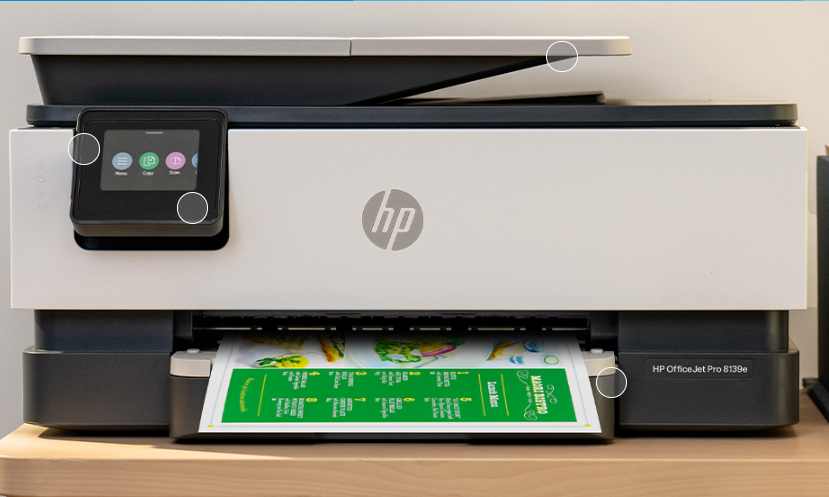
Looking for the HP DeskJet 2300 driver download? You are in the right place. On this page you can find the latest HP DeskJet 2300 All-in-One printer driver and software for Windows 11, Windows 10, Windows 8.1, Windows 8, Windows 7 (32-bit and 64-bit) and macOS — free to download and always available.
The HP DeskJet 2300 series is a compact all-in-one printer that prints, scans and copies. To use all its features, you need the correct driver installed on your computer. Below you will find every official driver, setup software and firmware update released for this printer series, with version numbers, release dates and file sizes.
HP DeskJet 2300 Driver & Software Downloads
| Software / Driver | Version | Released | File Size | Supported OS | Download |
|---|---|---|---|---|---|
| HP Easy Start Printer Setup Software | 17.6.14 | Sep 25, 2026 | 26.5 MB | Windows 11, 10, 8.1, 8, 7 (32/64-bit) | Download |
| HP DeskJet 2300 Print and Scan Driver and Accessories (Full Driver) | 51.3.4843 | Nov 16, 2021 | 101.2 MB | Windows 11, 10, 8.1, 8, 7 (32/64-bit) | Download |
| HP DeskJet 2300 Firmware Update | 2438A | Oct 17, 2024 | 5.2 MB | Windows (printer firmware) | Download |
| Install HP Easy Start (Mac) | 2.16.7.260722 | Aug 14, 2026 | 6.3 MB | macOS 26, 15, 14, 13, 12, 11, 10.15, 10.14 | Download |
Note: HP lists these downloads under the series name “HP DeskJet 2300 All-in-One Printer series”. The same drivers apply to all printers in this series.
1. HP Easy Start Printer Setup Software (Recommended)
HP Easy Start is the easiest way to set up your printer. It guides you through connecting the printer and installs the correct driver automatically. Version 17.6.14 (released September 2026) brings an improved setup experience and performance optimizations. An internet connection is required during installation.
- File name: HPEasyStart_17_6_14.exe
- Best for: First-time setup on Windows 11, 10, 8.1, 8 and 7
- Download: HP Easy Start v17.6.14 for Windows (26.5 MB)
2. HP DeskJet 2300 Full Print and Scan Driver
This is the complete driver package with everything needed to install and use the printer — printing, scanning and all accessories. If you want the full feature set instead of the guided Easy Start setup, download this package (101.2 MB).
- File name: Full_Webpack-51.3.4843-DJ2300_Full_Webpack.exe
- Download: HP DeskJet 2300 Full Driver v51.3.4843 for Windows (101.2 MB)
3. HP DeskJet 2300 Firmware Update
Firmware version 2438A (released October 2024) updates the printer’s internal software. Keep your firmware up to date for the best performance and compatibility.
- File name: DJ2300_2438A.exe
- Download: HP DeskJet 2300 Firmware Update v2438A (5.2 MB)
- Important: This printer uses HP’s dynamic security, which blocks cartridges that use a non-HP chip or modified circuitry. Use genuine HP cartridges to avoid issues after updating firmware.
4. HP Easy Start for Mac
Mac users can set up the printer with HP Easy Start for Mac (version 2.16.7.260722, released August 2026), which adds support for the latest macOS 26. It is also available from the App Store.
- File name: HP_Easy_Start.app.zip
- Download: HP Easy Start v2.16.7.260722 for Mac (6.3 MB)
How to Download and Install the HP DeskJet 2300 Driver
- Download the driver that matches your operating system from the table above (HP Easy Start is recommended for most users).
- Disconnect from any VPN before downloading, as VPNs can interrupt the download from HP’s servers.
- Run the downloaded file (double-click the .exe on Windows or open the .zip on Mac).
- Connect your printer via USB cable when the setup asks you to.
- Follow the on-screen instructions to finish installation, then print a test page.
Tip: HP also offers the free HP app, which helps you connect the printer, install drivers, scan, and diagnose common issues. An HP account is required for HP+ and Instant Ink customers.
HP DeskJet 2300 Specifications (Quick Overview)
- Functions: Print, scan, copy (All-in-One)
- Print technology: HP Thermal Inkjet
- Print quality: Up to 1200 x 1200 dpi (black), up to 4800 x 1200 optimized dpi (color)
- Print speed: First page out in as fast as 15 seconds
- Duty cycle: Up to 1,000 pages per month
- Connectivity: Hi-Speed USB 2.0
- Paper handling: 60-sheet input tray, 25-sheet output tray, manual duplex
- Scanner: Flatbed, up to 1200 dpi optical resolution
- Cartridges: 2 (1 black + 1 tri-color)
- Memory: 128 MB
- Dimensions: 425.2 x 304.1 x 149.1 mm, 3.42 kg
- Warranty: One-year limited hardware warranty
Frequently Asked Questions (FAQ)
Which operating systems does the HP DeskJet 2300 support?
Windows 11, Windows 10, 8.1, 8 and 7 (both 32-bit and 64-bit), and macOS 26 down to macOS 10.14.
Should I use HP Easy Start or the full driver?
Use HP Easy Start for the simplest guided setup. Choose the full print and scan driver package if you want the complete software suite with all accessories.
Is the HP DeskJet 2300 driver free?
Yes, all drivers, software and firmware updates listed here are free to download.
Why is my printer not recognized after a firmware update?
The DeskJet 2300 uses dynamic security, which blocks non-HP or refilled cartridges with modified chips. Make sure you are using genuine HP cartridges.
Does the HP DeskJet 2300 support wireless printing?
This model connects via USB 2.0. Check your specific variant’s documentation for wireless capability.
More HP DeskJet Drivers
Looking for drivers for another model? Browse more HP printer drivers on our site, or search for your exact model number.
Source: HP official support page — HP DeskJet 2300 All-in-One Printer series drivers. Driver details verified from HP’s download listings. Always download the latest version available.