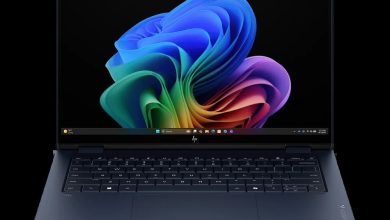
HyperX OMEN 15 inch Gaming Laptop PC 15-gb0711nr D9KL8UA Driver Download (Windows 11)
Looking for the HyperX OMEN 15 gb0711nr D9KL8UA driver download for Windows 11? You are in the right place. This page brings together all 25 official drivers and firmware updates for the HyperX OMEN 15 inch Gaming Laptop PC 15-gb0711nr (D9KL8UA), straight from HP's official servers. This is an AMD-powered gaming laptop with both NVIDIA GeForce and AMD Radeon graphics, so the list below covers both graphics drivers alongside the AMD chipset and NPU drivers, plus audio, Wi-Fi, Bluetooth, and the OMEN Gaming Hub SDK.
Before you start: this page covers Windows 11 (64-bit) only. Check that your laptop model number matches gb0711nr (D9KL8UA) before downloading, install the BIOS and chipset drivers first, and keep your laptop plugged into AC power while installing any firmware update.
HyperX OMEN 15 gb0711nr D9KL8UA Driver Index
- BIOS and Firmware
- Diagnostics
- Audio
- Chipset
- Graphics
- Keyboard, Mouse and Input Devices
- Network
- Firmware
- Software PoS
- Software & Utilities
- Utility Tools
- Installation Steps
- Driver FAQs
BIOS and Firmware
Diagnostics
Audio
Chipset
Graphics

HP HyperX OMEN 15 D9KL8UA AMD High-Definition Graphics Driver sp173130.exe
HP HyperX OMEN 15 D9KL8UA AMD High-Definition Graphics Driver sp173133.exe
HP HyperX OMEN 15 D9KL8UA AMD High-Definition Graphics Driver sp172146.exe
Keyboard, Mouse and Input Devices
Network
Firmware
Software PoS
Software & Utilities
Utility Tools
Installation Steps
- Download the BIOS and System Firmware update first and install it while your laptop is plugged into AC power, then restart the laptop.
- Install the AMD chipset (NPU) driver and restart, then install the NVIDIA GeForce and AMD graphics drivers.
- Install the audio, network (LAN, Wi-Fi, and Bluetooth), and touchpad drivers in any order.
- Install the remaining firmware updates, then the HP Support Assistant, HP Privacy Settings, and OMEN Gaming Hub SDK utilities.
- Restart your laptop once more and check Windows Update for any remaining updates.
Driver FAQs
Where can I download the HyperX OMEN 15 gb0711nr D9KL8UA drivers for Windows 11?
You can download all 25 official HyperX OMEN 15 gb0711nr D9KL8UA drivers for Windows 11 right from this page. Each section above has a download panel for one driver, with its version, release date, and file size, and every file comes straight from HP's official servers.
Which graphics driver should I install on the HyperX OMEN 15 gb0711nr?
This laptop has both NVIDIA GeForce and AMD Radeon graphics, so install the latest driver for each: the NVIDIA GeForce Graphics Driver 32.0.15.9282 Rev.A (June 2026) and the AMD High-Definition Graphics Driver 32.0.21039.12001 Rev.A (July 2026). The older versions listed are kept for compatibility, so only install one if the latest version causes a problem on your laptop.
Do I need to install all 25 drivers?
No. At a minimum, install the BIOS update, the AMD chipset (NPU) driver, both graphics drivers, the audio driver, and the network drivers (LAN, Wi-Fi, and Bluetooth). The firmware updates and utilities such as HP Support Assistant and the OMEN Gaming Hub SDK are optional, but they keep the laptop's hardware and software up to date.
Is it safe to install the BIOS update on this laptop?
Yes, as long as you keep the laptop plugged into AC power and do not switch it off or close the lid while the update is running. The BIOS update (F.16 Rev.A) fixes system issues and improves stability, so install it before the other drivers.