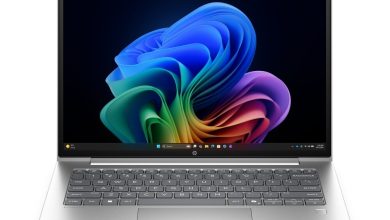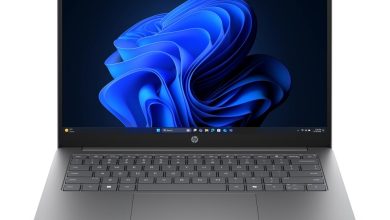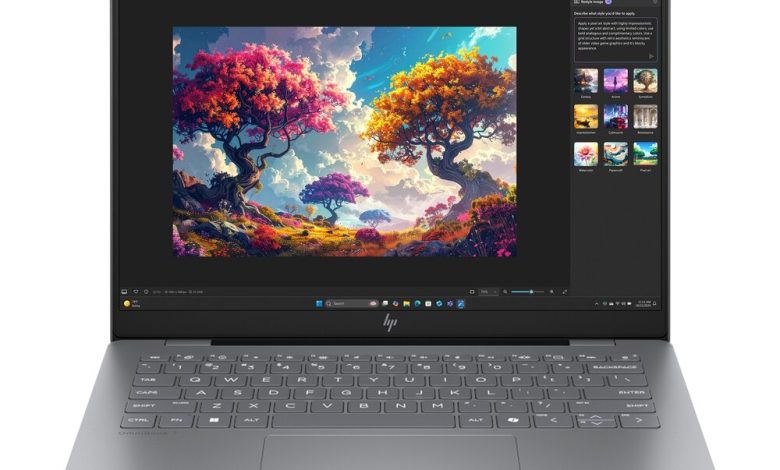
Download the latest official HP OmniBook 7 Laptop Next Gen AI 14-hg0062TU drivers for Windows 11 (64-bit). This 14-inch OmniBook 7 next-gen AI laptop runs on the Intel Core Ultra platform — grab the drivers below, all with direct official HP links, free and no sign-up needed.
BIOS and Firmware
- HP Firmware Pack (Intel Processors) — F.03 Rev.A (May 25, 2026, 22.5 MB) — Download
- HP PC Hardware Diagnostics UEFI — 10.8.7.0 Rev.A (Jul 8, 2026, 40.6 MB) — Download
- SanDisk SSD Firmware Update — Multiple version Rev.A (Nov 13, 2025, 21.0 MB) — Download
Chipset Drivers
- Intel Chipset Installation Utility and Driver — 10.1.20404.8794 Rev.A (Mar 6, 2026, 0.7 MB) — Download
- Intel Management Engine Interface (MEI) Driver — 2552.8.10.0 Rev.A (Mar 6, 2026, 1.6 MB) — Download
- Intel Neural Processing Unit (NPU) Driver — 32.0.100.4841 Rev.B (Sep 2, 2026, 84.0 MB) — Download
- Intel Serial IO Driver — 30.100.2534.18 Rev.A (Mar 6, 2026, 1.0 MB) — Download
- Intel Innovation Platform Framework Processor Participant Driver — 2.3.20302.5056 Rev.A (Mar 6, 2026, 54.6 MB) — Download
- Intel Human Interface Device (HID) Event Filter Driver — 2.2.2.17 Rev.A (Mar 6, 2026, 0.8 MB) — Download
- Intel Platform Monitoring Technology (PMT) — 7.3.10.3 Rev.A (Mar 6, 2026, 0.8 MB) — Download
Graphics Driver
- Intel High-Definition (HD) Graphics Driver — 32.0.101.8361 Rev.A (Mar 6, 2026, 558.7 MB) — Download
Audio Driver
- Realtek High-Definition (HD) Audio Driver — 6.0.9960.1 Rev.A (Apr 10, 2026, 845.7 MB) — Download
Wi-Fi and Bluetooth Drivers
- Intel Wireless LAN Driver — 24.10.0.4 Rev.A (Feb 2, 2026, 15.1 MB) — Download
- Intel Bluetooth Driver — 24.10.0.4 Rev.A (Feb 2, 2026, 14.2 MB) — Download
- MediaTek Wireless LAN Driver — 3.5.0.112 Rev.E (Jan 21, 2026, 30.2 MB) — Download
- MediaTek Bluetooth Driver — 2.22.0.89 Rev.E (Jan 28, 2026, 7.2 MB) — Download
Install only the wireless package matching your card — check Device Manager under Network adapters.
Touchpad Drivers
- Synaptics Precision Touchpad Filter Driver — 19.5.35.124 Rev.B (Mar 6, 2026, 5.4 MB) — Download
- ELAN Precision Touchpad Filter Driver — 43.2.2.2 Rev.B (Mar 6, 2026, 1.6 MB) — Download
Software
- HP Connection Optimizer — 2.0.21.0 Rev.A (Jun 13, 2025, 4.2 MB) — Download
- Poly Camera Pro Software — 2.12.3 Rev.A (Sep 9, 2026, 1029.1 MB) — Download
How to Install
- Download the
.exefile and double-click it — most HP SoftPaqs extract and launch setup automatically. - Allow the installer through User Account Control if asked.
- Restart your laptop when prompted (required for chipset, graphics and BIOS).
- On a fresh Windows install, follow this order: Chipset → MEI → Graphics → Audio → Wi-Fi/Bluetooth → Touchpad.
FAQs
Which BIOS version is latest for the 14-hg0062TU?
The F.03 Rev.A Firmware Pack (May 2026).
Which NPU driver enables the AI features?
The Intel Neural Processing Unit (NPU) Driver (32.0.100.4841 Rev.B) under Chipset Drivers.
Intel or MediaTek Wi-Fi — which one do I install?
Only the package matching your wireless card (check Device Manager → Network adapters).
What is Poly Camera Pro?
It enhances the built-in webcam with background and framing features for video calls.